 Jutsu Studio
The Mac app for Higgsfield.
Seedance, Kling and Genjutsu in one queue. The price is on the button, the result is on your disk.
Free · Open source · macOS 14+ · v0.1.1 · 15 MB
Jutsu Studio is a Mac app. Open this page on your Mac, or .
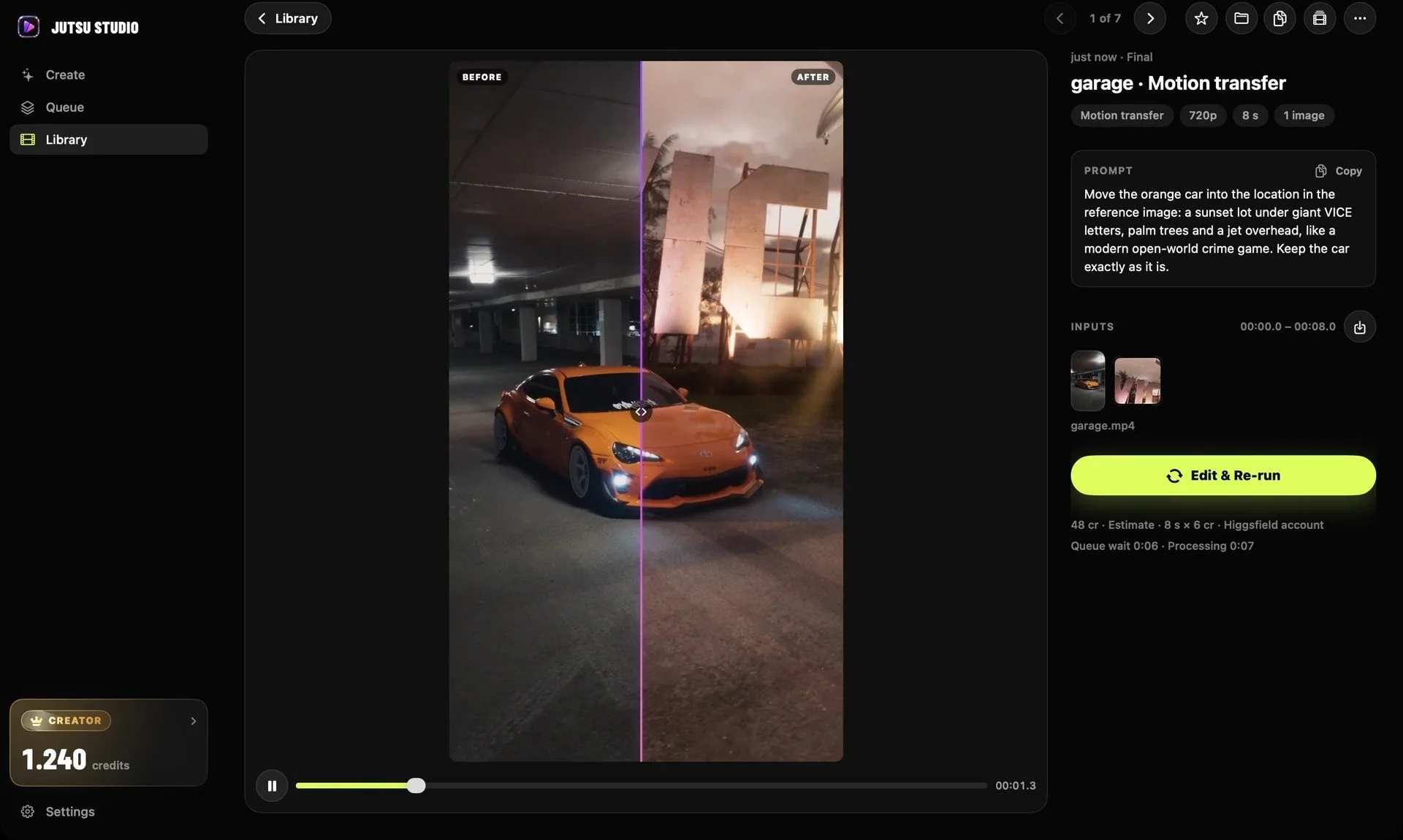
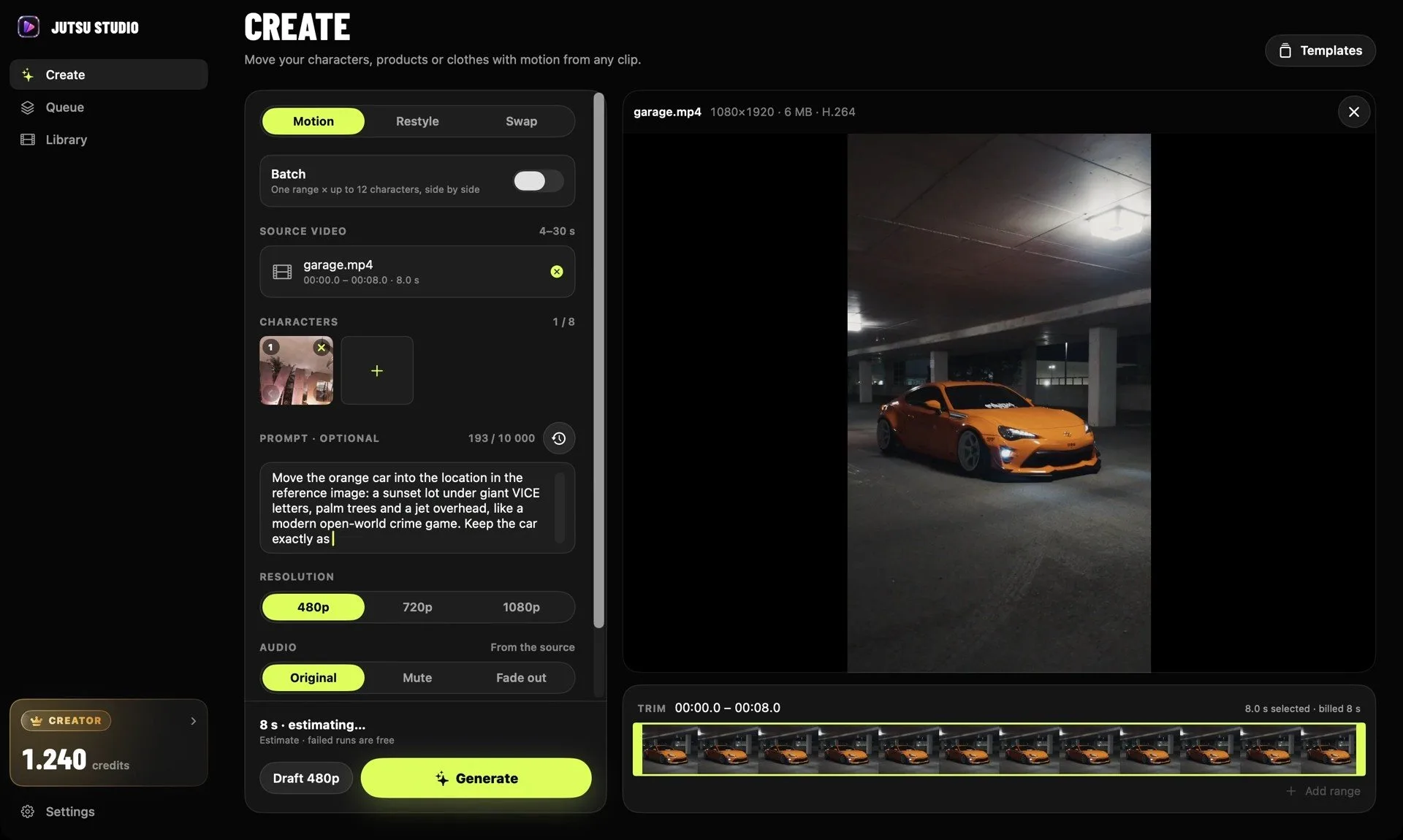
Library. A finished motion transfer next to its source, with the prompt, inputs and cost.
Same motion.
New location.
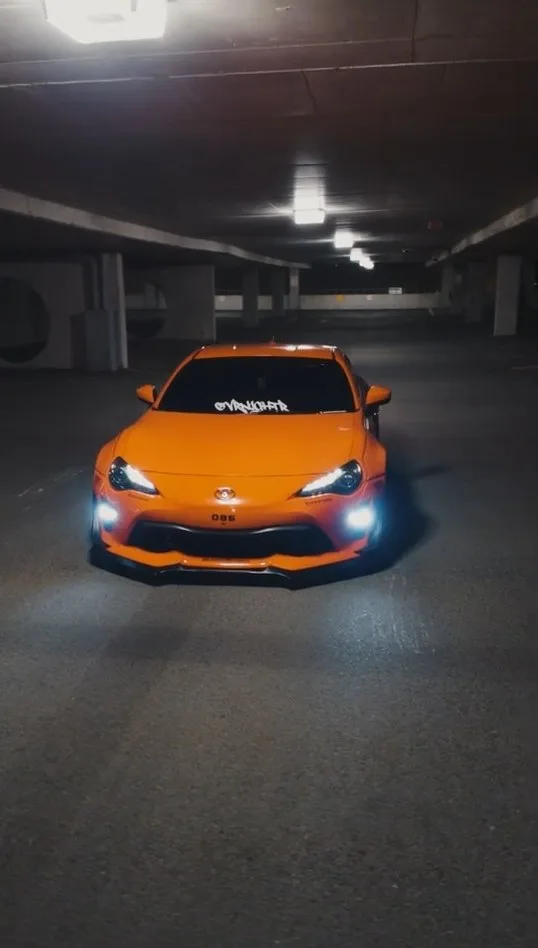
One clip from the demo: a source video, one image of the location and a prompt. Drag the divider.
 SourceResult
What the app does
around each generation.
The generating happens on Higgsfield. Everything before and after it happens on your Mac.
Uploads only the range you pick. Choose 4–30 seconds of a longer clip. Only that range is uploaded and billed.

Takes any video. Converted on your Mac with AVFoundation and fitted under the 200 MiB limit.
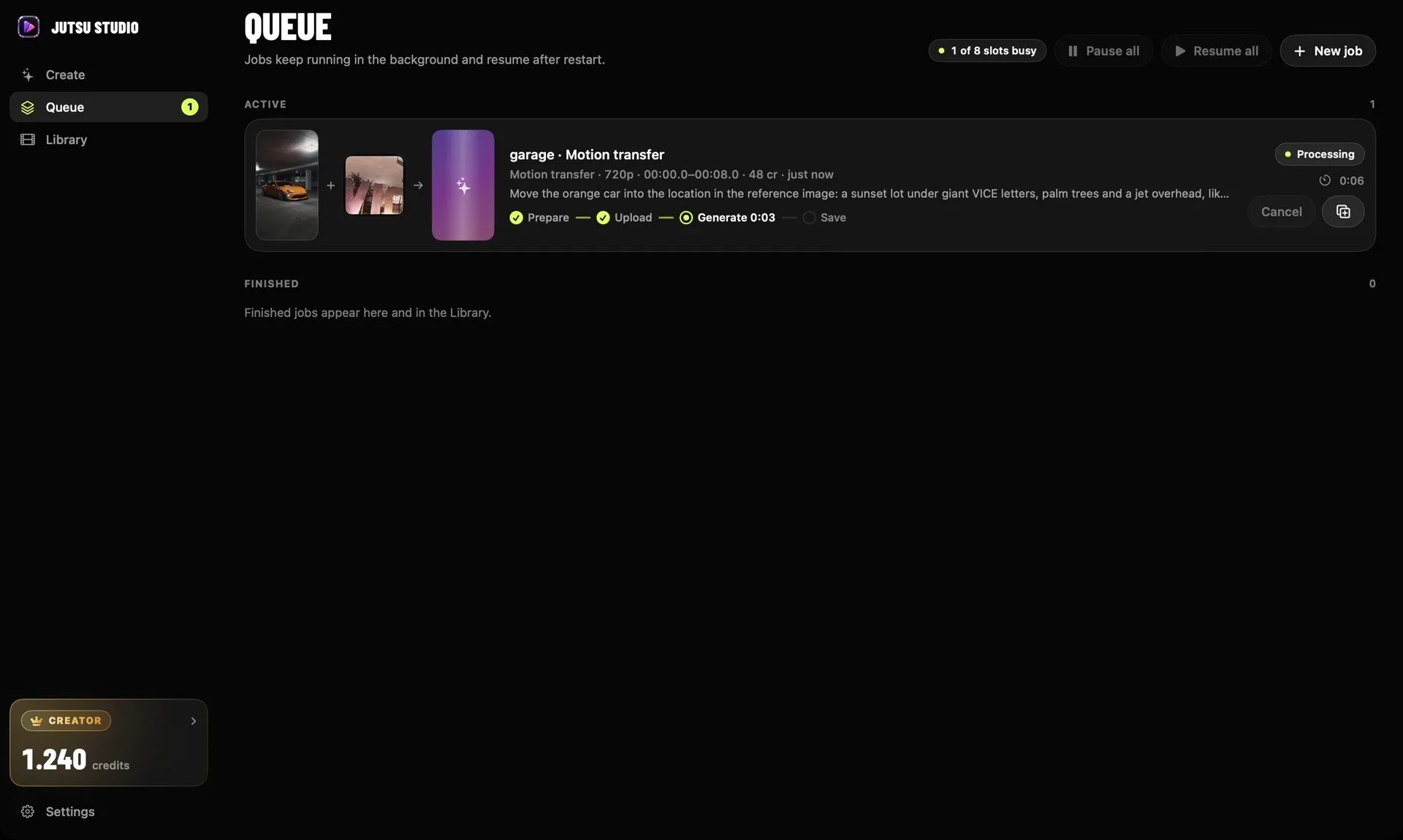
Runs a queue. Jobs run up to your account's concurrency limit in the background, with progress in the menu bar and a notification when each one is done. Pause everything, move a job to the front, duplicate or cancel it.


Never pays twice. Each job carries one idempotency key.
Keeps every result. Downloaded as soon as it's ready, with the source, prompt, cost and request IDs. Higgsfield's links expire; your files don't.
Exports for editing. ProRes 422 or H.264 at the source's frame rate, with file names that sort by take.
The price is on the button.
Before anything is uploaded.
Jutsu Studio is free. You pay Higgsfield for generations, at the same prices as on its website.
Exact price first. With an account, the price is Higgsfield's own quote. With an API key, it's the published list price. When a price is unknown, the app asks before it runs.
Draft, then final. Render a 480p draft first and the 720p or 1080p final only for the takes you keep. A Seedance draft can be finished in 1080p for a third of a new render.
Genjutsu with an API key is billed per second of the source range:
| Resolution | Per second | 10 s clip | 30 s clip |
|---|---|---|---|
| 480p | $0.318 | $3.18 | $9.54 |
| 720p | $0.681 | $6.81 | $20.43 |
| 1080p | $1.632 | $16.32 | $48.96 |
Higgsfield's list prices, October 2026. Failed, rejected and canceled jobs are not charged. Optional daily spending cap, a low-credit warning and a 7/30-day spending report with CSV export.
A library on your disk.
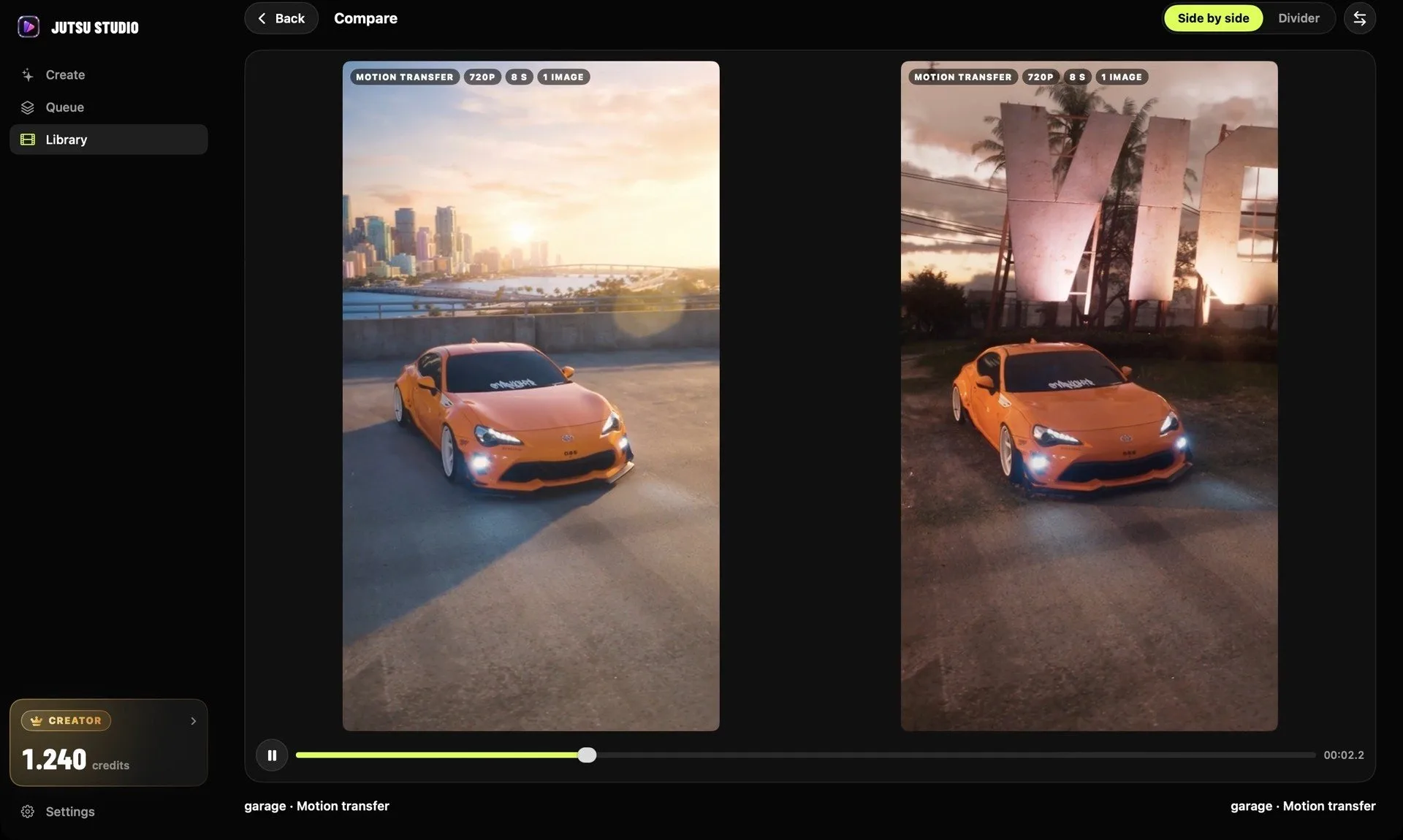
Search, filter and star results. Compare two takes side by side. Keep or reject from the keyboard. Open any result to render its final or edit and run it again.
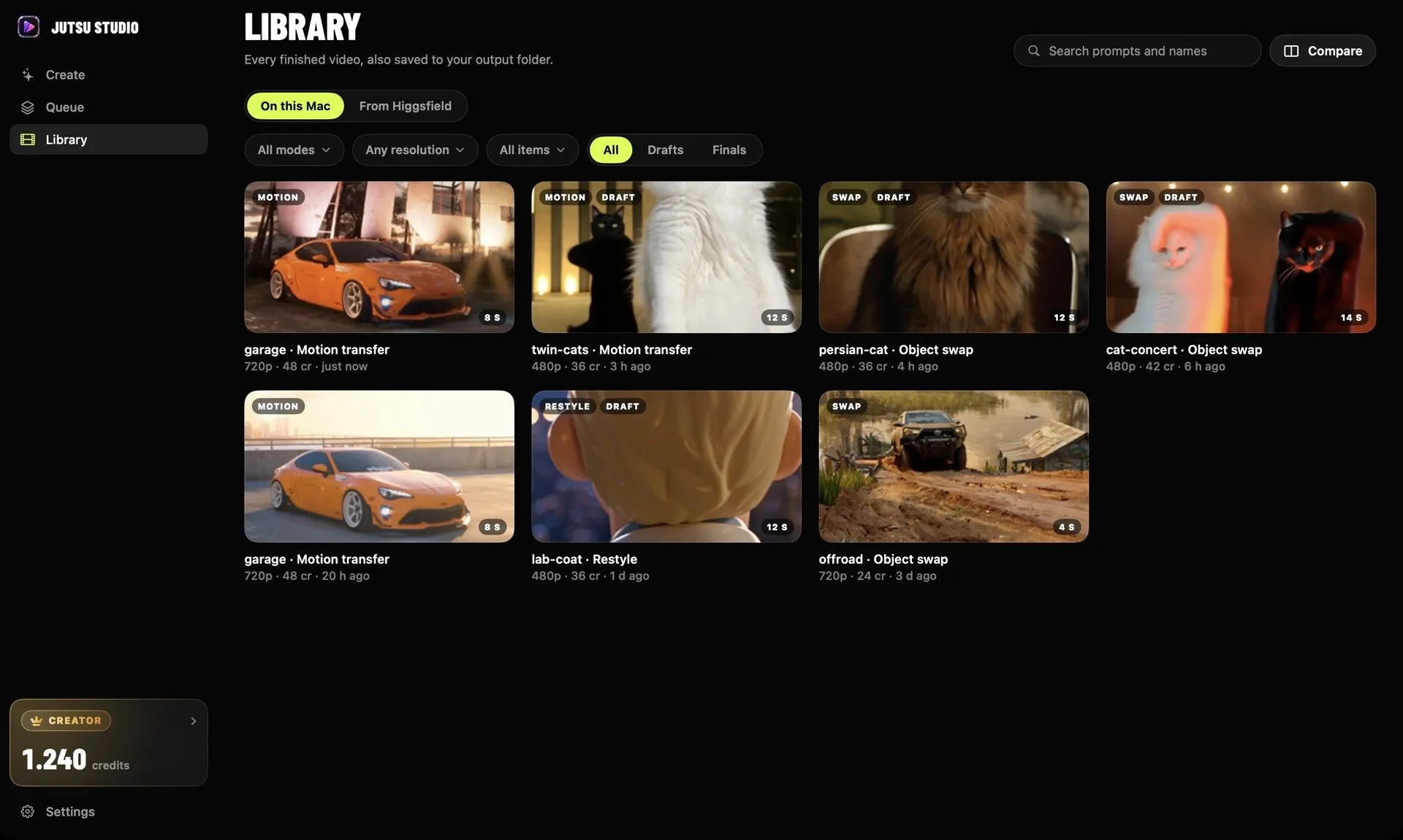
Your Higgsfield history is listed next to local results.
Models.
The form shows only the fields a model takes. Limits come from Higgsfield's live catalog.
Genjutsu
Motion transfer, object swap and restyle of a 4–30 s video.Seedance 2.5
Motion transfer, video from a prompt and images, start and end frames, Edit and Extend.Kling 3.0 Motion Control
Standard or Pro, with the option to keep the video's background.Kling O3
Edit a video with a prompt and up to four images. Video reference with an API key.Wan 3.0 and 3.0 Prime
Motion from a reference video and up to ten images, 2–30 s.Cinema Studio 4.0
Motion from a reference video with camera, lens, lighting and pacing settings.MiniMax H3
Motion from a reference video and up to five images, 5–15 s.API key only
Kling 2.6 Motion Control and Wan 2.7.Account only
MiniMax H3 Max, and Upscale, Reframe, Remove Background, Dub and Change Voice for a finished result.Start in three steps.
No account of ours, nothing to configure. Install, connect, drop a clip.
Install.
Open the .dmg and drag Jutsu Studio to Applications.
Download .dmg · 15 MB
brew install --cask jutsuhq/tap/jutsu-studioConnect Higgsfield.
Pick one way. You can switch later in Settings.
- Uses the credits you already pay for
- Nothing to copy or paste
- Your password stays on higgsfield.ai
- Higgsfield's exact quote on every job
- Billed per second from a prepaid balance
- Published list prices
- A few API-only models
Drop a video.
Pick a 4–30 s range, add a reference image or a preset, write a prompt and check the price on the button.
Keys and tokens are stored in the macOS Keychain. The app talks only to Higgsfield, plus GitHub for updates.
FAQ.
Is there an official Higgsfield desktop app?
No. Higgsfield doesn't offer a desktop app. Jutsu Studio is an independent, open-source Mac app that works with your own Higgsfield account or API key. It is not made or endorsed by Higgsfield.
Does it cost more than higgsfield.ai?
No. Generations are billed by Higgsfield to your account at its own prices. Jutsu Studio is free and adds nothing on top.
Is it safe to sign in?
Sign-in is Higgsfield's OAuth in your browser, so the app never sees your password. Tokens and keys are kept in the macOS Keychain, logs hide them, and there is no Jutsu Studio server or telemetry. The source code is public.
Should I use my account or an API key?
Use your account to spend the credits of your Higgsfield plan. Use an API key to pay as you go. The differences are listed above.
Where are my videos saved?
In ~/Movies/Jutsu Studio by default, videos and images in separate folders. You can change the folder and the file name pattern in Settings.
Does it work offline?
The library and settings do. Generating needs a connection; without one the queue pauses and continues when you're back online.
Is there a Windows or iPhone version?
No. Jutsu Studio is a Mac app for macOS 14 Sonoma or later, on Apple silicon and Intel.
How do updates work?
The app checks GitHub releases once a day, then downloads, verifies and installs a new version when you agree.

Download Jutsu Studio.
Version 0.1.1 · 15 MB · macOS 14 or later · or brew install --cask jutsuhq/tap/jutsu-studio