 Jutsu Studio
Swapjutsu
Character swap for video, on your Mac.
Put any character into any clip. The camera, the moves and the timing stay; the person changes. Everything up to the render runs on your Mac, for free.
Version 0.1.0 · 11 MB · Free and open source (MIT) · Signed and notarized · macOS 15+, Apple Silicon
Swapjutsu is a Mac app. Open this page on your Mac, or .
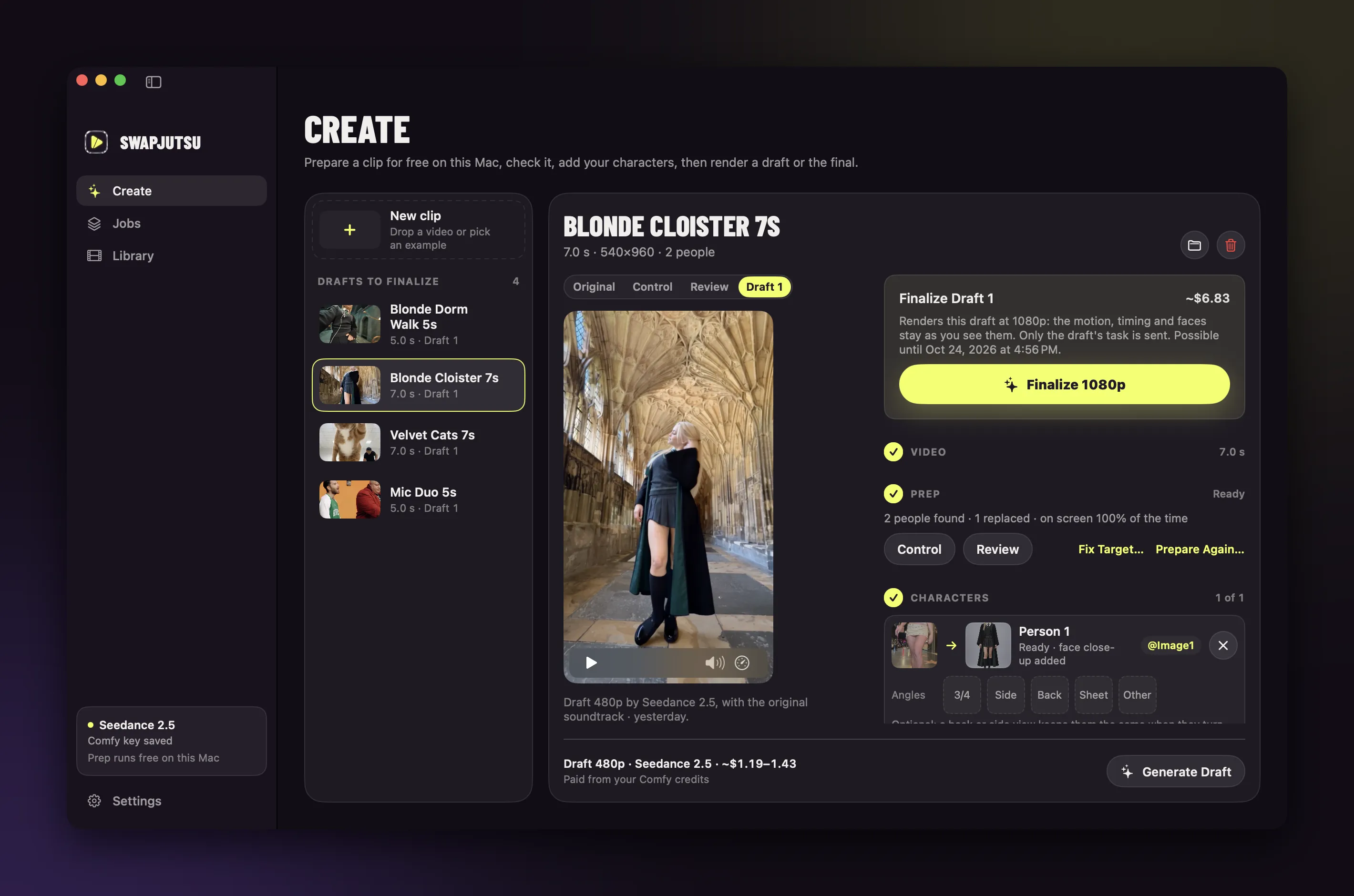

Same moves.
Different people.
Unedited Seedance 2.5 drafts at 480p, the cheapest render.

Seven steps on the Mac.
One in the cloud.
The analysis that makes a swap hold together runs locally with Vision, Core ML and MLX, and costs nothing.
- MacShots
Finds the cuts from feature-print and colour-histogram jumps.
- MacPeople
A separate mask for each person, from Vision instances and a person matte.
- MacTracking
EdgeTAM in Core ML on the Neural Engine keeps the same person across cuts.
- MacMotion
A pose tracker times the moves and a local vision model (MLX) names them.
- MacCharacters
The same model reads each character image, with face close-ups for full-body shots.
- MacDepth
Depth Anything V2 in Core ML, one scale per shot.
- MacControl video
The person painted in depth over the original, with only the vocals left in the soundtrack.
- Cloud or your GPURender
Seedance 2.5 through Comfy, or Wan 2.2 Animate on your own ComfyUI.
Pick where it renders.
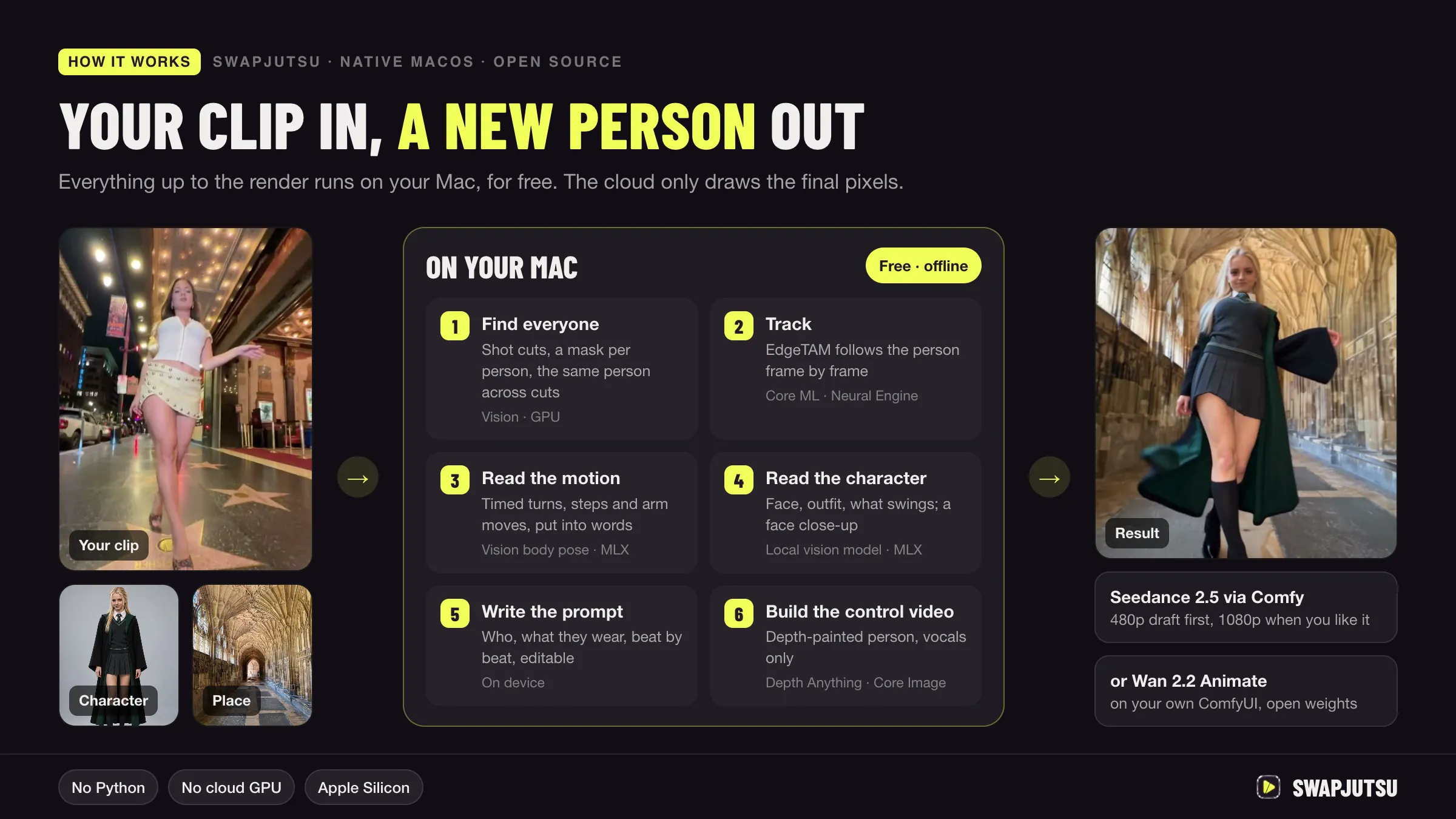
A cheap draft first, the final only for the take you keep. The price shows before anything is sent.
Direct. Seedance 2.5 through Comfy's Partner Nodes API. Prepaid Comfy credits, no subscription. The default.
Comfy Cloud. Seedance 2.5 through the Comfy API on a Comfy Cloud subscription.
Your ComfyUI. Wan 2.2 Animate, open weights, on your own GPU. Free.
Against Genjutsu. The same 7 seconds as the Cloister example:
| Route | 480p | 720p |
|---|---|---|
| Swapjutsu · Seedance 2.5 via Comfy | $1.19 | — |
| Genjutsu object swap · Higgsfield API | $2.23 | $4.77 |
| Swapjutsu · Wan 2.2 on your ComfyUI | $0 | $0 |
Swapjutsu's price is the measured cost of the README example. Genjutsu at Higgsfield's API list price, from the Higgsfield price table. Your own GPU's electricity not counted.
Agents can swap too.
Swapjutsu ships an MCP server. Claude Code or any MCP client can prepare and render, within a daily budget you set. Agents can't delete anything and never see your key.
claude mcp add swapjutsu -- /Applications/Swapjutsu.app/Contents/Helpers/swapjutsu mcpNo account. No telemetry.
Offline prep
Swapjutsu has no server of its own. Prep runs offline on your Mac.
Pinned models
Each model is pinned to one commit or release and checked against SHA-256 before use.
Your key, your Keychain
The Comfy key stays in the login Keychain. Renders are billed to your own Comfy account.
FAQ.
Is Swapjutsu a free alternative to Higgsfield Genjutsu?
For character swap, yes. Like Genjutsu's object swap, it replaces a person in a video and keeps the camera, the moves and the timing. The app and all the preparation are free; only the render costs money, billed by Comfy, or nothing at all on your own ComfyUI with Wan 2.2 Animate. It is not made by or affiliated with Higgsfield.
How much does a swap cost?
The 7-second Cloister example cost $1.19 as a 480p Seedance 2.5 draft through Comfy. The same 7 seconds on Genjutsu object swap through Higgsfield's API cost $2.23 at 480p and $4.77 at 720p at list price. The app shows the price before it sends anything.
What runs on my Mac and what goes to the cloud?
Cut detection, masks, tracking, pose, depth, the control video and the prompt all run on the Mac, offline. Only the render leaves it: Seedance gets the control video and your character images through Comfy; Wan runs on your own ComfyUI.
Which Macs does it run on?
Apple Silicon Macs with macOS 15 or later. Preparing a clip takes about 3–5 seconds per second of video on an idle M4. The optional local prompt writer needs 16 GB of memory.
Can an AI agent use it?
Yes. The app ships an MCP server, so Claude Code or any MCP client can prepare and render clips. It is off until you allow agents, and agents spend only within a daily budget you set.
How is it different from a face swap app?
Face swap replaces a face and keeps the body and clothes. Swapjutsu replaces the whole person, or several people at once, and can move them to a new place, while the motion and camera of the original stay.

Download Swapjutsu.
Unofficial and community-built. Not affiliated with Higgsfield AI, ByteDance or Comfy Org.