Jutsu Studio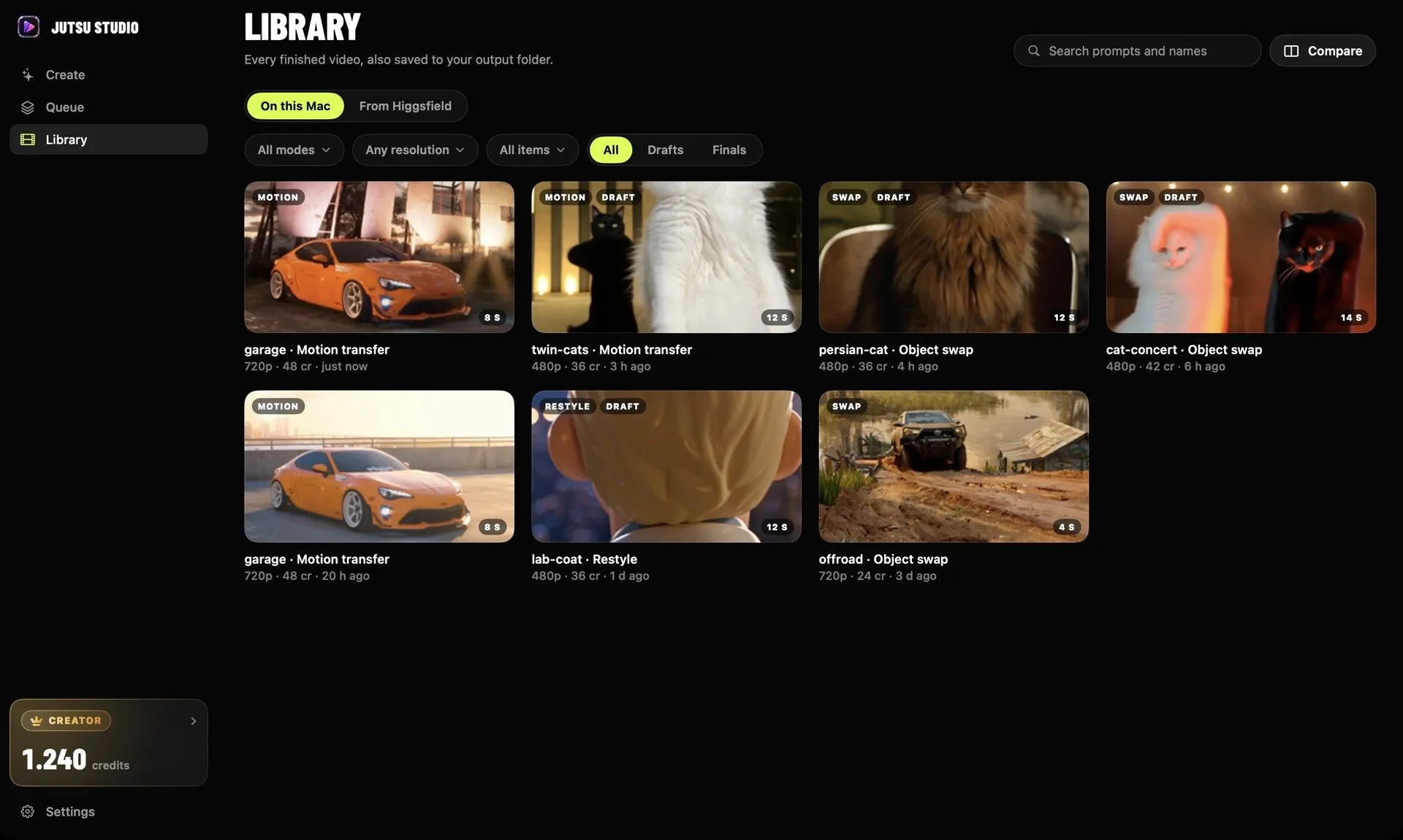
In short
- Higgsfield's help center says it has no mobile apps and no desktop app; the platform runs in the browser on any device.
- The official ways in are 4: the higgsfield.ai website, the MCP server at mcp.higgsfield.ai/mcp, the CLI for coding agents, and the API at open.higgsfield.ai.
- MCP and the CLI spend plan credits at standard rates; the API bills a separate prepaid dollar balance with a $5 minimum top-up.
- Jutsu Studio is a free, unofficial Mac app for macOS 14 or later that runs Higgsfield models through your own account or API key.
No. Higgsfield does not make a desktop app for Mac or Windows, and it has no iPhone or Android app either. Its own help center says the platform runs in the browser on any device. What you can install are integrations: an MCP connector for AI chat apps, a CLI for coding agents, the API, and independent apps such as Jutsu Studio on the Mac.
This guide lists each option, what it is good for, and what it costs to use.
What Higgsfield says officially
Higgsfield’s help center has a page on exactly this question, “What are the official Higgsfield platforms?”. It states that Higgsfield “has no mobile apps and no desktop app” and that the website runs in the browser on any device, including phones.
The same page lists the official surfaces:
- higgsfield.ai, the website, where you sign in, generate, manage your subscription and pay.
- open.higgsfield.ai, the API console, with documentation at docs.higgsfield.ai.
- The MCP server at mcp.higgsfield.ai/mcp, with setup at higgsfield.ai/mcp.
- Discord and Higgsfield’s social accounts.
It also warns that any downloadable app presenting itself as Higgsfield is a copy, and that code, apps or mirror sites outside these surfaces are not released or maintained by Higgsfield. Take that seriously: an app that pretends to be Higgsfield and asks for your password is a risk. An app that says plainly it is unofficial, shows its source and signs you in through Higgsfield’s own login page is a different thing, and the sections below cover one.
Your options at a glance
| Option | Made by | Runs on | Pays with | Best for |
|---|---|---|---|---|
| higgsfield.ai | Higgsfield | Any browser, desktop or phone | Plan credits, plus unlimited and free generations where your plan has them | Most people |
| MCP connector | Higgsfield | Claude, ChatGPT (as a plugin), Cursor and other MCP clients | Plan credits, always | Generating from a chat |
| CLI and Skills | Higgsfield | Coding agents such as Claude Code, Cursor, Codex | Plan credits, always | Agents that write and run code |
| API | Higgsfield | Your own code | Prepaid dollar balance, per second of video | Developers and apps |
| Jutsu Studio | Independent, open source | macOS 14 or later | Your plan credits or your API key | A native Mac workflow with local files |
The website, on desktop and phone
For most people, the browser is the Higgsfield app. It is the only place where plan perks such as unlimited models and free generations apply; Higgsfield’s help pages say those are not available through MCP, the CLI, Canvas or Supercomputer.
Everything you generate lands in Assets (higgsfield.ai/asset/all), whichever tool or model you used. You can filter by image, video or audio, make folders, favorite results and download one asset or a selection in bulk. The help center says assets “remain accessible while your subscription is active” and does not publish a retention period beyond that.
If you want it to feel like an app, most browsers can pin the site or add it to the Dock or home screen. That is still the website, with the same limits.
MCP: Higgsfield inside Claude, ChatGPT and Cursor
Higgsfield’s MCP server lets an AI chat app generate images, video, characters and audio from a conversation. In Claude (on the web or Claude Desktop) you add a custom connector under Settings, Connectors, with the URL https://mcp.higgsfield.ai/mcp, then sign in to Higgsfield in the window that opens. ChatGPT uses the official Higgsfield plugin instead, and Cursor lists Higgsfield in its marketplace.
Two rules matter. An active paid subscription is required, and “every generation through a connected agent deducts credits, regardless of your plan.” There is no built-in credit cap; Higgsfield’s guide says limits can only be given as prompt instructions, which are not enforced. MCP results also appear in your Assets on higgsfield.ai.
If you live in Claude Desktop on a Mac or PC, this is the closest thing to an official desktop experience. The details and costs are in Higgsfield API, MCP and CLI compared.
The CLI, for coding agents
For Claude Code and other coding agents, Higgsfield ships a CLI and a set of Skills. Its help center gives the setup as three commands, which the agent can run itself:
npm i -g @higgsfield/cli
higgsfield auth login
npx skills add higgsfield-ai/skills
No API key is needed; it signs in to your Higgsfield account and spends the same plan credits as MCP, at the same rates. Outputs go to your Assets on higgsfield.ai. Higgsfield does not state which operating systems the CLI supports. It is a tool for agents and developers, not a desktop app with a window.
The API
The API is a separate product with separate billing. You create an API account at open.higgsfield.ai, fund a prepaid balance (the minimum top-up is $5) and get a key. Video is priced per second of output, only successful generations are charged, and funds expire a year after they are added. The docs say output files are kept for at least seven days, so you download them to your own storage.
On its own the API has no interface; it is what desktop apps and scripts build on. Per-second rates for the video models are on Jutsu Studio’s Higgsfield price table.
Unofficial desktop apps
Two kinds of third-party apps show up when you search for a Higgsfield desktop app.
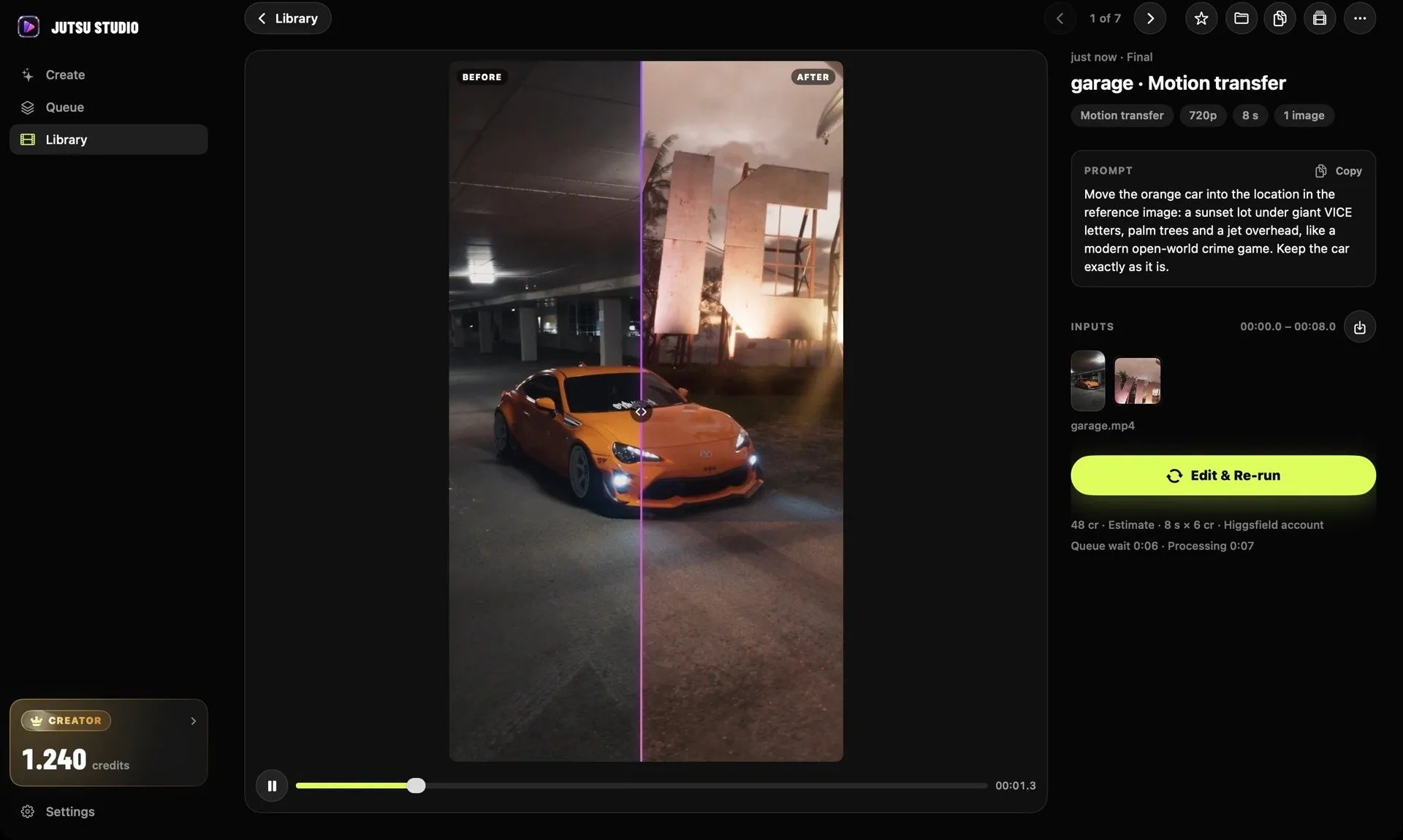
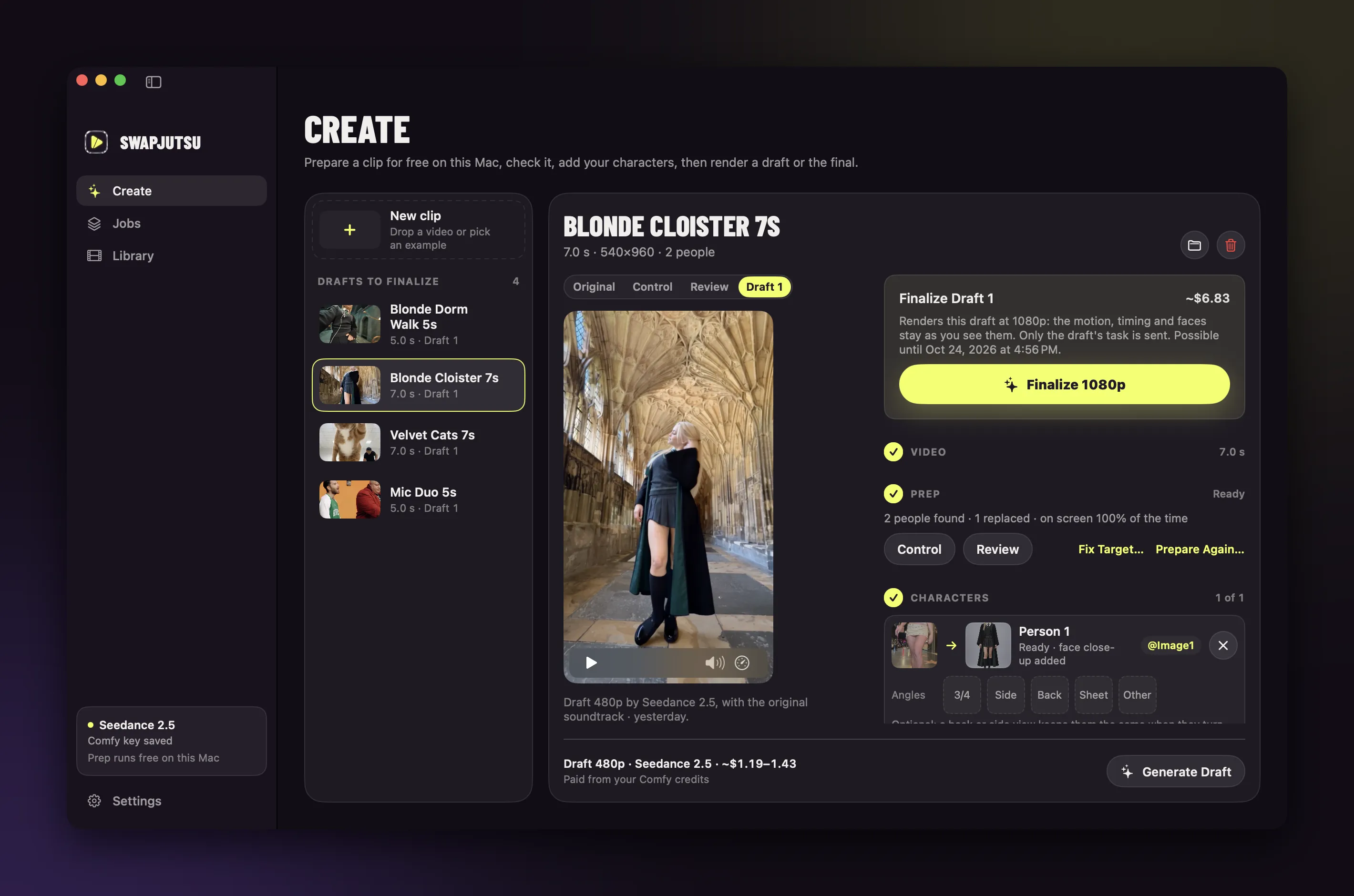
Jutsu Studio is a free, open-source (MIT) Mac app for Higgsfield. It is not made or endorsed by Higgsfield. It connects either to your Higgsfield account, through Higgsfield’s sign-in in your browser so the app never sees your password, or to an API key. It runs Genjutsu, Seedance 2.5, Kling 3.0 Motion Control, Kling O3, Wan 3.0, Cinema Studio 4.0 and MiniMax H3, and what it adds is around each generation:
- the price on the Generate button before anything is uploaded;
- a queue that runs jobs in the background up to your account’s concurrency limit;
- trimming on the Mac, so only the 4–30 second range you pick is uploaded and billed;
- every result downloaded to
~/Movies/Jutsu Studiowith its source, prompt, cost and request IDs, next to your Higgsfield history.
It needs macOS 14 or later and runs on Apple silicon and Intel. It is signed and notarized by Apple, and it can be installed with brew install --cask jutsuhq/tap/jutsu-studio. There is no Windows or iPhone version.
Open-Generative-AI is an MIT-licensed studio with macOS, Windows and Linux builds. It is not a Higgsfield client: cloud generation runs through a Muapi.ai key, and the page does not mention Higgsfield. Its README says the Mac build is not notarized by Apple and the Windows installer is not code-signed, so expect Gatekeeper and SmartScreen warnings. It and other free projects are compared in open-source Higgsfield alternatives.
Which one to use
- Any computer or phone, with your plan’s unlimited models: the website.
- Windows PC: the website, or Claude Desktop with the MCP connector. There is no native Windows client.
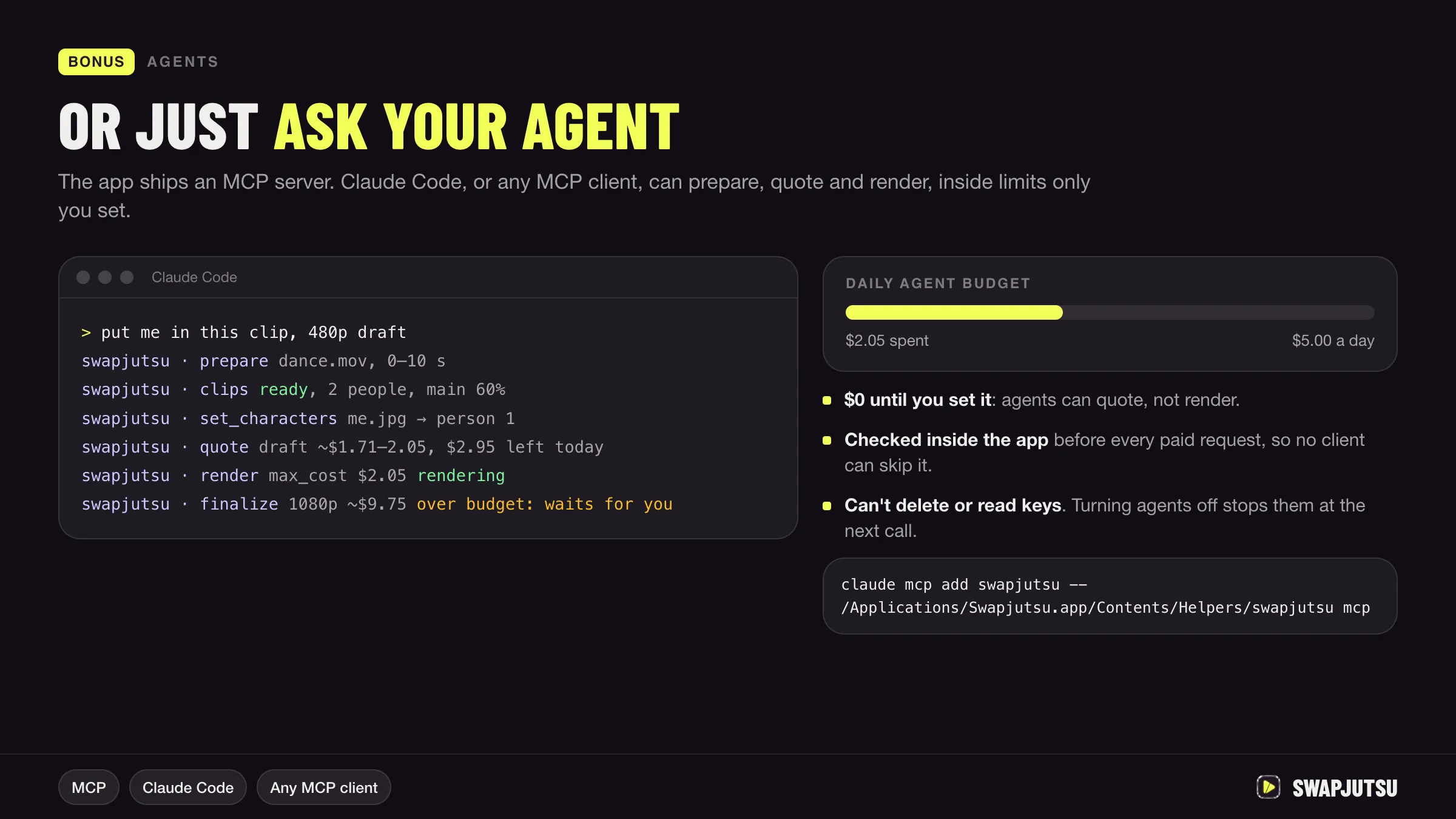
- Generating from a chat or an agent: MCP or the CLI, knowing every generation spends credits.
- Building your own tool: the API.
- A native Mac app with a queue, prices up front and files on your disk: Jutsu Studio, with your account or an API key. It is free and adds nothing to what Higgsfield charges.
If the reason you want a desktop app is that downloads keep failing or results disappear, see why Higgsfield downloads fail and how to keep your files.
Sources
- Higgsfield Help Center: What are the official Higgsfield platforms?
- Higgsfield Help Center: What is Higgsfield MCP?
- Higgsfield Help Center: How do I connect Higgsfield to Claude, ChatGPT, or another AI agent?
- Higgsfield Help Center: How do I access Higgsfield via CLI?
- Higgsfield Help Center: What is the Higgsfield API?
- Higgsfield Help Center: What's in my Higgsfield account?
- Open-Generative-AI on GitHub
Run Higgsfield from your Mac.
Jutsu Studio is a free, open-source Mac app for Higgsfield: a queue, a local library and the price on every button.