Jutsu Studio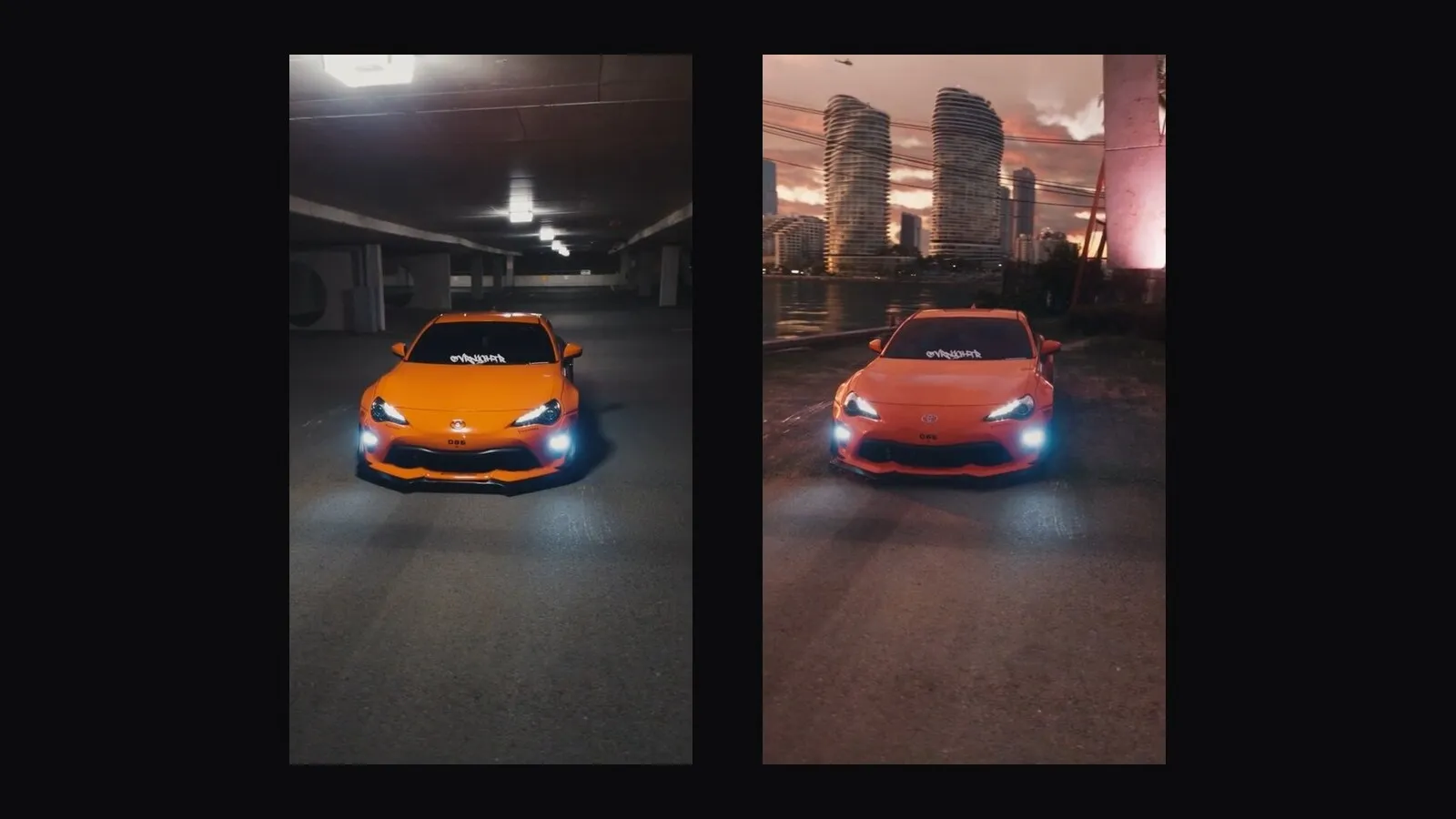
In short
- Genjutsu edits a video you already have instead of generating one: the motion, camera and timing stay, and what you describe changes.
- Two modes: Motion Transfer rebuilds the whole scene from your references, Object Swap replaces one thing and keeps the rest of the shot.
- Source clips of 4–30 seconds, up to 30 reference images, output up to 1080p.
- With an API key it costs $0.318 a second at 480p, $0.681 at 720p and $1.632 at 1080p, billed on the seconds you send.
Most AI video tools start from a prompt. Genjutsu starts from footage. You give it a clip you already have, and it keeps what is hard to generate (the movement, the camera, the timing) while changing what you describe. Higgsfield launched it at the end of August 2026.
This guide covers what it does, the limits that decide whether your clip will work, and what a generation really costs.
The two modes
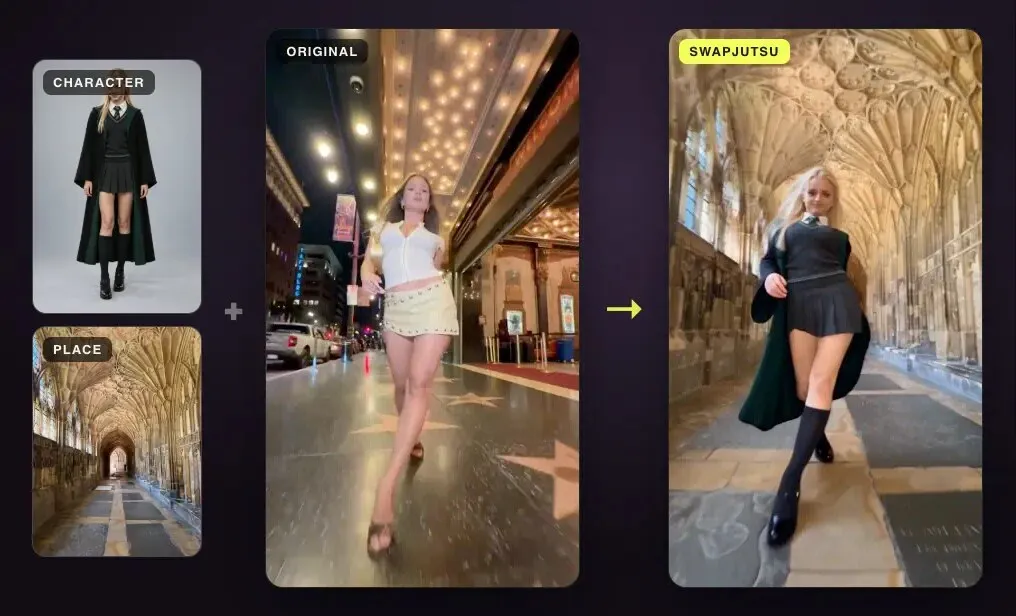
Motion Transfer keeps the motion, camera and timing of the source and rebuilds everything else from your references. A dancer in a parking lot can become a different person in a different place doing the same steps on the same beat. Use it when most of the frame should change.
Object Swap changes one selected element and leaves the rest of the shot alone. That element can be a person, an outfit, a product, an object or the location. Use it when the shot is good and one thing in it is wrong.
Through the API there is also a restyle mode at the same price, which changes the look of the whole clip without recasting it.
What it needs from you
- One source clip of 4 to 30 seconds. Real footage or a generated video both work. Shorter clips are rejected; in ComfyUI, longer ones are cut to their first 30 seconds.
- Reference images. Up to 30 on Higgsfield: a character, an outfit, a product, a place or a style. The ComfyUI node takes up to 8.
- A prompt, optional. Higgsfield ships more than 30 presets, and a preset can make the change on its own. A short prompt adds direction.
- A resolution. 480p, 720p or 1080p.
The result is as long as the part of the clip you send, which matters for the price.
What it costs
Genjutsu is billed per second of the source you send, and the rate depends only on the resolution. All three modes cost the same.
| Resolution | Per second | 10 s clip | 30 s clip |
|---|---|---|---|
| 480p | $0.318 | $3.18 | $9.54 |
| 720p | $0.681 | $6.81 | $20.43 |
| 1080p | $1.632 | $16.32 | $48.96 |
These are Higgsfield’s API list prices, checked October 15, 2026. On a subscription, generations spend plan credits instead: Higgsfield’s own guide lists 40 credits for 15 seconds at 480p, 104 at 720p and 144 at 1080p. What a credit costs depends on your plan, region and current promotion, so compare both routes on the price table before committing to a long project.
Three habits cut the bill more than any plan choice:
- Trim before you upload. You pay for every second you send. A 2-minute clip trimmed to the 8 seconds you need costs 8 seconds.
- Draft at 480p. It is about a fifth of the 1080p rate. Render the final only for the take that works.
- Change one thing at a time. Object Swap on a good shot is cheaper to get right than a full Motion Transfer that needs several tries.
Getting a good take
Higgsfield’s and Comfy’s tips agree on the same few rules:
- Name what each reference replaces. “Replace the man in the red jacket with the woman in image 1” leaves less to chance than “use image 1”.
- Keep the reference set small. One image per element. Extra images compete with each other.
- Describe only the change. Everything you don’t mention is kept (Object Swap) or rebuilt from the references (Motion Transfer).
- Pick a clip whose framing already fits. Genjutsu keeps the camera. A wide shot stays wide.
- Expect variation. The same settings give different results each run, so plan for two or three drafts.
Running Genjutsu from a Mac
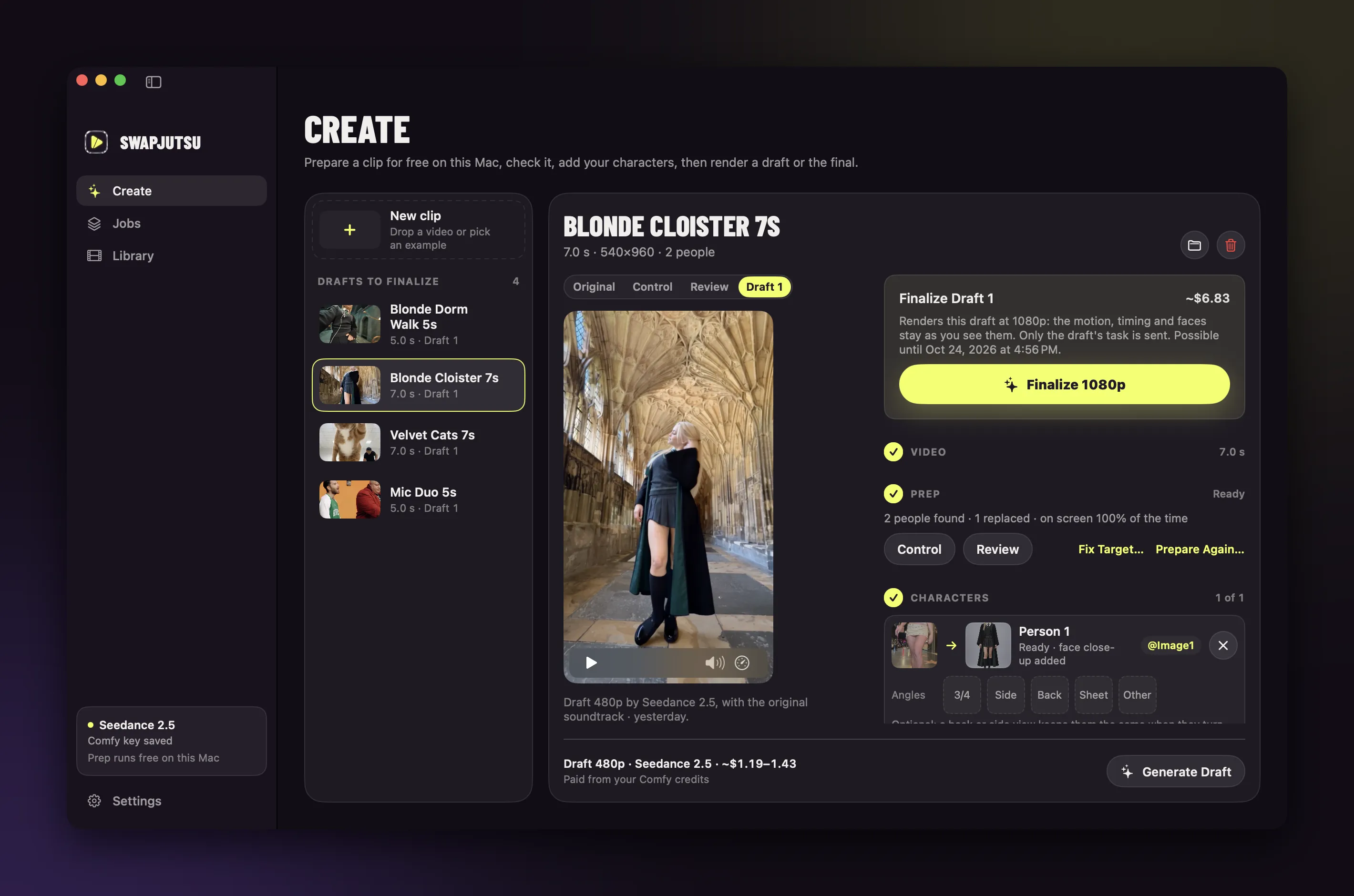
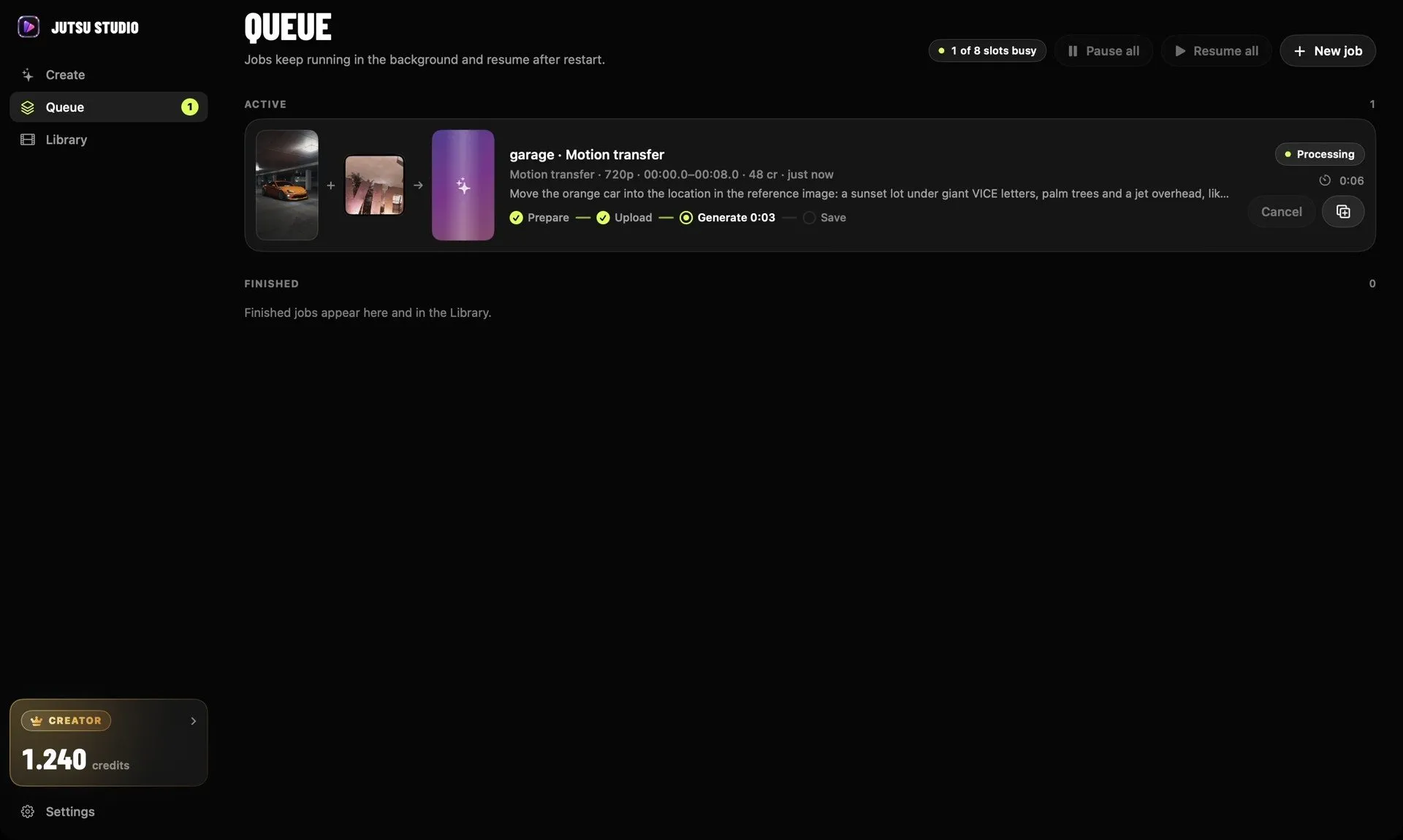
On the website, every result is a link that expires and a download you have to remember. Jutsu Studio is a free, open-source Mac app that runs Genjutsu through your Higgsfield account or API key. It trims the clip on your Mac so only the range you pick is uploaded and billed, shows the price on the Generate button, queues jobs in the background and saves every result with its prompt and cost to your disk.
If what you need is character swap specifically and you’d rather not pay Higgsfield’s rate, see the alternatives to Genjutsu.
Sources
Run Higgsfield from your Mac.
Jutsu Studio is a free, open-source Mac app for Higgsfield: a queue, a local library and the price on every button.