Jutsu Studio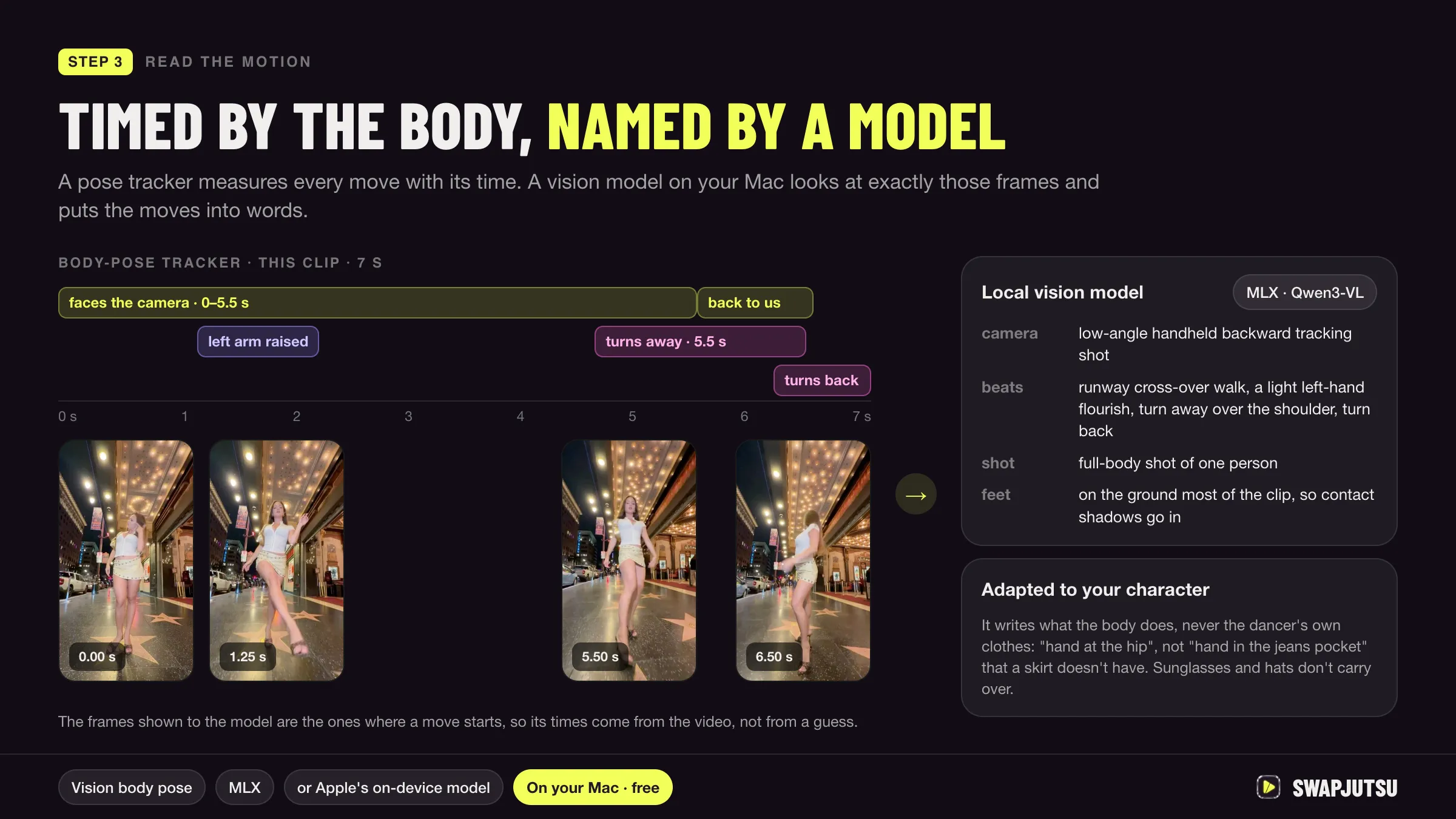
In short
- Comfy Desktop for macOS needs an M1 or later and macOS 13 Ventura or later, and about 4.85 GB per installation before models.
- On a Mac, ComfyUI runs on PyTorch's MPS backend, which Apple still calls beta, and it cannot load FP8 model files.
- A published test needed 1 hour 22 minutes for a 2-second 480p Wan 2.2 14B clip on an M1 Max with 64 GB.
- Partner nodes such as Seedance 2.5 render on the provider's servers, so they run on any Mac for prepaid Comfy credits at 211 to the dollar.
ComfyUI runs on any Apple Silicon Mac. The easiest way is Comfy Desktop, a regular macOS app; a manual install with Python gives you more control; and Comfy Cloud runs the same interface on a hosted NVIDIA GPU. Image workflows are fine locally. For video, the Mac’s MPS backend is the limit: small models work, large ones are slow, and FP8 files don’t load at all.
This guide covers the three install options, what MPS can’t do, which video models are practical on the Mac itself, and when to send the job elsewhere.
Three ways to run it
| Comfy Desktop | Manual install | Comfy Cloud | |
|---|---|---|---|
| What it is | Native macOS app | Python, PyTorch and the ComfyUI repo | ComfyUI in the browser |
| Needs | M1 or later, macOS 13+ | Apple Silicon, PyTorch with MPS | A browser |
| Runs models on | The Mac’s GPU (MPS) | The Mac’s GPU (MPS) | RTX PRO 6000, 96 GB |
| Cost | Free | Free | From $20/month, or $16 billed yearly |
| Updates | Built-in, tracks stable | git pull and pip install -r requirements.txt |
Managed |
Comfy Desktop. Download the .dmg, drag the app to Applications, and allow it in System Settings › Privacy & Security if macOS warns. Comfy’s page asks for macOS 13 Ventura or later on Apple Silicon and “at least 4.85 GB recommended per installation”. Installs go to ~/ComfyUI-Installs, shared models and outputs to ~/ComfyUI-Shared. Deleting the app leaves those folders, and your models, on disk.
Manual install. Comfy’s guide uses Miniconda: create an environment, install the PyTorch nightly (conda install pytorch-nightly::pytorch torchvision torchaudio -c pytorch-nightly), clone the repo, pip install -r requirements.txt, then python main.py. Apple’s own PyTorch page lists macOS 14 or later and Python 3.10 or later for the stable release, and suggests the nightly for the latest MPS support. Comfy recommends Python 3.13. Check that the GPU is visible with python -c "import torch; print(torch.backends.mps.is_available())".
Comfy Cloud. Nothing installs on the Mac. The Standard plan includes about 4,200 credits a month and 30-minute runs; Pro raises the run limit to an hour. New accounts get five free runs.
What MPS can and can’t do
ComfyUI on a Mac uses PyTorch’s MPS backend, which runs on the GPU through Metal. Comfy’s docs say it does not use MLX, Apple’s separate framework. Apple describes MPS as “in the beta phase”, and the gaps show up in video work:
- No FP8. Loading an FP8 file fails with “Trying to convert Float8_e4m3fn to the MPS backend but it does not have support for that dtype.” A ComfyUI contributor’s reply: “That’s related to torch mps support, nothing we can do.” Many video workflows ship FP8 diffusion models and text encoders by default, so on a Mac you swap them for FP16, BF16 or GGUF files.
- No fast INT8. A test on an M1 Max found that the int8 matrix multiply behind ComfyUI’s INT8ConvRot files has no MPS kernel. A patched version ran, but slower than plain BF16, and the same test called ComfyUI’s FP8 and FP4 formats “NVIDIA Tensor Core” formats.
- GGUF works, with care. The ComfyUI-GGUF node loads quantized models at a fraction of the size. Its README notes that on macOS Sequoia a specific PyTorch version was needed at the time, so check its issues if you hit buffer errors.
- CPU fallback is not a rescue. With
PYTORCH_ENABLE_MPS_FALLBACK=1, the same M1 Max test hadn’t finished 10 steps after 27 minutes.
Memory: what the docs say
Comfy’s system requirements page has no memory figure for Macs. The ComfyUI README says it can run large models on “as low as 4GB vram + 8GB ram” through offloading, but on a Mac the GPU and the system share one pool, so the useful rule is simpler: the files a workflow loads have to fit in unified memory next to macOS and your other apps.
For video that means:
- Wan 2.2 TI2V-5B: 10 GB in FP16. Comfy says it “should fit well on 8GB vram” with offloading on a GPU, so 16 GB Macs can try it.
- Wan 2.2 14B models: 11.5 GB at GGUF Q4_K_M up to 34.55 GB in BF16 for Animate, plus a text encoder of 6 to 11 GB.
More detail, with every file size, is in Wan 2.2 on a Mac.
Video models: local vs partner nodes
The only measured, published Mac numbers we found are from one M1 Max with 64 GB:
| Model on the M1 Max | Result |
|---|---|
| Wan 2.2 T2V 14B, GGUF Q4_K_S, 832×480, 33 frames | Worked, 1 h 22 min 45 s |
| LTX-2 19B, FP8 | Failed: FP8 not supported |
| LTX-2 19B, GGUF, several pipelines | Ran in 3 to 14 min, but output was static or broken |
The author’s conclusion was that LTX-2 needs an NVIDIA GPU. Wan’s own repo agrees on scale: its 14B commands assume a GPU with 80 GB, and the 5B one 24 GB.
Partner nodes change the picture. Seedance, Kling, Luma and other closed models run as ComfyUI nodes that call the provider’s API, so the Mac only uploads inputs and downloads the result. They need a signed-in Comfy account and prepaid credits (211 credits to $1), have no free usage, and you can turn them off with --disable-partner-nodes. A 5-second 480p Seedance 2.5 clip is about 155 credits; the setup and the cost per clip are in Seedance in ComfyUI.
In practice:
- Local on the Mac: image models, Wan 2.2 TI2V-5B, short tests of 14B models in GGUF.
- Partner nodes from the Mac: finished-quality video from closed models, billed per clip.
- Remote GPU or Comfy Cloud: Wan 2.2 14B and Animate at useful speed.
Mac vs NVIDIA
For video generation, an NVIDIA card is faster and better supported: the low-precision formats ComfyUI relies on were built for its Tensor Cores, and model authors test there first. The Mac’s advantage is memory. A machine with 64 or 128 GB of unified memory can load a BF16 14B model that no consumer card holds, and it does so quietly on a desk. It just takes much longer per step.
If you have access to both, ComfyUI can run on a Linux box with an NVIDIA GPU and be driven from the Mac over the network.
Where Swapjutsu fits
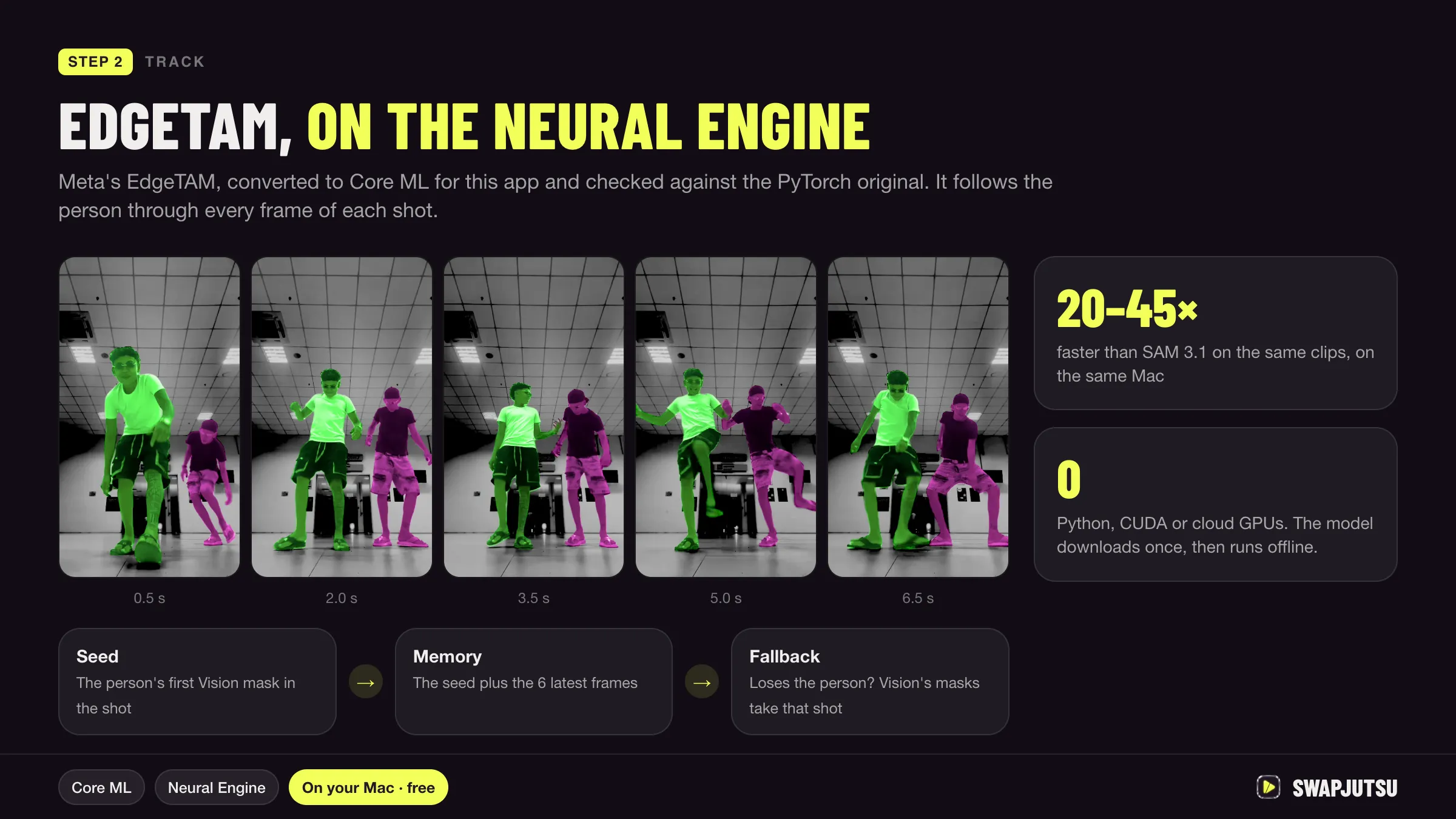
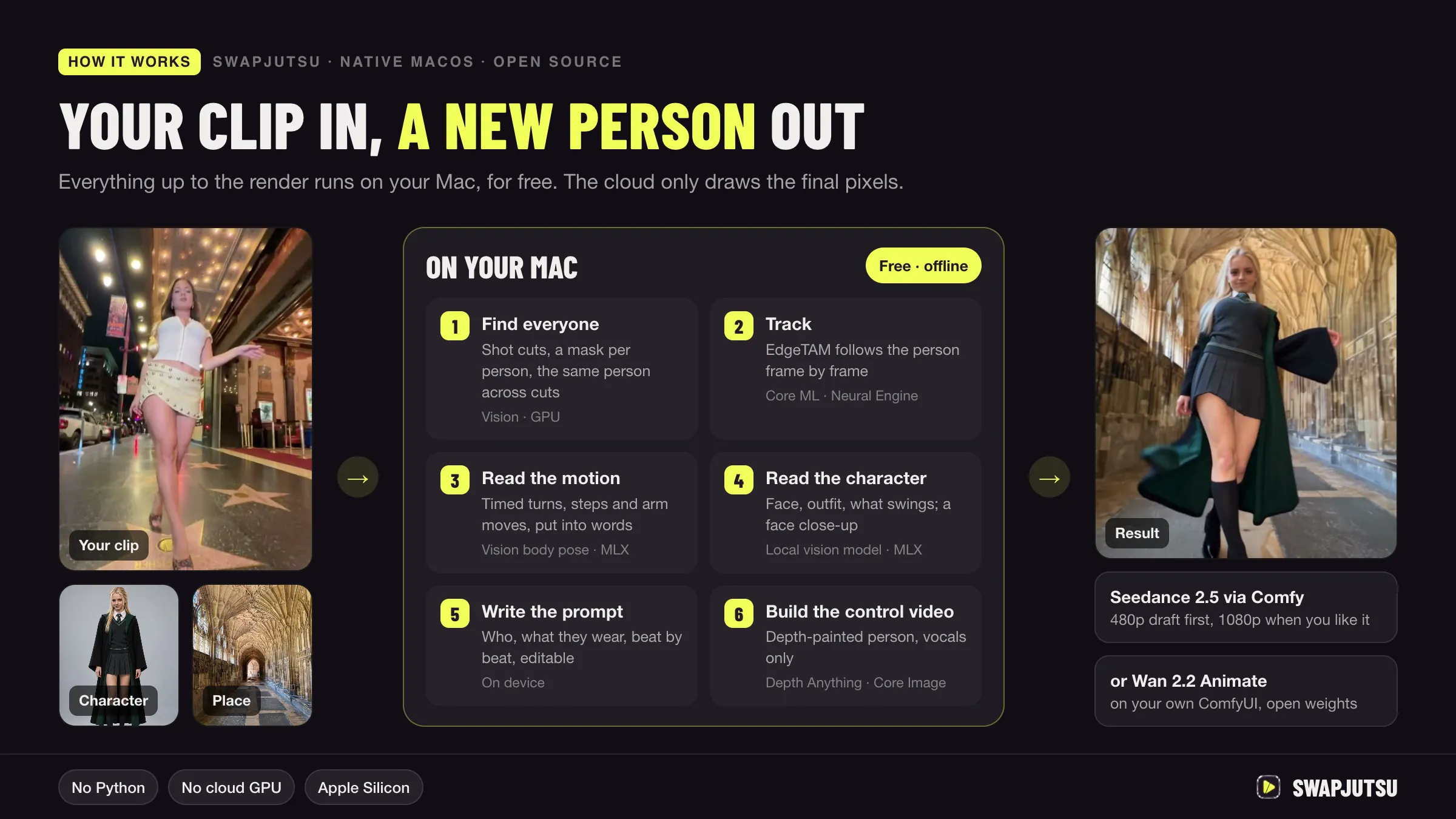
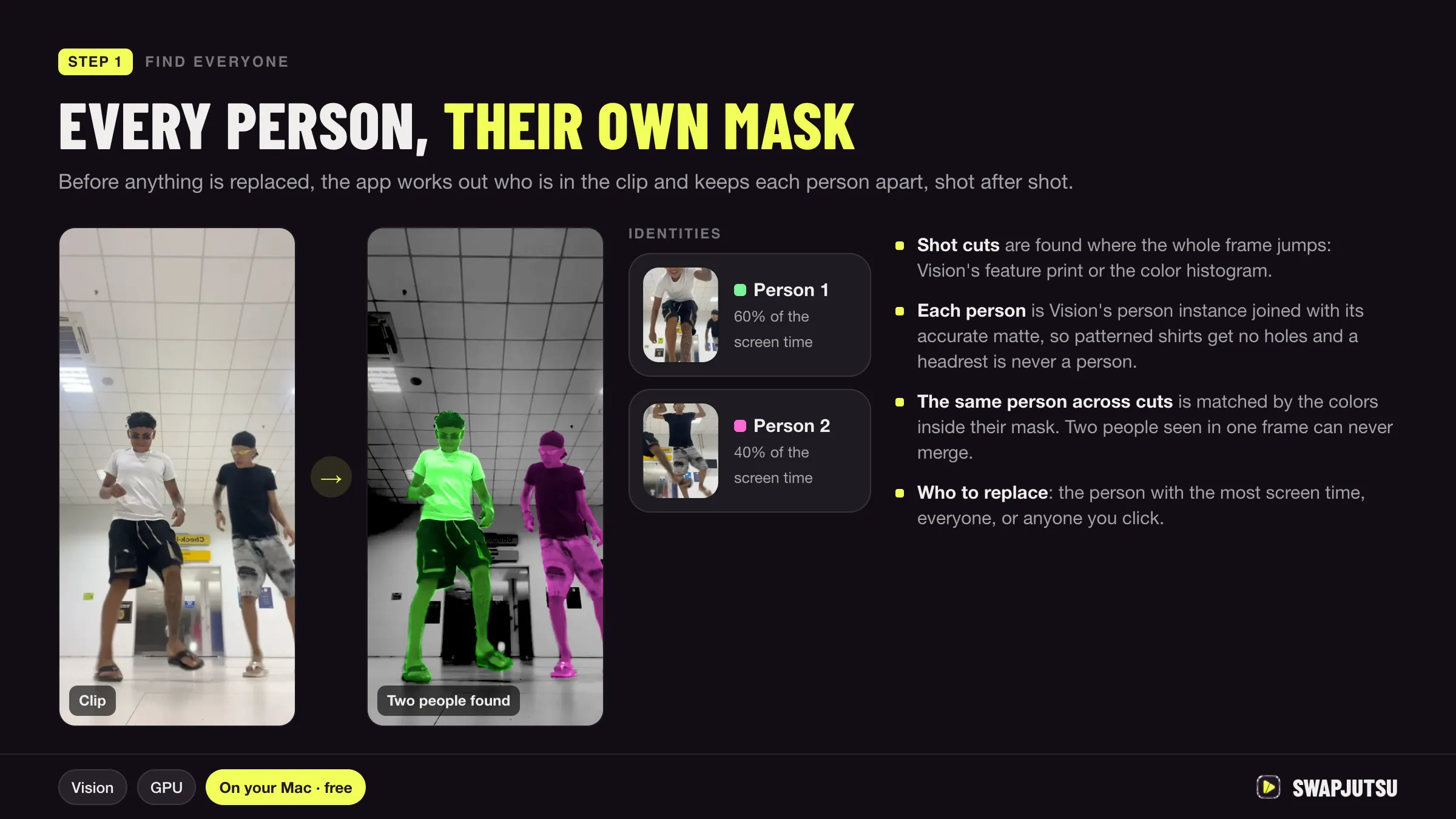
Swapjutsu is a free, open-source Mac app for character swap that splits the work this way on purpose. The analysis runs on the Mac with Apple’s own frameworks (Vision, Core ML on the Neural Engine, and MLX for the local vision model that writes the prompt), not on ComfyUI. Only the render leaves the machine: Seedance 2.5 through Comfy’s API with prepaid credits, or Wan 2.2 Animate on a ComfyUI you run, on this Mac or a GPU machine on your network. You don’t need ComfyUI installed at all for the Seedance route.
Sources
- Comfy docs: Comfy Desktop on macOS
- Comfy docs: system requirements
- Comfy docs: manual installation
- Comfy-Org/ComfyUI on GitHub
- Apple Developer: Accelerated PyTorch training on Mac
- ComfyUI issue 8988: Float8_e4m3fn on MPS (July 21, 2025)
- city96/ComfyUI-GGUF on GitHub
- Comfy docs: Wan 2.2 tutorial
- Comfy docs: Partner Nodes overview
- Comfy support: Partner Nodes pricing (211 credits = 1 USD)
- Comfy Cloud pricing
- lilting.ch: LTX-2 vs Wan 2.2 on M1 Max 64GB (March 1, 2026, updated May 20, 2026)
- lilting.ch: INT8ConvRot on an M1 Max in ComfyUI (August 4, 2026)
- Wan-Video/Wan2.2 on GitHub
Swap characters on your Mac.
Swapjutsu is free and open source. The prep runs on your Mac; only the render is billed, or nothing on your own ComfyUI.