Jutsu Studio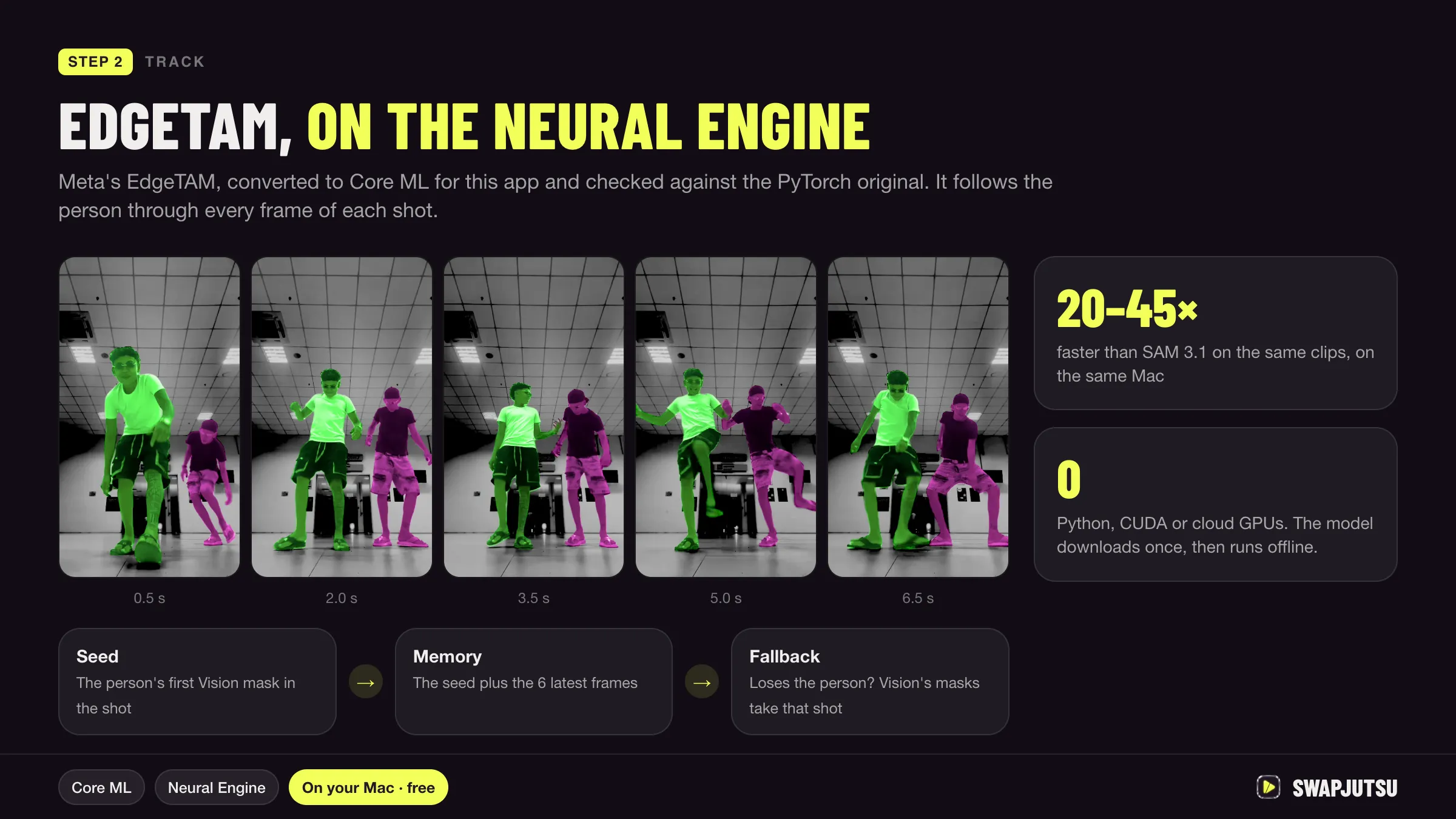
In short
- The official Wan 2.2 code targets NVIDIA GPUs: its single-GPU commands ask for 80 GB of VRAM for the 14B models and 24 GB for TI2V-5B.
- On a Mac, ComfyUI runs Wan through PyTorch's MPS backend, which cannot load the FP8 files most Wan workflows use; BF16 and GGUF files work.
- Wan 2.2 Animate 14B is 34.55 GB in BF16 and 11.5 GB as a Q4_K_M GGUF, before the 6.74 to 11.37 GB text encoder.
- One published test took 1 hour 22 minutes for a 2-second 480p Wan 2.2 14B clip on an M1 Max with 64 GB.
Wan 2.2 runs on an Apple Silicon Mac, but not through the official code and not quickly. ComfyUI can load it with PyTorch’s MPS backend from BF16 or GGUF files, and MLX ports cover the text-to-video and image-to-video models. Expect minutes to hours per short clip, and plan for memory first: the 14B models are 10 to 35 GB before the text encoder.
Here is what works, what fails, how big each file is, and the only timings we could find that someone measured and published.
What the official repo supports
The Wan 2.2 repository doesn’t mention Macs, MPS or Apple at all. Its single-GPU commands for the 14B models (text to video, image to video, speech to video) “can run on a GPU with at least 80GB VRAM”, and TI2V-5B on one with 24 GB such as an RTX 4090. For memory errors it suggests --offload_model True, --convert_model_dtype and --t5_cpu.
The models in the family:
- T2V-A14B and I2V-A14B: text and image to video at 480p and 720p, each split into a high-noise and a low-noise expert.
- TI2V-5B: the small one, text and image to video at 720p.
- S2V-14B: speech to video.
- Animate-14B: character animation and replacement, released September 19, 2025.
None of the community projects the repo lists is a Mac port. So on a Mac you are always on a third-party path: ComfyUI, or an MLX conversion.
ComfyUI and MPS: what loads and what fails
ComfyUI on Apple Silicon uses PyTorch with the MPS backend, which runs on the Mac’s GPU through Metal. Comfy’s docs say it does not use MLX. Three things decide whether a Wan file loads:
- FP8 fails. Most Wan workflows ship
fp8_scaleddiffusion models and an FP8 text encoder. On a Mac these stop with “Trying to convert Float8_e4m3fn to the MPS backend but it does not have support for that dtype”. A ComfyUI contributor closed the issue as “related to torch mps support, nothing we can do”. - INT8 doesn’t help. Comfy also publishes an
int8_convrotAnimate file. A test on an M1 Max found that the int8 matrix multiply has no MPS kernel in PyTorch, so it only ran after a dequantize patch, slower than BF16. - BF16, FP16 and GGUF work. The full-precision files load if they fit in memory. GGUF quantizations load through the ComfyUI-GGUF custom node and cut the size by half or more.
Use the Wan 2.1 VAE with the 14B models. The M1 Max test above lost an 80-minute run to the Wan 2.2 VAE, which belongs to the 5B model.
Model sizes vs unified memory
On a Mac the GPU shares memory with everything else, so what fits is what’s left after macOS and your apps. Add up the files a workflow loads:
| File | Size |
|---|---|
| Wan 2.2 Animate 14B, BF16 | 34.55 GB |
| Wan 2.2 Animate 14B, FP8 scaled (fails on MPS) | 18.4 GB |
| Wan 2.2 Animate 14B, GGUF Q8_0 | 18.72 GB |
| Wan 2.2 Animate 14B, GGUF Q5_K_M | 13.0 GB |
| Wan 2.2 Animate 14B, GGUF Q4_K_M | 11.5 GB |
| Wan 2.2 TI2V-5B, FP16 | 10.0 GB |
| UMT5-XXL text encoder, FP16 | 11.37 GB |
| UMT5-XXL text encoder, FP8 (fails on MPS) | 6.74 GB |
| Wan 2.1 VAE | 0.25 GB |
Sizes are from the Hugging Face repos linked below. The text-to-video and image-to-video 14B models come as two experts, high noise and low noise, that a workflow runs one after the other; in the M1 Max test below each was 8.75 GB at Q4_K_S. Comfy’s own guide says TI2V-5B “should fit well on 8GB vram” on a GPU with its native offloading, which makes the 5B model the realistic starting point on a 16 or 24 GB Mac. The 14B models, Animate included, need a Mac with a lot more memory even at Q4.
Measured speed
We found two published measurements on Apple Silicon. Neither is ours, and neither covers Animate.
| Setup | Clip | Time |
|---|---|---|
| M1 Max, 64 GB, ComfyUI, Wan 2.2 T2V 14B GGUF Q4_K_S | 832×480, 33 frames (about 2 s), 10 + 10 steps | 1 h 22 min 45 s |
| M5 Max, 128 GB, MLX (mlx-video), Wan 2.2 T2V A14B Q4 | 512×320, 81 frames, 10 steps | 10 min 25 s |
| Same, Q4 | 768×512, 81 frames | 36 min 53 s |
The M1 Max run spent about 4 minutes per sampling step. The MLX run peaked at 16.37 GiB of process memory in Q4 and 41.48 GiB in BF16; its packager lists 24 GB of unified memory as enough only for short, low-guidance tests and says the model is “large and slow”. The two rows use different chips, runtimes and settings, so they don’t compare one framework with the other.
The MLX route
MLX is Apple’s machine-learning framework for its own chips. The mlx-video project runs Wan 2.2 T2V-14B, TI2V-5B and I2V-14B, plus Wan 2.1 and LTX-2, on macOS with Apple Silicon. Community packages on Hugging Face bundle converted weights for it, such as PocketAI’s Q4, Q8 and BF16 builds of T2V-A14B, which say plainly they are not an official Wan release.
What MLX doesn’t have yet is Wan 2.2 Animate: neither mlx-video nor the ports we found list it. For character replacement on a Mac today, ComfyUI is the only path.
Wan 2.2 Animate for character swap
Animate is the Wan model for replacing a person in footage. In ComfyUI’s template, Mix mode uses a reference image to replace the character in the video, and Move mode animates the reference image with the video’s motion. It works in windows of 77 frames, about 4.8 seconds each, extended for longer clips, and it needs the KJNodes and controlnet_aux custom node packs. Comfy’s tutorial gives no VRAM figure; it suggests a small size first “in case you don’t have enough VRAM”.
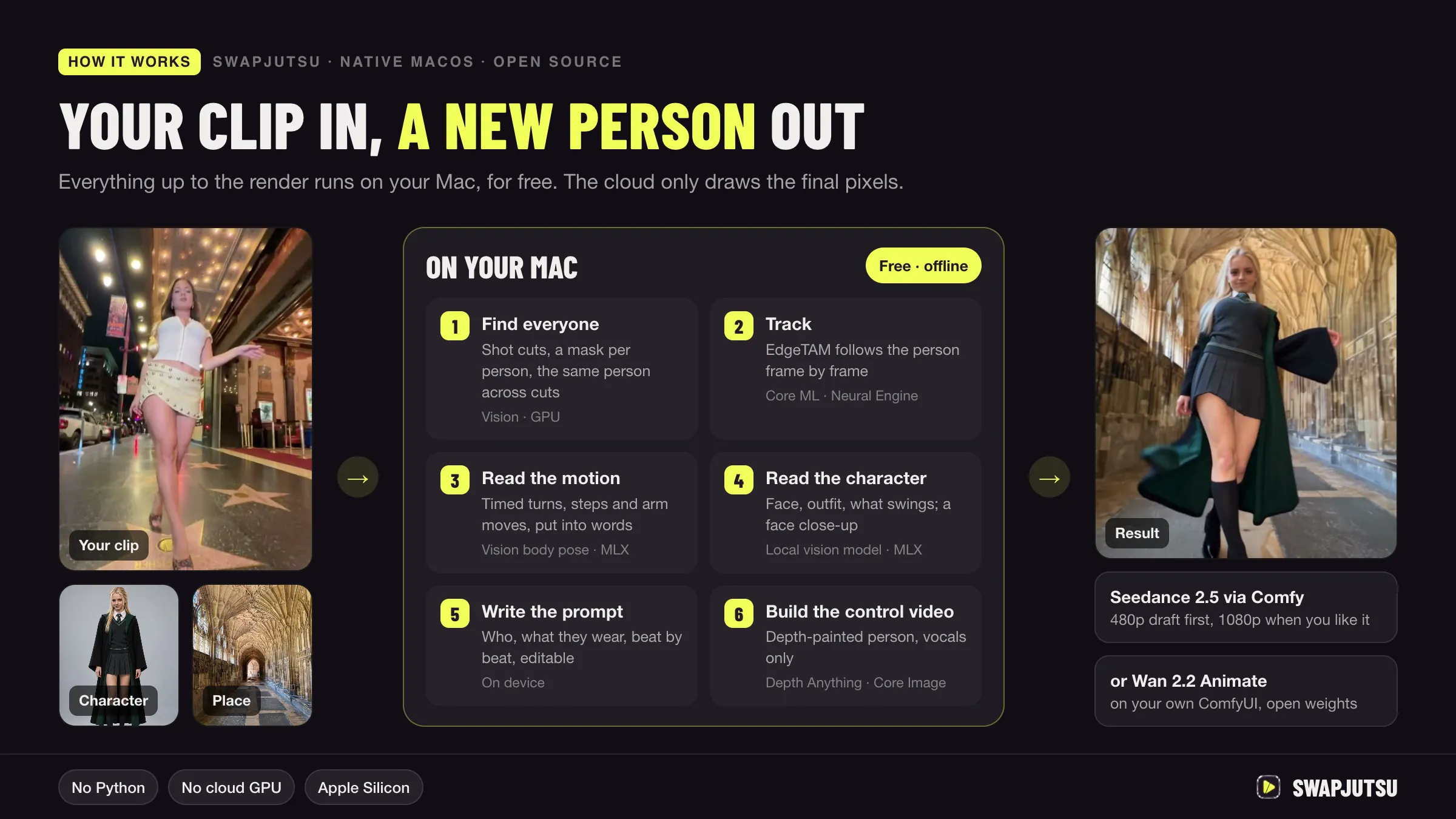
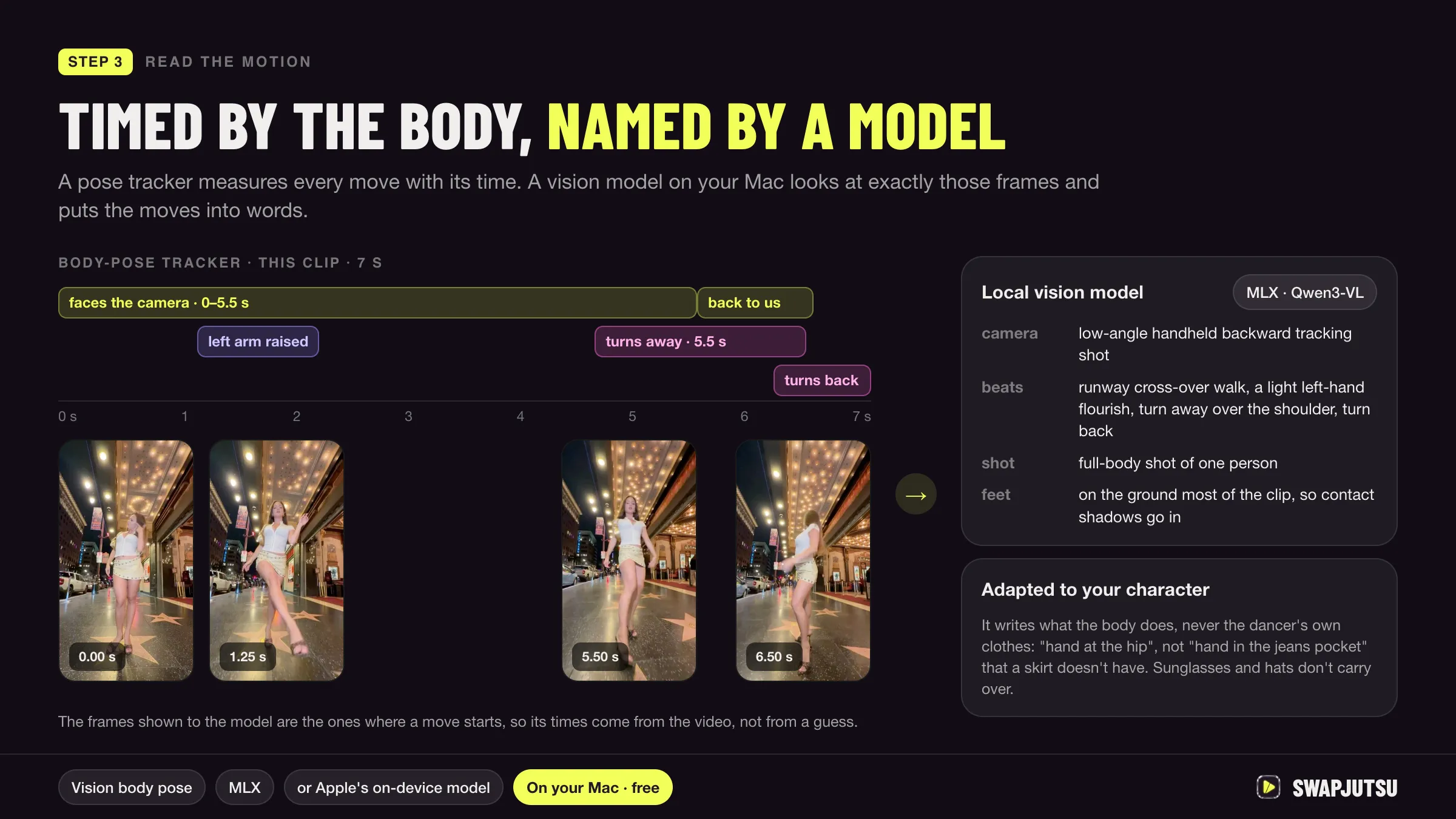
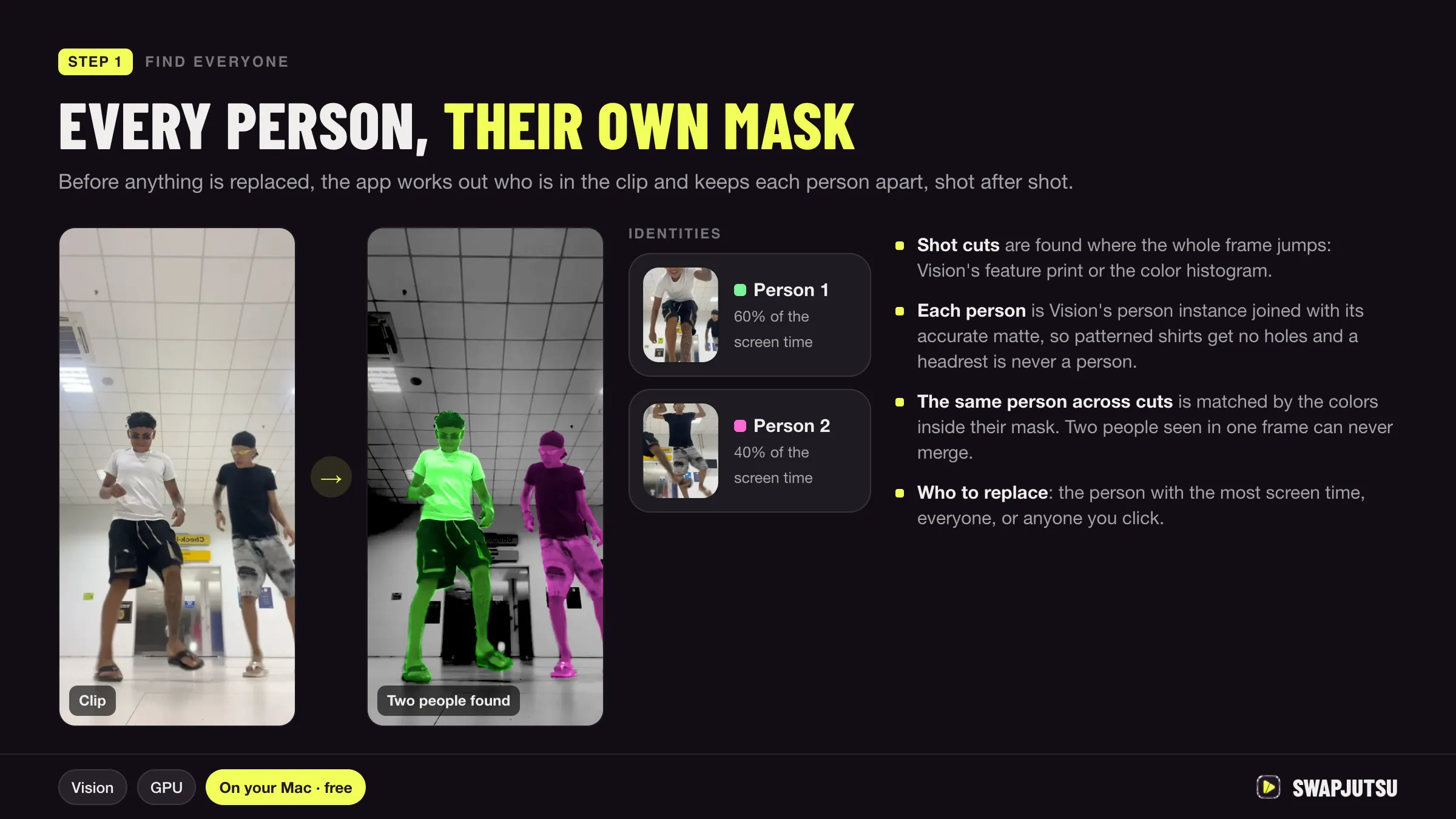
Swapjutsu, a free open-source Mac app (more in open-source Higgsfield alternatives), can render with Wan 2.2 Animate on your own ComfyUI at no cost. The analysis that makes a swap hold together (a mask per person, tracking with EdgeTAM on the Neural Engine, pose and depth) runs on the Mac either way. For the render, Settings › Own ComfyUI takes the address of a ComfyUI on this Mac, another Mac or a GPU box on the network, checks that the nodes and models are there, and sends it the clip, the mask and your character image.
Given the timings above, a remote NVIDIA machine is the practical choice for Animate, with the Mac doing the prep. Two details from Swapjutsu’s docs: plain http reaches local addresses and .local names, while a Tailscale or other remote host name needs https through a reverse proxy; and Wan renders one person at 480p or 720p at 16 fps, with no 1080p. For several people at once or a new background, the same app renders with Seedance 2.5 through Comfy instead, as covered in Seedance in ComfyUI.
Honest expectations
- 16 GB Mac: TI2V-5B at small sizes, and patience. A 14B model at Q4 is 11.5 GB plus the text encoder, which leaves little room.
- 32 to 64 GB: 14B models at Q4 or Q5 load, but expect an hour or more for a couple of seconds at 480p based on the M1 Max measurement.
- 96 GB and up: BF16 fits, and MLX brings an 81-frame 512×320 clip to 10 to 11 minutes on an M5 Max.
- Any Mac, for Animate: treat local runs as a test, and render on a GPU machine or through a cloud model.
For the broader setup, see ComfyUI on a Mac.
Sources
- Wan-Video/Wan2.2 on GitHub
- Comfy docs: Wan 2.2 Animate tutorial
- Comfy docs: Wan 2.2 tutorial
- Comfy docs: system requirements (MPS on Apple Silicon)
- ComfyUI issue 8988: Float8_e4m3fn on MPS (July 21, 2025)
- Hugging Face: Comfy-Org/Wan_2.2_ComfyUI_Repackaged (file sizes)
- Hugging Face: QuantStack/Wan2.2-Animate-14B-GGUF
- city96/ComfyUI-GGUF on GitHub
- lilting.ch: LTX-2 vs Wan 2.2 on M1 Max 64GB (March 1, 2026, updated May 20, 2026)
- lilting.ch: INT8ConvRot on an M1 Max in ComfyUI (August 4, 2026)
- Hugging Face: PocketAiHub/Wan2.2-T2V-A14B-MLX
- Blaizzy/mlx-video on GitHub
- Swapjutsu on GitHub: README and docs/COMFY_API.md
Swap characters on your Mac.
Swapjutsu is free and open source. The prep runs on your Mac; only the render is billed, or nothing on your own ComfyUI.