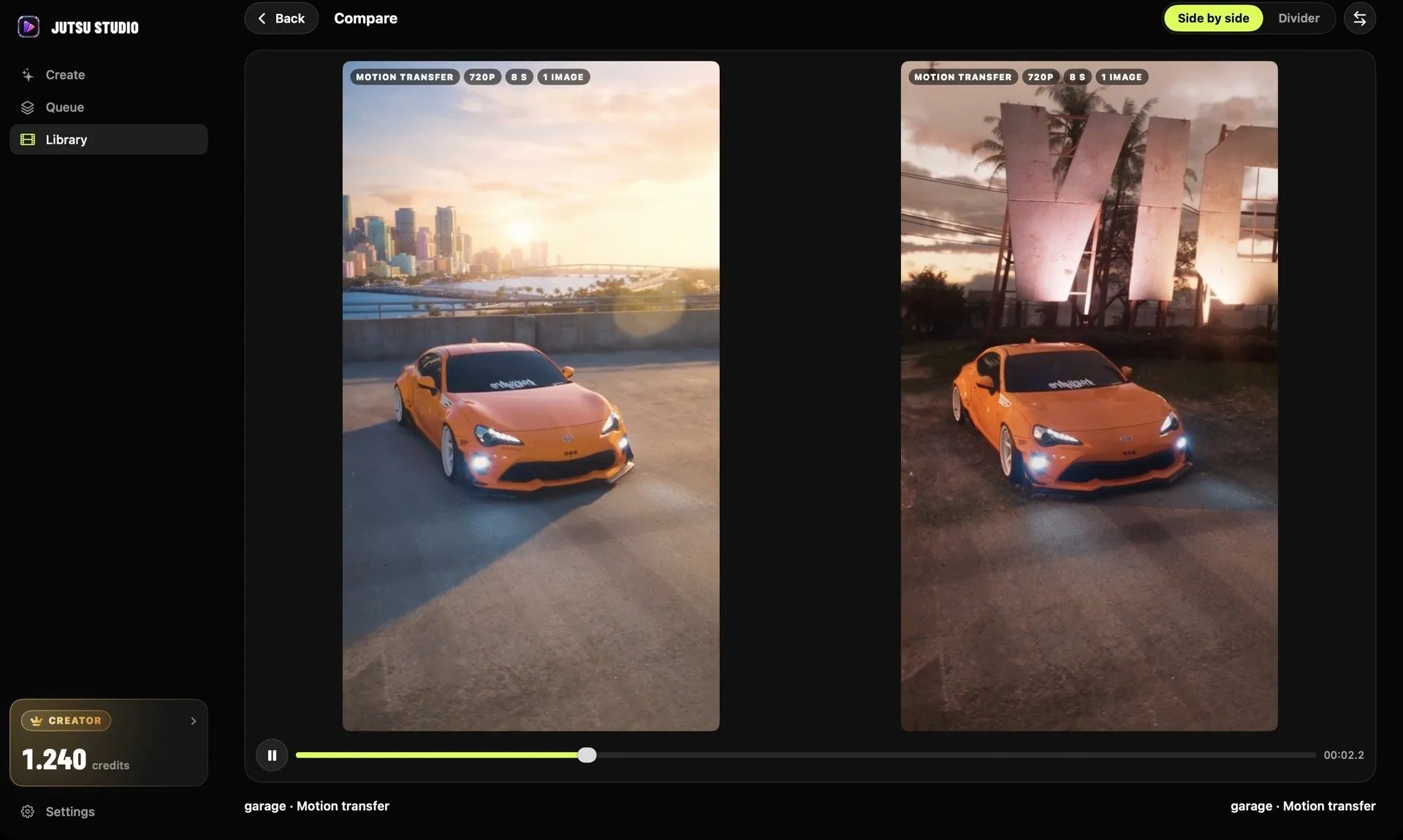
Jutsu Studio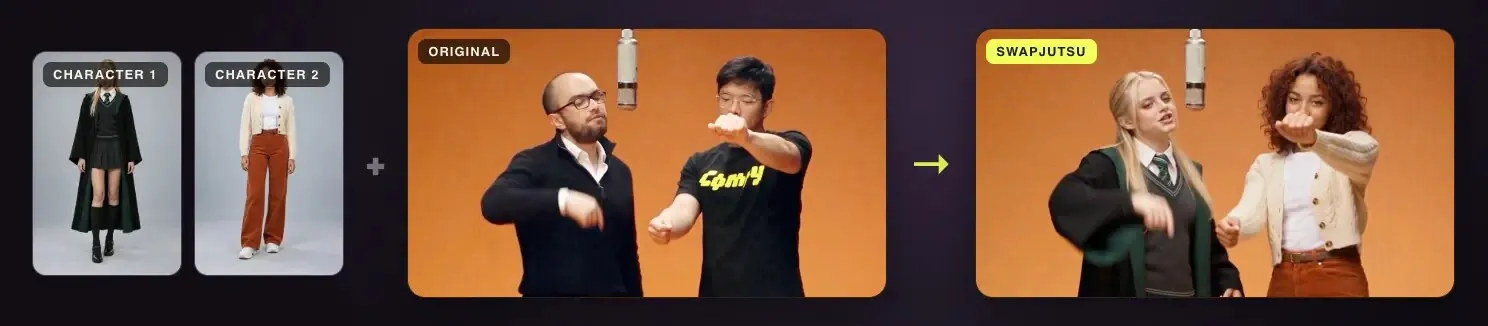
In short
- AI character swap keeps the camera, the moves and the timing of a clip and changes who is in it; face swap changes only the face.
- Seedance 2.5 edits a video from a prompt such as "replace the character in Video 1 with Image 1", and ByteDance recommends edit clips of 20 seconds or less.
- A 10-second swap costs $3.18 to $16.32 on Genjutsu Object Swap through Higgsfield's API, and $1.71 to about $9.75 on Seedance 2.5 through Comfy with Swapjutsu.
- Wan 2.2 Animate has a replacement mode with open weights, so the render costs nothing but your own GPU time.
To swap a character in a video, you give a video-to-video model three things: the clip, an image of the new character, and a prompt that says who to replace. The model keeps the camera, the moves and the timing, and draws the new person in place of the old one. The tools differ in how much of the shot they keep, where they run and what a second of video costs.
This guide covers the four approaches, a step-by-step swap on a Mac, the habits that make a swap hold, and the price of a 10-second clip on each route.
Four ways to do it
1. A video-to-video swap tool. Higgsfield’s Genjutsu has an Object Swap mode that replaces one selected element, such as a person, and leaves the rest of the shot as it was. It takes a 4 to 30 second clip and up to 30 reference images. You get a finished swap without building anything, at Higgsfield’s per-second rate.
2. A general model with video editing. Seedance 2.5 from ByteDance edits an existing video from a text instruction. ByteDance’s prompt guide gives the pattern directly: “replace the character in @video1 with @image1”. An edit keeps the aspect ratio and length of the source. ByteDance recommends edit clips of 20 seconds or less and 1 to 5 reference images for the most stable results.
3. Open weights on your own GPU. Wan 2.2 Animate, from Alibaba’s Wan team, has two modes. Comfy’s docs call them Move, which animates your character image with the motion of a clip, and Mix, which replaces the character in the clip and matches the original lighting and color. Mix mode needs a character mask, and the workflow builds pose and face control videos from the source. The weights are Apache-2.0, so the render is free if you have the hardware.
4. Face swap. If only the face should change and the body, hair and clothes can stay, a face swap tool is the narrower and cheaper job. It is a different task with different tools; see face swap vs character swap.
| Approach | Example | Runs | Keeps |
|---|---|---|---|
| Video-to-video swap | Genjutsu Object Swap | Cloud | Everything but the selected element |
| Model video edit | Seedance 2.5 | Cloud (BytePlus, Comfy, Higgsfield) | Everything the prompt does not mention |
| Open weights | Wan 2.2 Animate, Mix mode | Your GPU, in ComfyUI | Background, lighting, motion |
| Face swap | FaceFusion | Your computer | Everything but the face |
A swap step by step, with Swapjutsu
Swapjutsu is a free, open-source Mac app built for this job. It prepares the clip on the Mac and sends only the render to the cloud, or to your own ComfyUI. These are the steps from its README:
- Add a Comfy key. Create one at platform.comfy.org, add credits, and paste it in Settings › Comfy. It is stored in the Keychain.
- Prepare a clip. In Create, drop a clip, trim it to 4 to 30 seconds, choose who to replace and click Prepare Clip. This runs on the Mac and costs nothing.
- Assign characters. Drop an image for each person, and a place if you replace the background. The prompt writes itself; download Qwen3-VL 8B in Settings › Prompt for the best one. You can edit it.
- Render a draft. Generate Draft shows the price before it sends anything. Results land in Library.
- Finalize. If the draft works, click Finalize 1080p within 7 days, with the same motion.
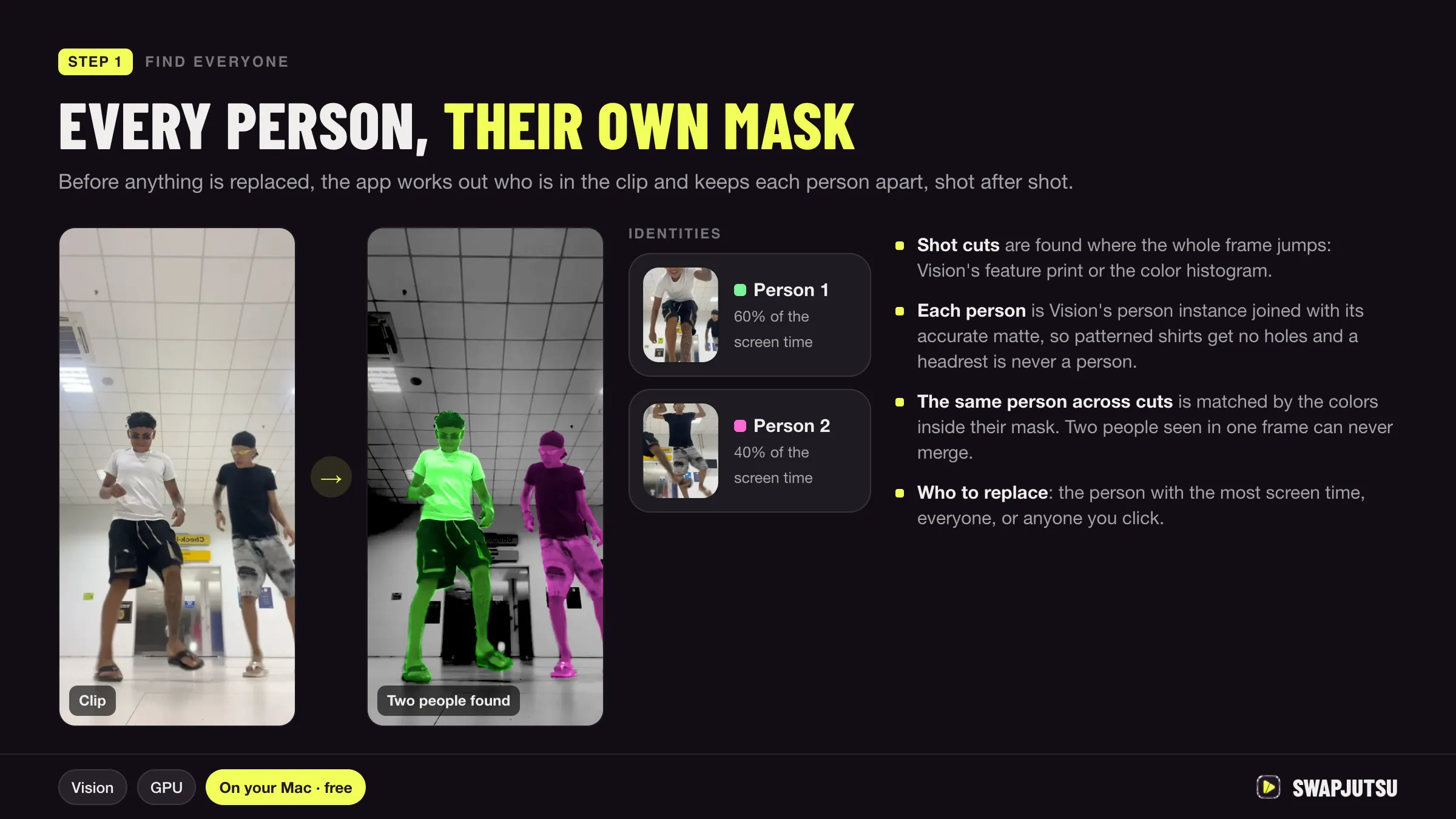
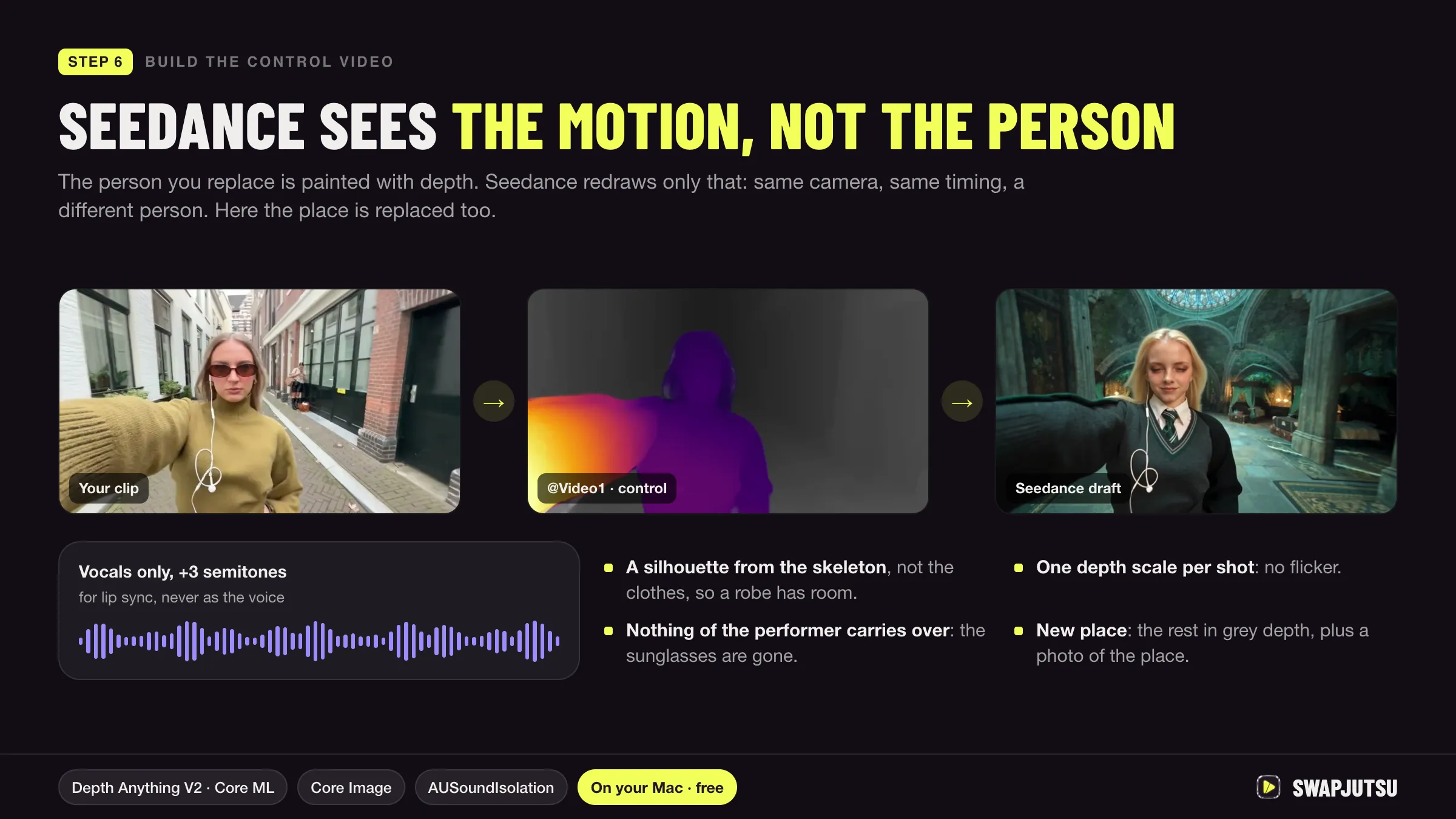
During step 2 the app finds the cuts, gives each person a separate mask, tracks them with EdgeTAM on the Neural Engine, times the moves with a pose tracker and estimates depth. From that it builds the control video Seedance sees: the person painted in depth over the original, with the vocals kept so the new character’s lips can follow them.
The same prep can render with Wan 2.2 Animate on your own ComfyUI instead. Swapjutsu offers Wan once you enter the server’s address in Settings and the check passes.
What makes a swap hold
Most failed swaps fail before the render. These habits come from ByteDance’s guides and from how the tools above are built.
- Pick a clip that fits the new character. The model keeps the camera, so a wide shot stays wide and a face that is ten pixels tall will stay ten pixels tall. Clips of 20 seconds or less are more stable on Seedance.
- Use one clean image per character. ByteDance advises a headshot plus a full-body image rather than a single sheet that mixes face, pose and outfit, because a small face in a busy image gets little weight. Swapjutsu adds face close-ups for full-body shots for the same reason.
- Name who gets replaced. “Replace the woman on the right in Video 1 with the woman in Image 1” leaves less to chance than “use Image 1”. With several people, map each one to its own image and upload the images in the order the people first appear.
- Separate the people. A mask per person is what lets two dancers become two different characters instead of one character twice. ByteDance notes that stability drops as the number of referenced people grows.
- Describe only the change. In an edit, parts you do not mention stay as they were. Extra description invites the model to change them.
- Draft cheap, then finalize. Seedance 2.5 has a draft mode at 480p; its draft task ID is valid for seven days, and the final reuses the draft’s prompt, inputs and seed.
What a swap costs
Prices for a 10-second clip, by route. Higgsfield rates are API list prices from Jutsu Studio’s price table, checked October 15, 2026. The Comfy figures are from Swapjutsu’s README.
| Route | 480p | 720p | 1080p |
|---|---|---|---|
| Genjutsu Object Swap, Higgsfield API | $3.18 | $6.81 | $16.32 |
| Seedance 2.5 video edit, Higgsfield API | $2.47 | $5.55 | $13.65 |
| Seedance 2.5 through Comfy, via Swapjutsu | $1.71 | $3.96 | about $9.75 |
| Wan 2.2 Animate, own ComfyUI | $0 | $0 | $0 |
The free row assumes you already own a GPU that can run a 14B model; Comfy’s docs list the Animate model in FP8 and BF16 and do not publish a minimum. Swapjutsu’s README examples are real drafts: a 7-second, one-character swap for $1.19 and a 5-second swap of two people for $0.85, both at 480p.
You pay for every second you send, so trim before you upload, and expect two or three drafts before a final.
Which route to pick
- One swap, no setup: Genjutsu Object Swap on Higgsfield, or through the Jutsu Studio Mac app with your API key.
- Regular swaps at the lowest cloud price: Swapjutsu with Seedance 2.5 through Comfy, drafting at 480p.
- No per-second bill: Wan 2.2 Animate on your own GPU, from ComfyUI or from Swapjutsu.
- Only the face changes: a face swap tool.
Only swap people who have agreed to it, and label the result where the platform asks for it. For more alternatives priced side by side, see Genjutsu alternatives.
Sources
- BytePlus ModelArk: Dreamina Seedance 2.5 prompt guide (updated October 16, 2026)
- BytePlus ModelArk: Dreamina Seedance 2.5 tutorial (updated October 20, 2026)
- Comfy docs: Seedance 2.5 workflows
- Comfy docs: Wan 2.2 Animate
- Higgsfield: Seedance 2.5 reference-to-video model page
- Swapjutsu on GitHub (README, October 20, 2026)
- Jutsu Studio's Higgsfield price table (rates checked October 15, 2026)
Swap characters on your Mac.
Swapjutsu is free and open source. The prep runs on your Mac; only the render is billed, or nothing on your own ComfyUI.