Jutsu Studio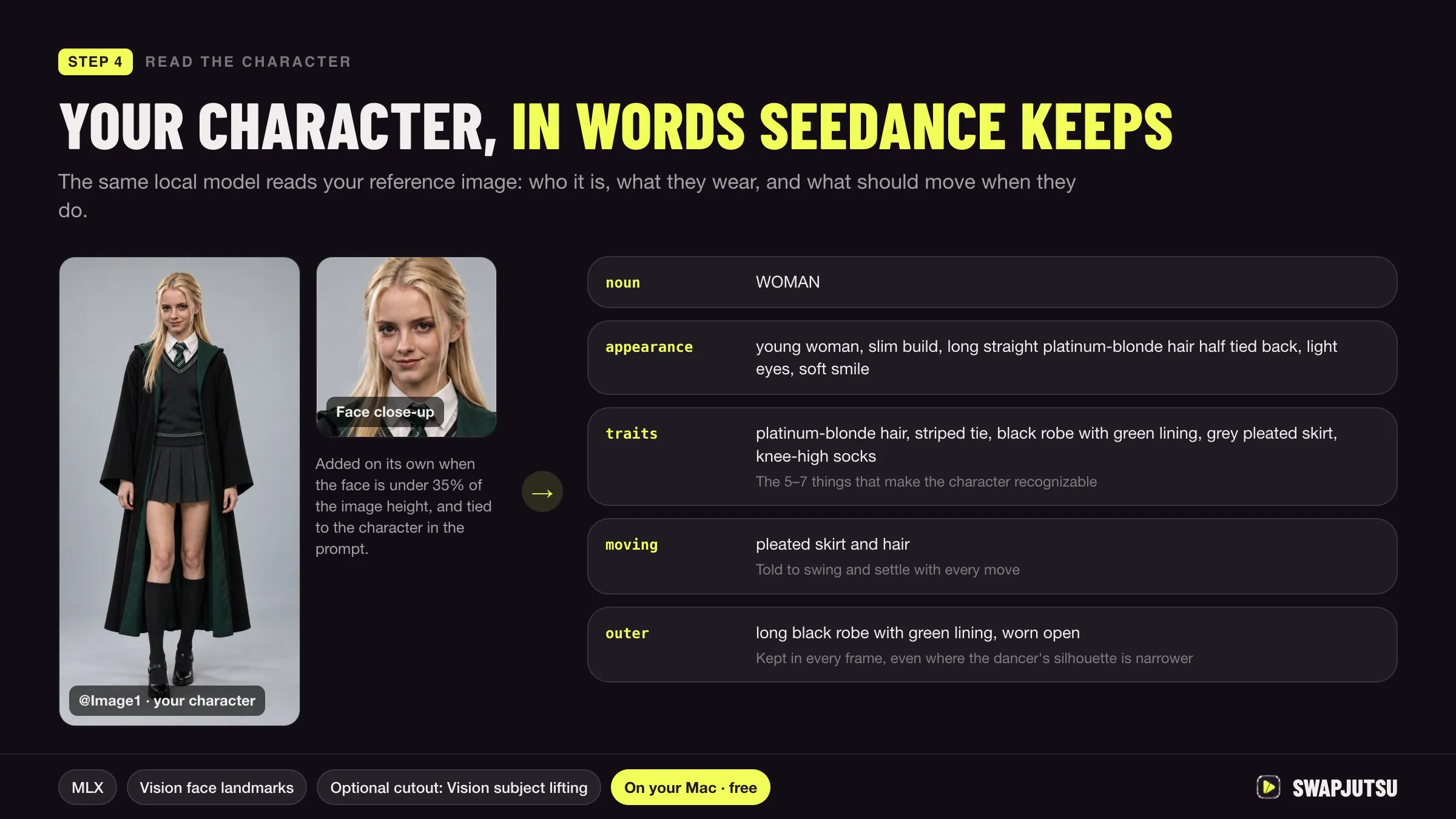
In short
- Seedance 2.0 takes up to 9 reference images, 3 videos and 3 audio files; Seedance 2.5 takes up to 30 images, 10 videos and 10 audio clips, 50 assets in all.
- ByteDance recommends a headshot plus a full-body image per character, and 1 to 8 subjects per Seedance 2.5 request for stable results.
- Seedance 2.0 works worse with multi-view character sheets; Seedance 2.5 supports multi-view input for 1 to 5 subjects.
- On BytePlus, neither model accepts reference images with real human faces unless they come through an authorized route.
Seedance keeps a character consistent through reference images, not memory. Each request gets the character’s images and a prompt that binds them to a name, and the model draws that character from them. Consistency comes from clean references, the same label every time, and not asking for more characters than the model holds steadily.
This guide is built from ByteDance’s own Seedance 2.0 and 2.5 prompt guides on BytePlus. It covers the limits, how to prepare references and character sheets, how to word the prompt, and what usually breaks a character.
How Seedance holds a character
Seedance reads text, images, video and audio together. ByteDance’s 2.0 guide says reference assets can lock in character appearance, actions, visual style and voice timbre. A character is consistent across shots when every shot gets the same references and the same wording, because each generation starts fresh from what you send.
For a series of clips, that means keeping a fixed reference set for each character and reusing it unchanged. For a single long clip, Seedance 2.5 goes up to 30 seconds per generation, up from 15 seconds on 2.0, so more of a scene can stay in one pass.
Reference limits
| Seedance 2.0 | Seedance 2.5 | |
|---|---|---|
| Images | Up to 9 | Up to 30, up to 4K |
| Videos | Up to 3 | Up to 10, 30 s combined |
| Audio | Up to 3 | Up to 10, 30 s combined |
| Total assets | 15 by the counts above | Up to 50 |
| Stable number of subjects | Stability drops past 4 referenced people | 1 to 8 subjects from images; 9 to 12 may need retries |
| Multi-view images | Not recommended | Supported for 1 to 5 subjects |
Comfy’s Seedance 2.5 partner node lists the same 30 image, 10 video and 10 audio limits. The maximum is not the target. ByteDance’s 2.0 guide recommends four or five assets in total, for example one or two character images, one scene image, one camera-movement video and one audio clip, because too many assets make it hard for the model to judge which features matter.
One more limit decides what you can upload at all: BytePlus says Seedance 2.5 and 2.0 do not accept reference images or videos that contain real human faces. Its routes around that are preset digital characters, face-containing outputs from its own models under the same account within 30 days, and authorized real-person assets.
Reference images and character sheets
ByteDance’s fix for a face that drifts is specific. Use a headshot with only the head, a neutral expression and little else in the frame, plus a full-body image for build, outfit and styling. Then say which is which: facial features from Image 1, makeup and styling from Image 2.
What to avoid:
- One mixed image. A single sheet with the face, a full-body pose, the outfit and detail crops makes the face a small part of the image, so it gets little weight and the background competes with it.
- Multi-view sheets on 2.0. Front, side and back views of the same character can be read as different people, which ByteDance says makes drift worse and causes duplicate characters. On 2.5, multi-view input is supported for up to five subjects; past five, use single views, and split views into separate images rather than one combined sheet.
- Names written on the image. The 2.5 guide warns against putting “John” on the reference and then writing “John is at school”. Put the mapping in the prompt.
- Low-resolution references. ByteDance recommends high-definition images, especially when a clip will be extended.
So a good Seedance character sheet is two or three separate, clean images per character, not one poster.
Prompt wording that keeps a character
- Define each character once, with two or three stable features. The 2.0 guide’s pattern: “Define the woman wearing a red dress and a straw hat in Image 1 as Subject 1”. Clothing, hairstyle and category work; mood and pose do not.
- Use the same label every time. If the tall man is “police officer”, he is “police officer” in every sentence. In simple prompts, bind name and image each time, for example “Zhang San@Image 1”.
- Number assets in upload order. Image 1, Video 1 and Audio 1 follow the order you upload them. For several characters, the 2.5 guide recommends uploading in the order the characters first appear, which fixes characters being swapped with each other.
- Put the most important references first. The more precisely an asset must be followed, the earlier it should appear in the prompt.
- List mappings when there are many characters. For example: “Images 1-2 are Character 1 and correspond to Audio 1; Images 3-4 are Character 2 and correspond to Audio 2.”
- Close with a consistency constraint. ByteDance’s examples end with lines like “the character appearances must strictly reference Image 2 and Image 3, remain consistent throughout the video, and avoid face changes”.
What breaks consistency
- Too many people. Past four referenced people on 2.0, output can show the wrong number of people. ByteDance’s workaround is to generate group images of four or fewer first, then use those as references.
- Duplicates. With several characters and multi-view references, the same person can appear twice. ByteDance suggests adding a constraint against identical characters in the same frame and keeping each name tied to its image.
- Style drift. A realistic reference with no style words can pull an animated character toward live action. Name the style, or convert the reference to the target style first.
- Repeated extensions. Extending a generated clip again and again degrades quality, especially on faces.
- Mixing model versions. The 2.5 guide notes that 2.0 and 2.5 render the same prompt in visibly different styles, so keep one model for one character’s series.
- Overloaded prompts. A full script pasted as a prompt confuses subject identification. Keep the instructions focused.
How Swapjutsu reads a character into words
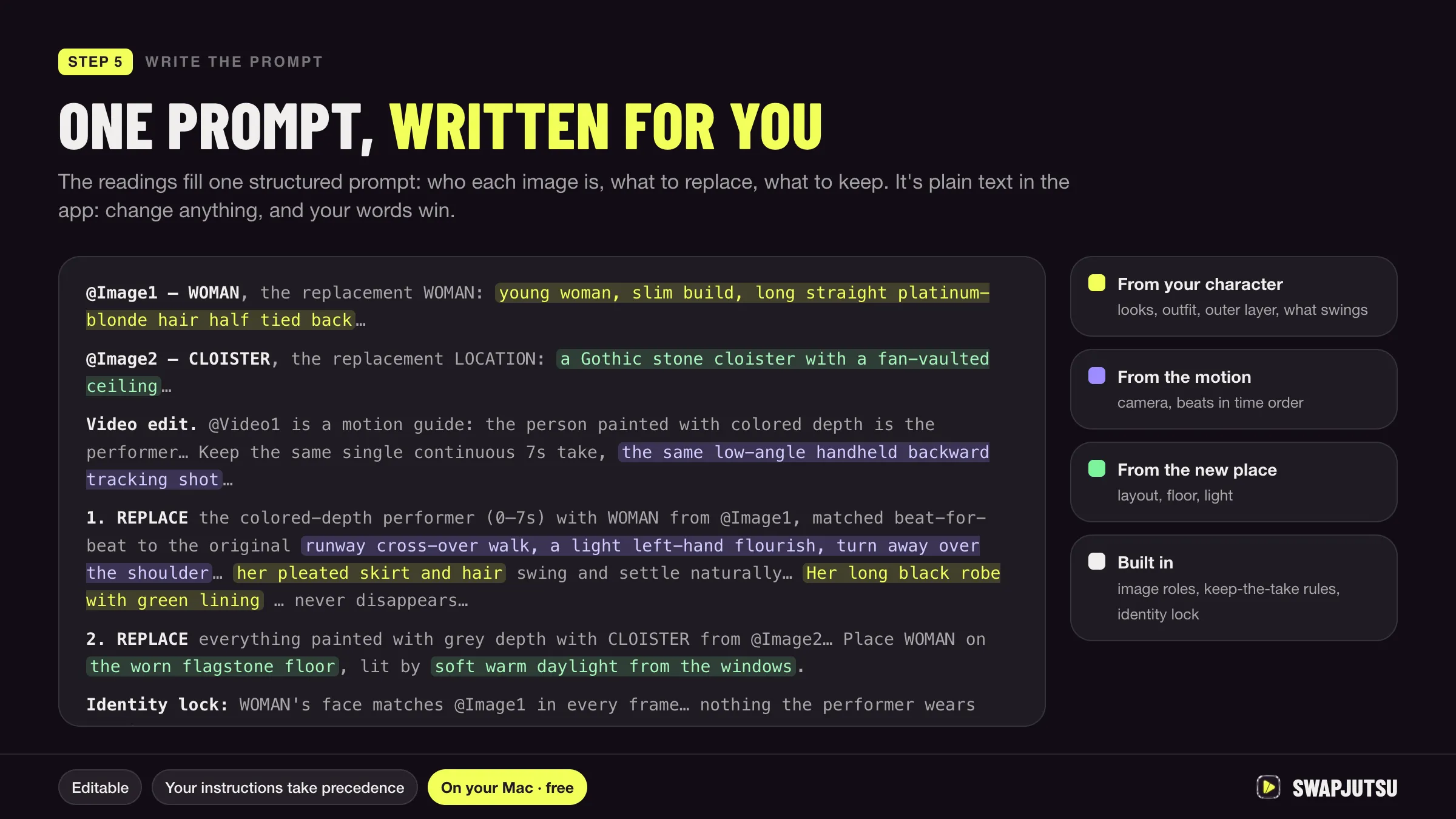
Swapjutsu, a free, open-source Mac app for character swap, follows the same idea from the other side. In its step 5, a local vision model on the Mac reads each character image into words that go into the prompt, and the app uses face close-ups for full-body shots, so Seedance gets both a strong face reference and a description of the rest. The same model names the moves from the source clip, and everything ends up in one structured prompt; see how Swapjutsu’s prompts are built.
Because it is a swap, the character also gets a fixed body to follow: the control video from the original clip keeps the pose and timing, so consistency only has to hold for appearance. If you want the full walkthrough, read how to swap a character in a video.
Sources
- BytePlus ModelArk: Dreamina Seedance 2.0 series prompt guide (updated September 28, 2026)
- BytePlus ModelArk: Dreamina Seedance 2.0 series tutorial (updated September 29, 2026)
- BytePlus ModelArk: Dreamina Seedance 2.5 prompt guide (updated October 16, 2026)
- BytePlus ModelArk: Create portrait videos with Dreamina Seedance models (updated October 8, 2026)
- Comfy docs: Seedance 2.5 workflows
- Swapjutsu on GitHub (README, October 20, 2026)
Swap characters on your Mac.
Swapjutsu is free and open source. The prep runs on your Mac; only the render is billed, or nothing on your own ComfyUI.