 Jutsu Studio
 KawarimiFree · Open source
Character swap on your own GPU.
Any character, any clip, on Windows or Linux. Nothing leaves the computer.
- Windows 10/11 · Linux
- NVIDIA · CUDA 13
- MCP server
- MIT on GitHub
- $0per video: no account, credits or watermark
- 9 of 9steps run on your own GPU
- 12 GBof VRAM or more recommended
- Nocloud, account or telemetry
Local AI character swap for Windows,
on your NVIDIA GPU.
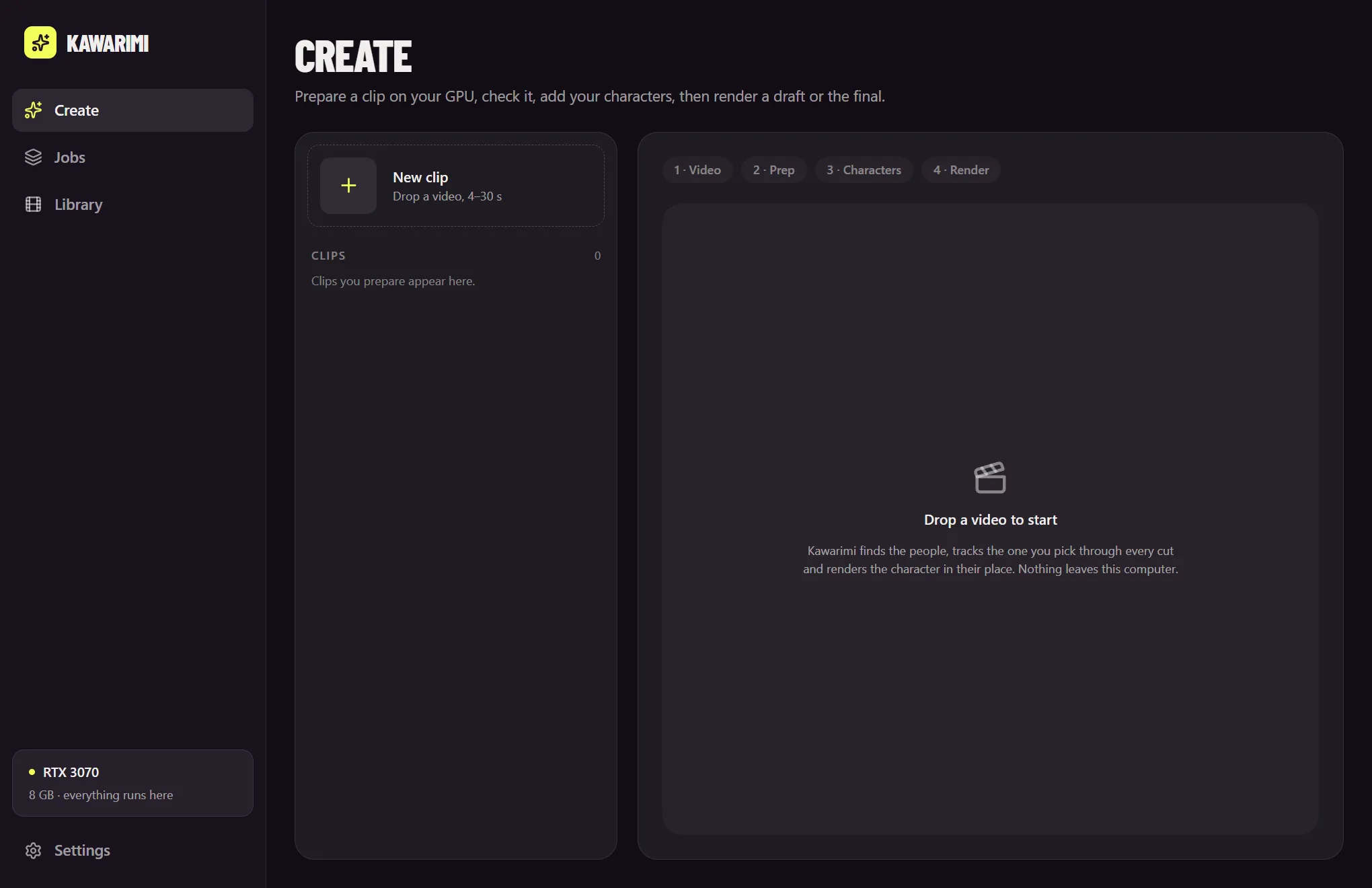
Drop a 4–30 second clip, pick who to replace, add one image of your character. The camera, the moves and the timing stay; the person changes.
| Step | Model |
|---|---|
| 1. Normalise the clip | FFmpeg |
| 2. Find the cuts | TransNetV2 |
| 3. Find the people | RT-DETRv2 |
| 4. Track the person through every shot | EdgeTAM, SAM 2.1 tiny |
| 5. Match the same person across cuts | Appearance |
| 6. Cut out the character | BiRefNet |
| 7. Write the prompt (optional) | Qwen3.5-9B on llama.cpp |
| 8. Render | Wan 2.2 Animate on ComfyUI |
| 9. Put the original sound back | FFmpeg |
Prep is Rust and ONNX Runtime on CUDA. The tracker is its own open-source crate, edgetam-onnx. Fix a mask with + and − points if it needs it.

Wan 2.2 Animate without setting up ComfyUI.
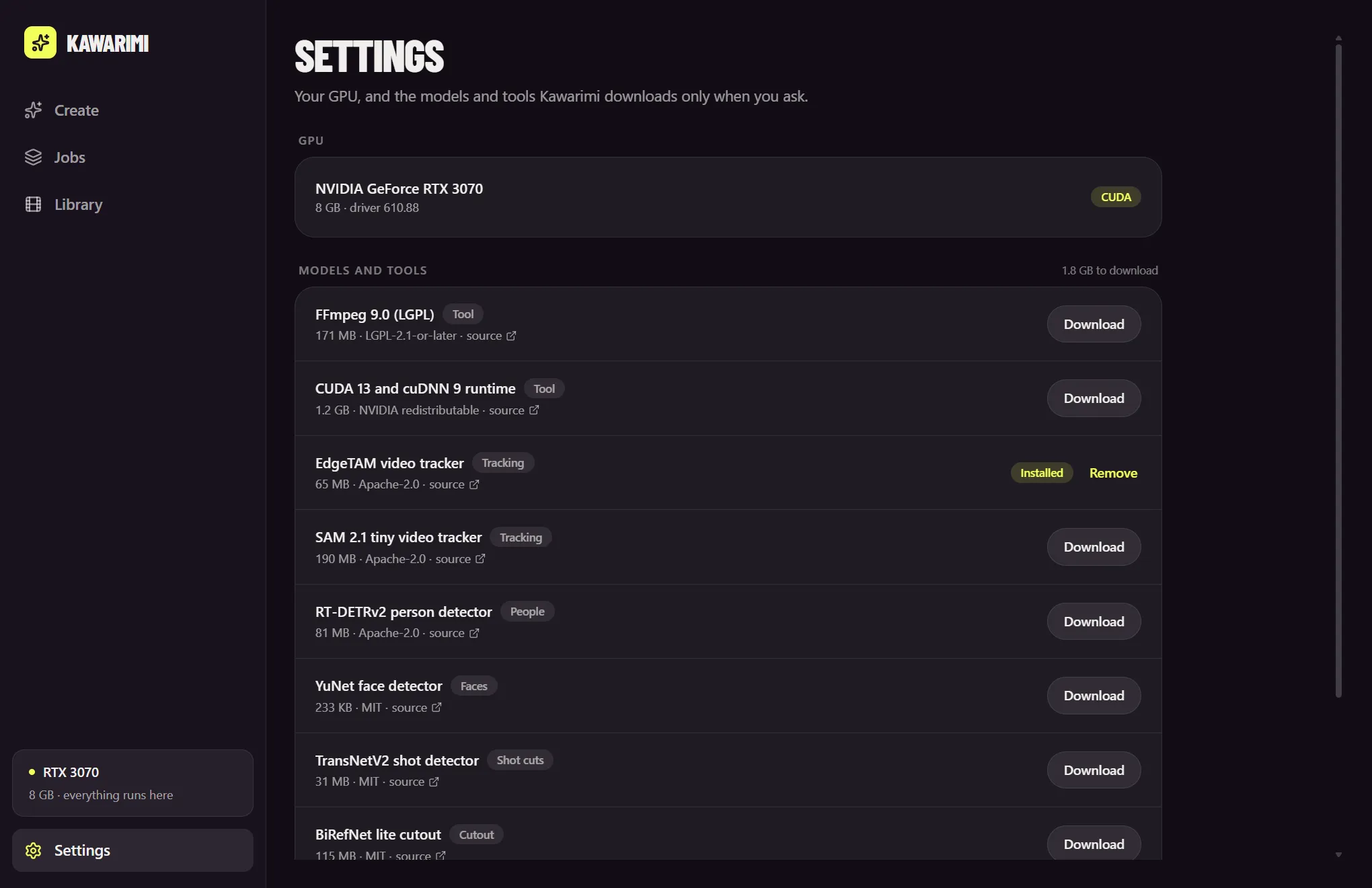
The app installs it
Kawarimi installs and manages its own ComfyUI and downloads the Wan 2.2 Animate weights for your card from Settings. No node graph, no custom nodes to hunt down.
Or bring your own
Already run ComfyUI, on this PC or another machine? Point Kawarimi at it in Settings › ComfyUI and keep your setup.
Pinned models
Each pinned to an exact revision and checked against SHA-256.
Nothing until you ask
Models aren't bundled. Each one downloads from Settings when you want it.
Licenses in view
Every model and tool listed with its size, license and source.
An offline Viggle alternative for Windows and Linux.
| Feature | Kawarimi | Viggle | Swapjutsu |
|---|---|---|---|
| Runs on | Your NVIDIA GPU | Viggle's cloud | Your Mac, render in the cloud or on your ComfyUI |
| Systems | Windows, Linux | Browser, phones | macOS 15+, Apple Silicon |
| Price | $0 per video | 5 free videos a day; paid from $7.99 a month | Free app; Seedance from $1.19 per 7 s draft, $0 with Wan |
| Watermark | None | Removed on paid plans | None |
| Account | None | Required | Comfy account for Seedance |
| Source | MIT, on GitHub | Closed | MIT, on GitHub |
Viggle's plans from its own pricing page. On a Mac, use Swapjutsu. More options in Viggle alternatives and Wan 2.2 Animate from a Mac.
Agents can swap too.
kawarimi-mcp is an MCP server: Claude Code or any MCP client can prepare clips, cut out characters and queue renders, within daily limits you set.
claude mcp add kawarimi -- ./target/release/kawarimi-mcpWindows or Linux
x86_64. Windows 10/11, or Linux with NVIDIA driver 580+.
An NVIDIA card
CUDA 13. 12 GB of VRAM or more recommended for rendering.
About 22 GB
Of disk for the models and ComfyUI.
FAQ.
What is Kawarimi?
A free, open-source desktop app for Windows and Linux that replaces a person in a video with a character from one image and keeps the camera, the moves and the timing. Preparation and rendering both run on your own NVIDIA GPU, with Wan 2.2 Animate through ComfyUI.
Can I do AI character swap locally on Windows with an NVIDIA GPU?
Yes. Kawarimi runs the whole swap on your PC: cut detection, people detection, tracking and the character cutout in Rust on ONNX Runtime with CUDA, then the render with Wan 2.2 Animate on a local ComfyUI. Nothing is uploaded, and there is no account and no per-video cost.
Can I use Wan 2.2 Animate without setting up ComfyUI?
Yes. Kawarimi installs and manages its own ComfyUI and downloads the Wan 2.2 Animate weights for your card from Settings, so you never open a node graph. If you already run ComfyUI, on the same PC or another machine, you can point Kawarimi at it instead.
Is there an offline Viggle alternative for Windows or Linux?
Kawarimi is one. Viggle runs in its own cloud, its free plan makes 5 videos a day and removes the watermark only on paid plans from $7.99 a month. Kawarimi runs offline on your own NVIDIA GPU, with no watermark, no account and no per-video cost. It needs a capable card and about 22 GB of disk, where Viggle needs only a browser.
What hardware does it need?
Windows 10/11 or Linux on x86_64, an NVIDIA GPU with a current driver (CUDA 13; on Linux driver 580 or later), 12 GB of VRAM or more recommended for rendering, and about 22 GB of disk for the models and ComfyUI.
Is there a download?
Not yet. The first release with a Windows installer and Linux AppImage and deb packages is on the way; until then Kawarimi is built from source with Rust, Node 24 and pnpm.
Is there a Mac version?
Yes, Swapjutsu. It is the Mac sibling: it prepares the clip on the Mac with Vision, Core ML and MLX, then renders on Seedance 2.5 through Comfy or on your own ComfyUI with Wan 2.2 Animate.
Can an AI agent use it?
Yes. kawarimi-mcp is an MCP server: Claude Code or any MCP client can prepare clips, cut out characters and queue renders, within daily limits you set.

Swap your first clip on your own card.
Free and open source. Build it from source today; installers for Windows and Linux come with the first release.
Windows 10/11 and Linux, NVIDIA GPU. Independent project. Not affiliated with Alibaba, Viggle or Comfy Org.