Jutsu Studio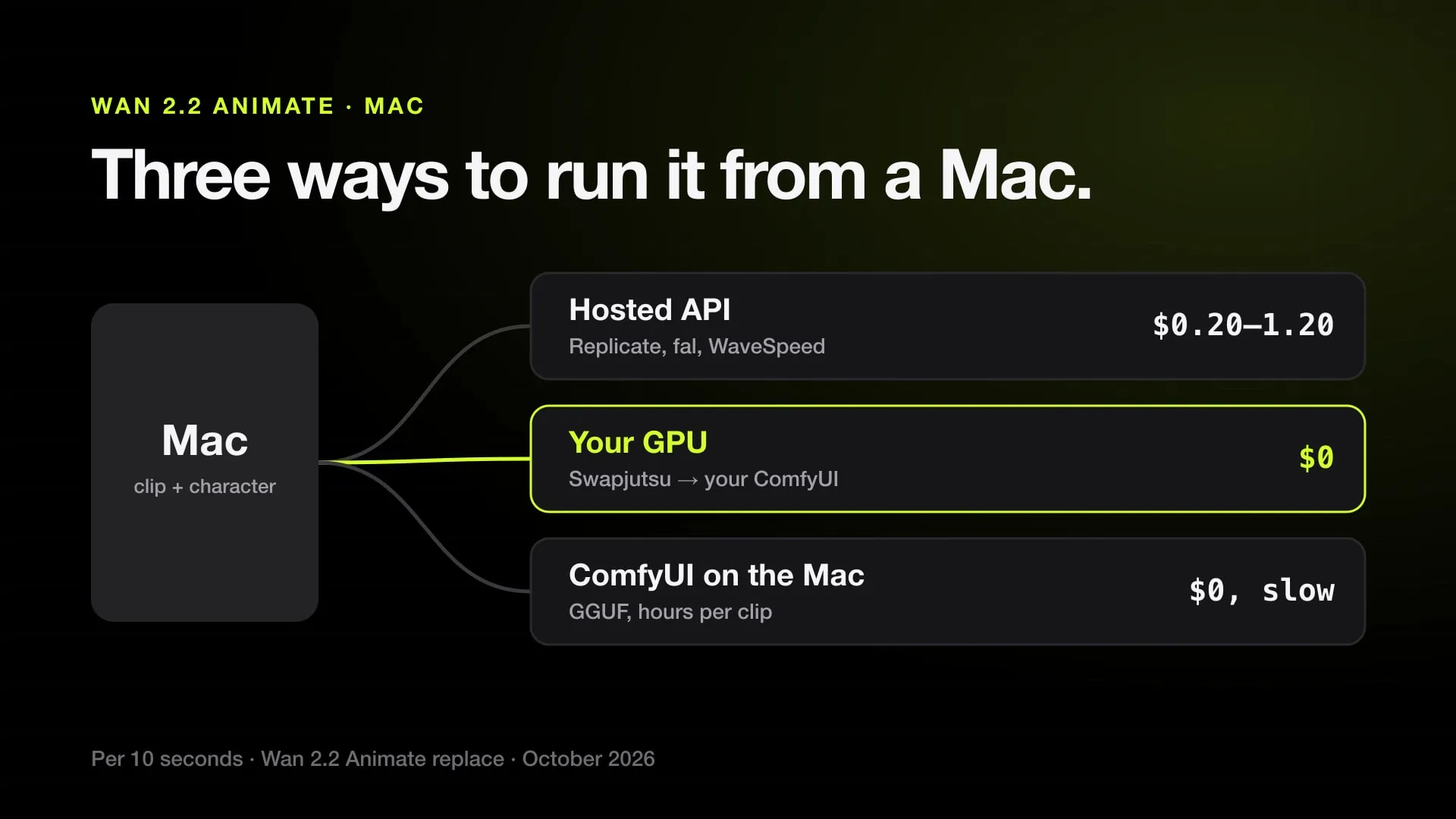
In short
- Wan 2.2 Animate replaces a person in a video with a character from one image and keeps the moves; its weights are open under Apache 2.0.
- Hosted, 10 seconds of Wan 2.2 Animate replace cost $0.20 at 480p and $0.50 at 720p on Replicate and $0.60 to $1.20 on EachLabs, as of October 2026.
- On your own NVIDIA machine it costs nothing; Swapjutsu, a free Mac app, prepares the clip on the Mac and sends the render to that ComfyUI.
- On the Mac itself, Wan 2.2 Animate 14B loads in ComfyUI only from BF16 (34.55 GB) or GGUF files (11.5 GB at Q4_K_M), and no MLX port covers Animate.
Wan 2.2 Animate replaces a person in a video with your character and keeps the moves, and from a Mac there are three ways to run it: a hosted API, from $0.20 for 10 seconds at 480p on Replicate; your own NVIDIA machine, for free, driven from the Mac by Swapjutsu; or ComfyUI on the Mac itself, which works but takes hours for seconds of video. For most people the first two are the real options.
Prices were checked in October 2026; every provider is in the Wan 2.2 Animate price table.
What Wan 2.2 Animate does
Animate is the Wan 2.2 model for people in footage. It has two modes:
- Mix, or replace: your character takes the place of the person in the original video. The scene, camera and light stay. This is character replacement.
- Move: your character image is animated with the video’s motion, in the image’s own scene. This is closer to Kling Motion Control; see motion control vs character swap.
It works in windows of 77 frames, about 4.8 seconds each, extended for longer clips. The weights are open under Apache 2.0, and the output has no watermark.
Route 1: a hosted API, no setup
The quickest way from a Mac. You upload the clip and an image of the character and get the video back.
| Provider | Endpoint priced | 480p, 10 s | 720p, 10 s |
|---|---|---|---|
| Replicate | Replace | $0.20 | $0.50 |
| EachLabs | Replace | $0.60 | $1.20 |
| fal.ai | Move | $0.40 | $0.80 |
| WaveSpeed | Animate | $0.40 | $0.80 |
| AI/ML API | Move | $0.52 | $1.04 |
Replicate’s model is called wan-2.2-animate-replace, which is the Mix mode; for the providers whose published price is for the Move endpoint, check the replace price before you rely on it. This route needs no ComfyUI and no GPU, but it is an API: you call it from code or a tool, and nothing prepares the clip for you.
Route 2: your own GPU, free, driven from the Mac
If you have, or can rent, a PC with an NVIDIA card, Wan 2.2 Animate costs nothing per video. The Mac does the preparation; the GPU machine does the render.
Step by step with Swapjutsu:
- On the GPU machine, install ComfyUI with the Wan 2.2 Animate models and the KJNodes and controlnet_aux node packs, as in Comfy’s Wan 2.2 Animate tutorial.
- On the Mac, install Swapjutsu, a free, open-source app for Apple silicon Macs with macOS 15 or later.
- In Swapjutsu, Settings › Own ComfyUI, enter the address of that machine. Plain
httpworks for local addresses and.localnames; a remote host such as a Tailscale name needshttpsthrough a reverse proxy. The app checks that the nodes and models are there. - Open your clip. Swapjutsu finds the cuts, gives each person a mask and tracks them with EdgeTAM on the Neural Engine, all on the Mac.
- Pick the person and add your character image, then render. Swapjutsu sends the clip, the mask and the image to your ComfyUI, and the result comes back to the Mac.
No Mac in the picture? On the NVIDIA machine itself, Kawarimi does the whole swap on Windows or Linux: it installs and manages ComfyUI and the Wan 2.2 Animate weights, and prepares the clip on the same GPU.
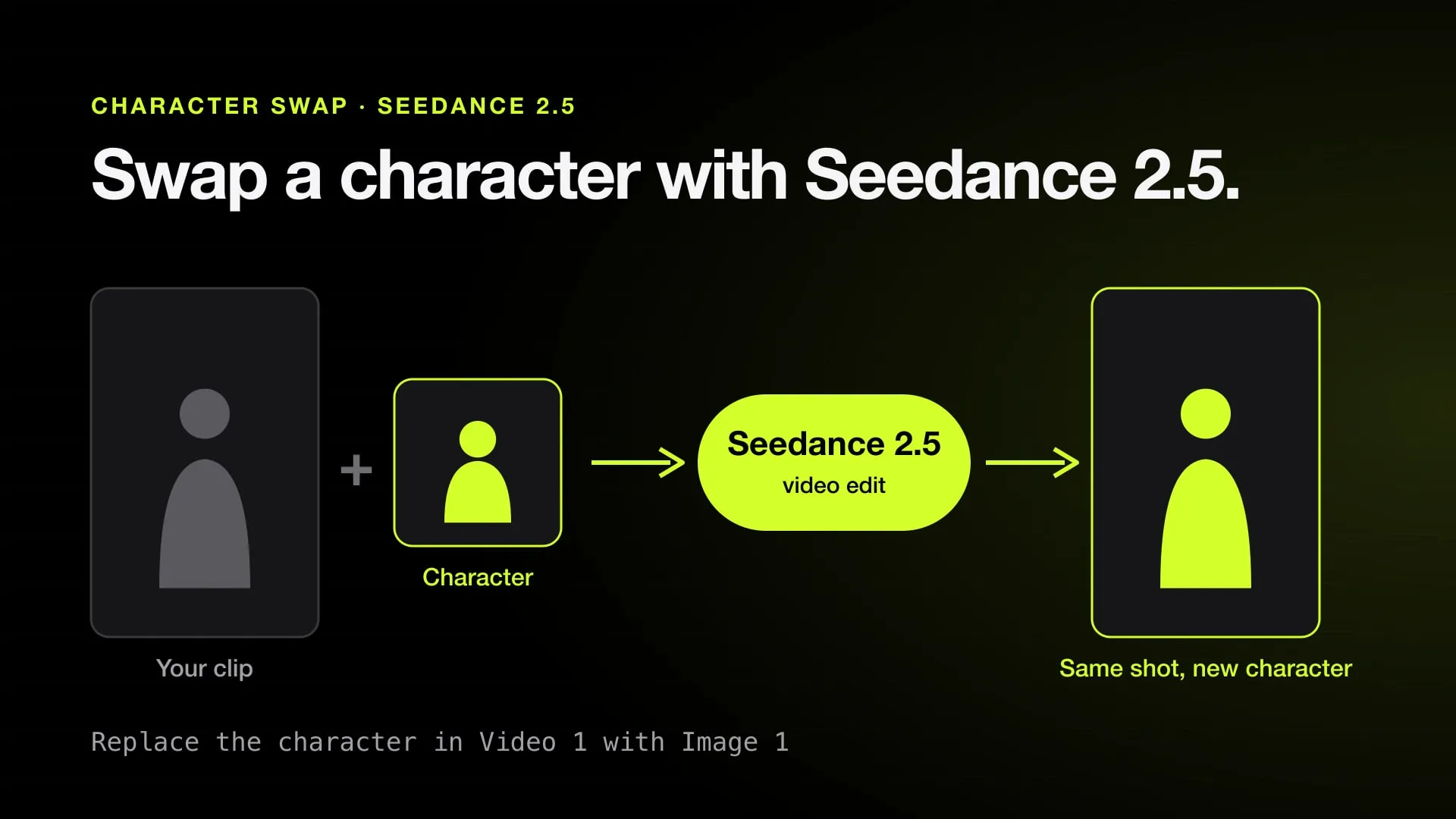
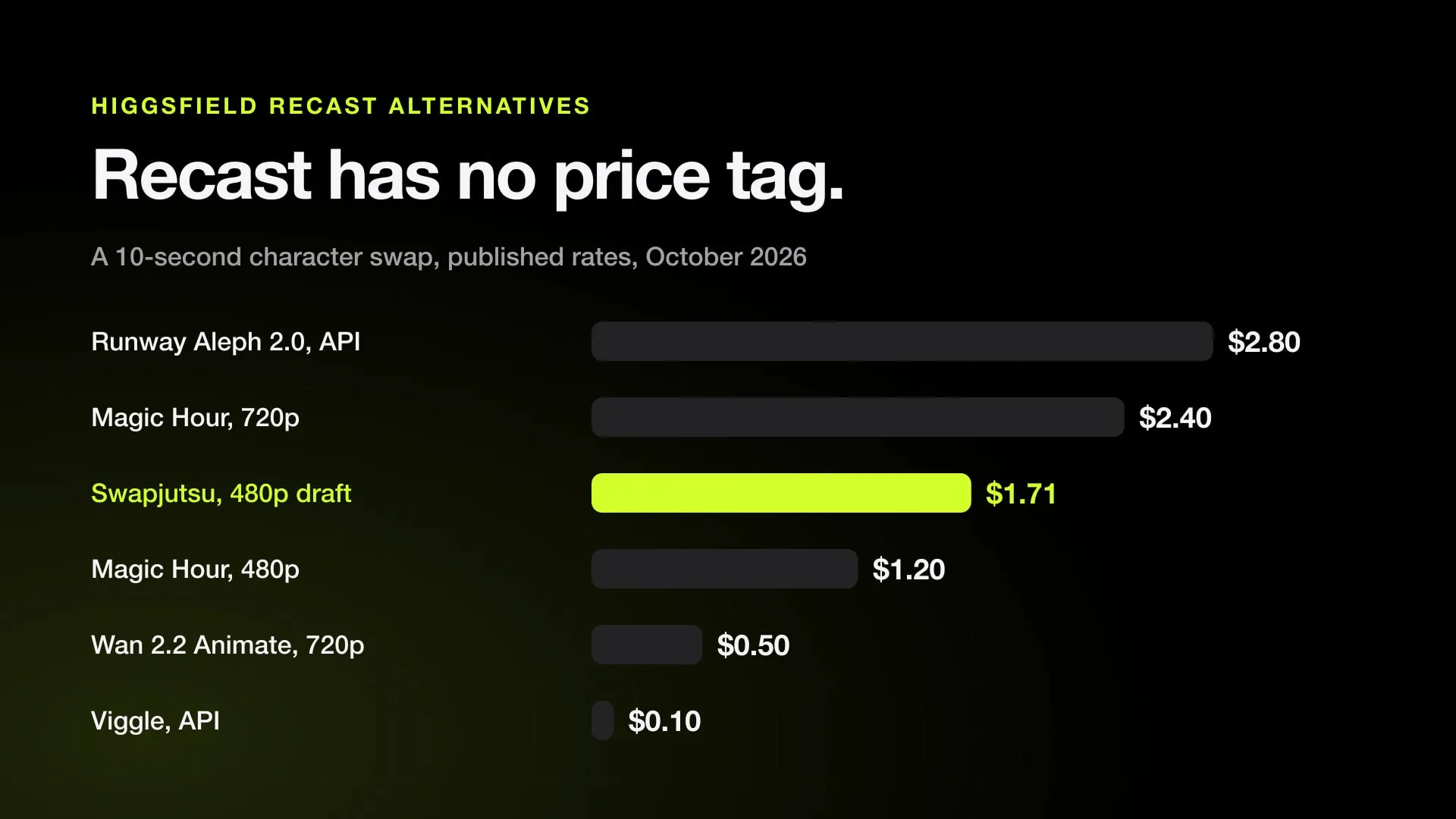
Wan renders one person at 480p or 720p at 16 fps, with no 1080p. For several people at once or a new background, Swapjutsu renders with Seedance 2.5 through Comfy instead, at about $1.71 for a 10-second draft; see Seedance 2.5 character swap.
Route 3: ComfyUI on the Mac itself
It loads, but plan for it to be a test, not a workflow.
- PyTorch on Apple silicon cannot load the FP8 files most Wan workflows use; use BF16 (34.55 GB for the 14B model) or a GGUF (11.5 GB at Q4_K_M), plus a 6.74 to 11.37 GB text encoder.
- No MLX port covers Animate yet, so ComfyUI is the only local path.
- We found no published Animate timing on a Mac. A comparable Wan 2.2 14B test took 1 hour 22 minutes for 2 seconds of 480p video on an M1 Max with 64 GB.
The details, with model sizes per memory size, are in Wan 2.2 on a Mac and ComfyUI on a Mac.
Which route to pick
- One or two clips, no setup: a hosted API, from $0.20 for 10 seconds at 480p.
- Many clips, and a GPU you can reach: Swapjutsu with your own ComfyUI, at $0 per video.
- Only a Mac and patience: ComfyUI with a GGUF file, for short tests.
- Several people, cuts or a new place: Swapjutsu with Seedance 2.5.
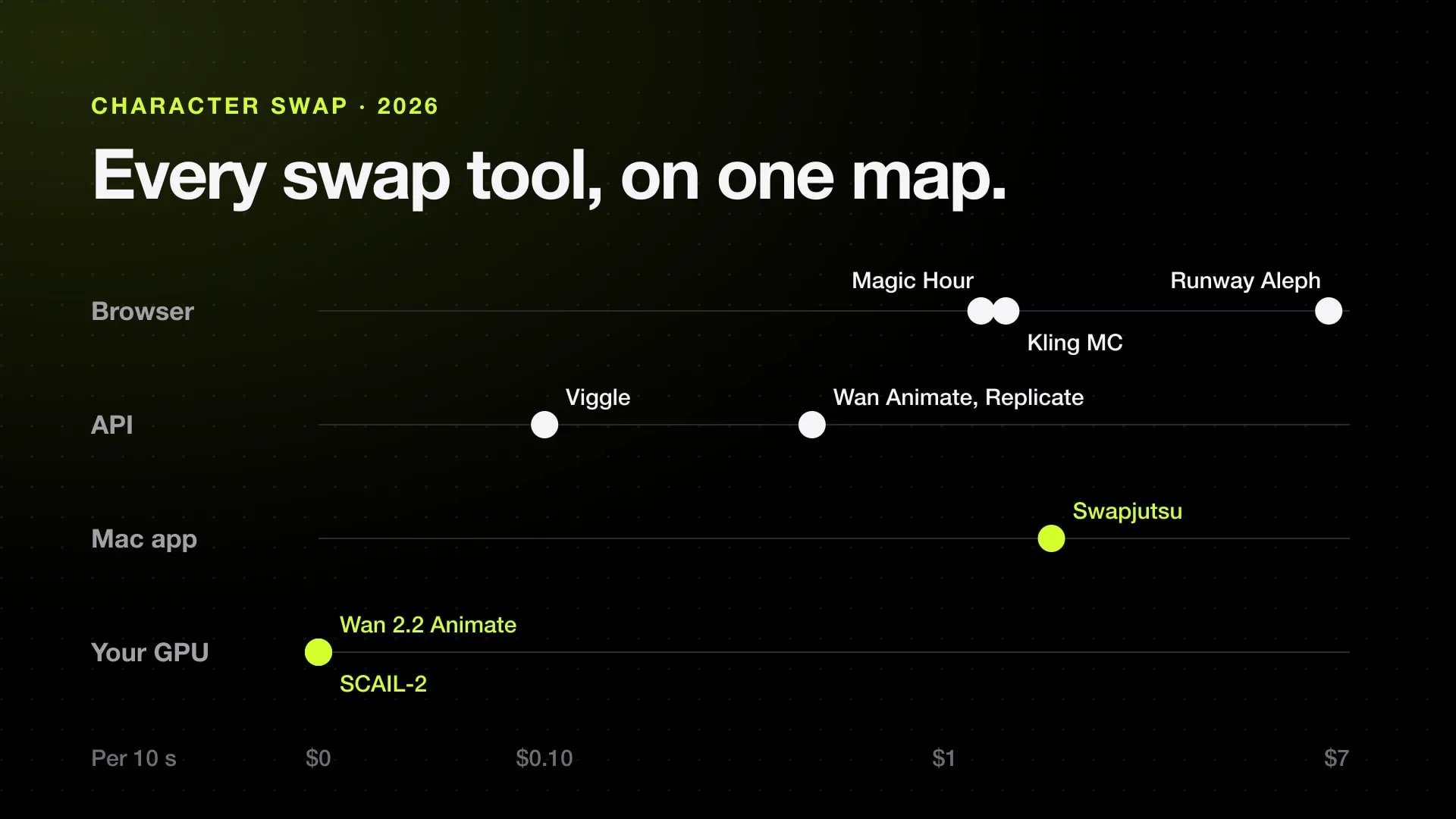
Other character swap tools, hosted and open, are compared in the best AI character swap tools.
Sources
Swap characters on your Mac.
Swapjutsu is free and open source. The prep runs on your Mac; only the render is billed, or nothing on your own ComfyUI.