Jutsu Studio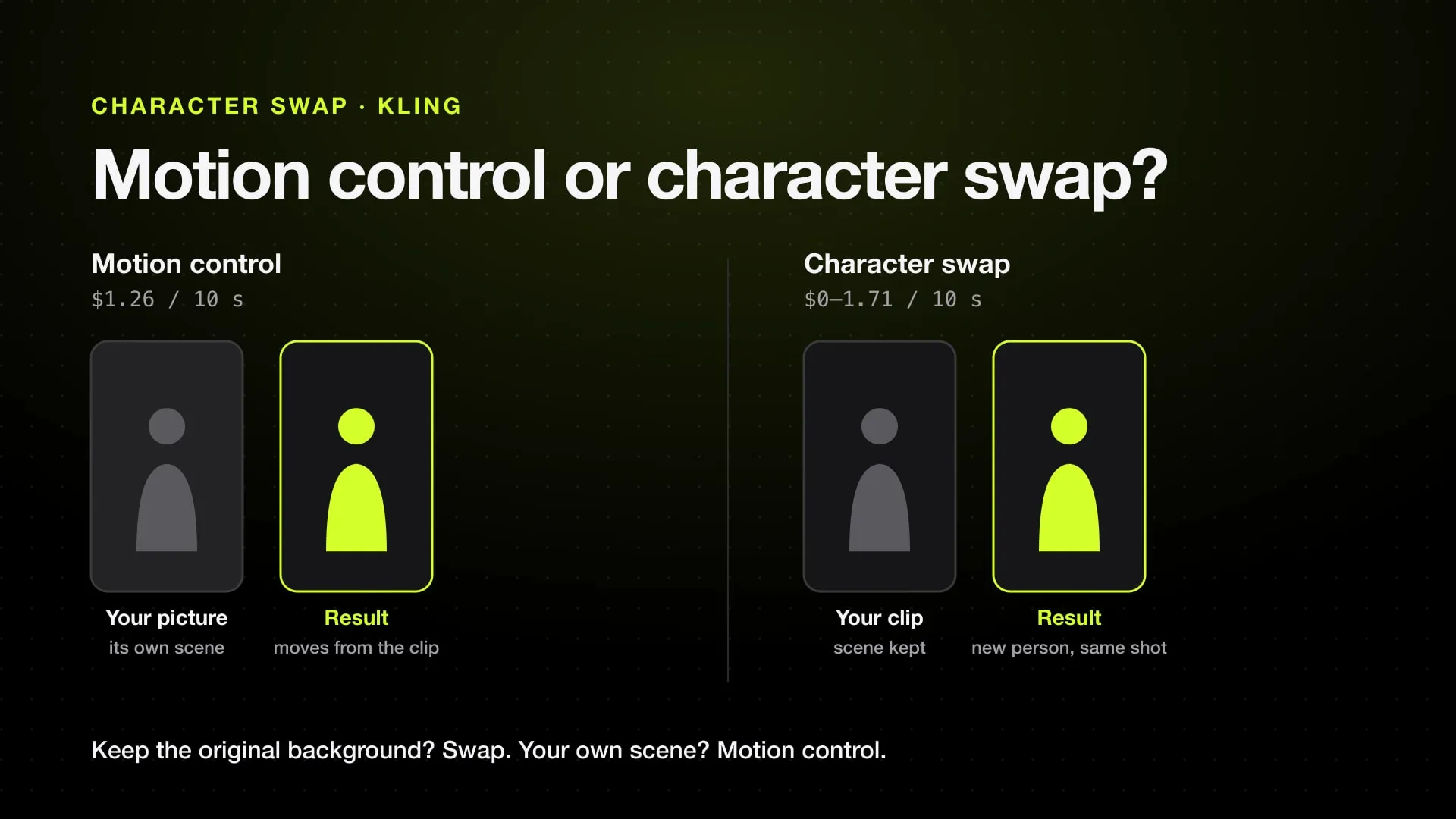
In short
- Kling Motion Control takes a character image and a 3 to 30 second motion video; the moves come from the video, but the scene comes from your image.
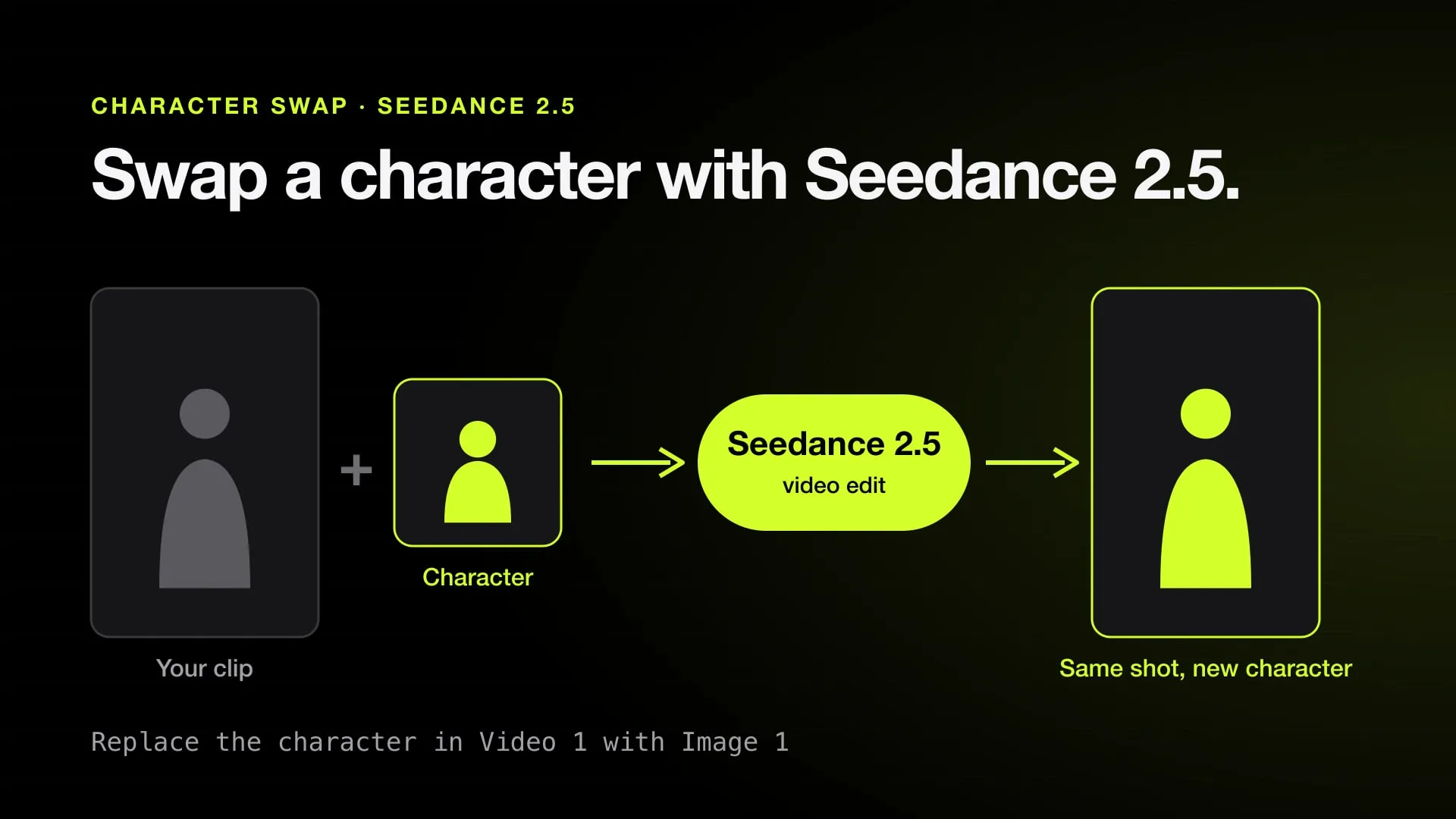
- Character swap, as in Swapjutsu, Seedance 2.5 video edit, Magic Hour or Wan 2.2 Animate, keeps the original clip's camera, place and lighting and replaces only the person.
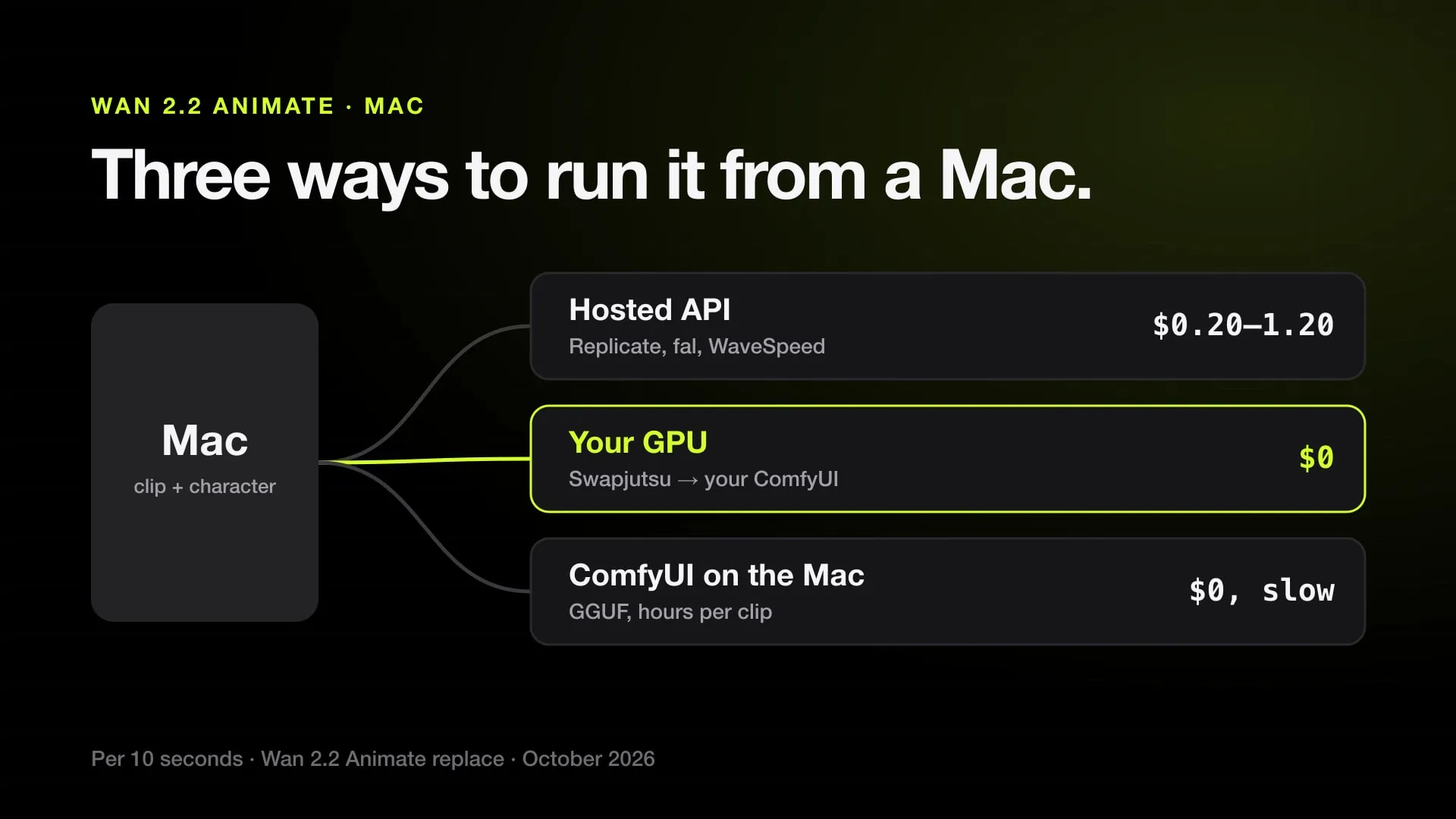
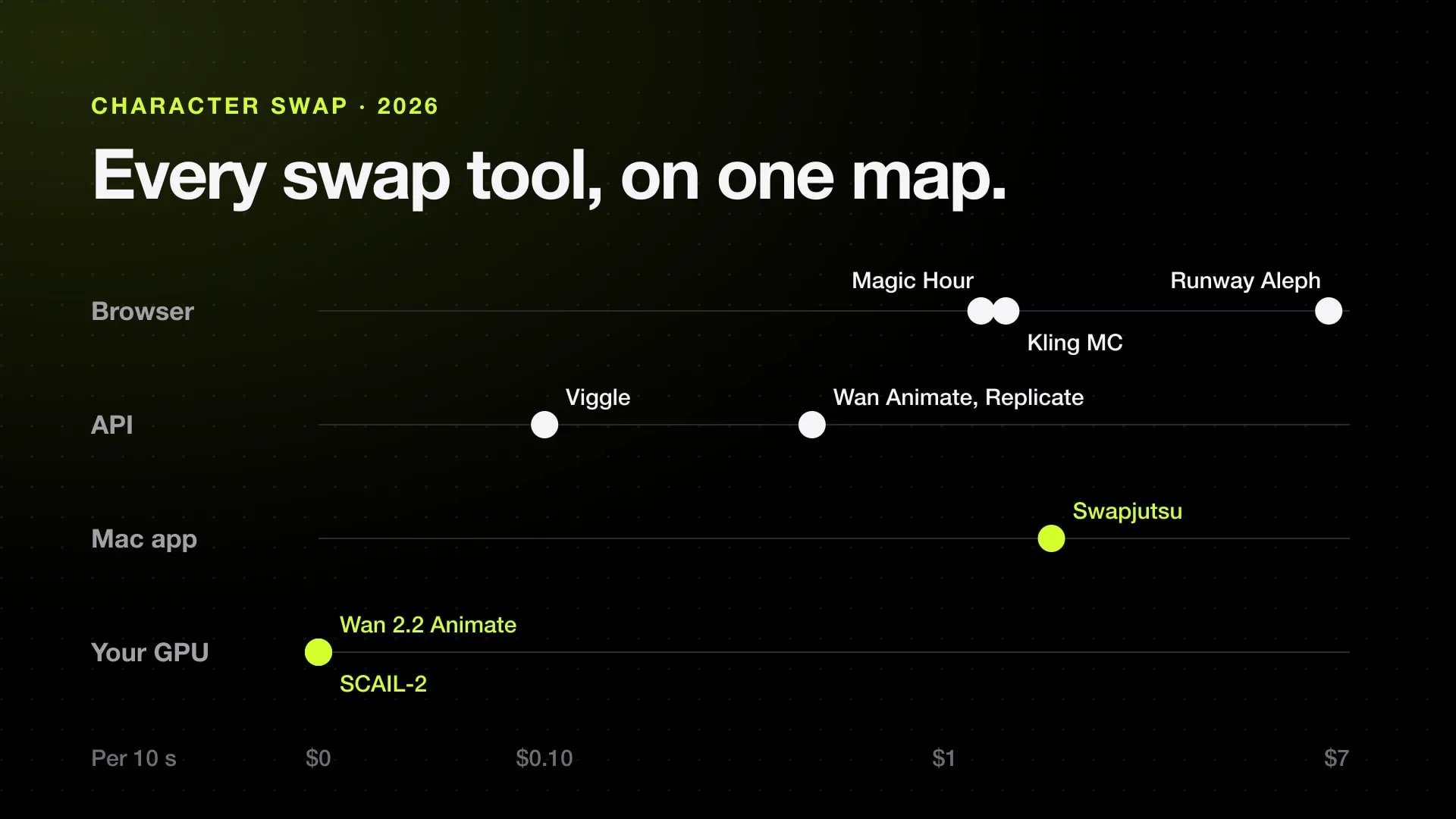
- A 10-second take costs $1.26 on Kling 3.0 Motion Control through Higgsfield's API and about $1.36 on Kling's Standard plan; a character swap costs about $1.20 on Magic Hour at 480p, $1.71 as a Seedance 2.5 draft through Swapjutsu, and $0 with Wan 2.2 Animate on your own GPU.
- Kling Motion Control uses one performer and needs one continuous shot; Swapjutsu tracks each person across cuts and can swap several at once.
Neither is better in general: they do different jobs. Kling Motion Control is better when you have a character image and want it to perform someone else’s moves in the character’s own scene; it is also cheaper, about $1.26 for 10 seconds. Character swap is better when the original clip should stay as filmed, the same camera, place and lighting, with only the person replaced; Swapjutsu does that on a Mac for about $1.71 as a 10-second Seedance 2.5 draft, or $0 with Wan 2.2 Animate on your own GPU.
Prices below are for 10 seconds of video and were checked in October 2026.
The difference in one picture
| Kling Motion Control | Character swap | |
|---|---|---|
| You give it | A character image and a motion video | A clip and a character image |
| Moves | From the motion video | From the clip |
| Background and place | From your character image | From the clip, kept as filmed |
| Camera | Follows the video, or your prompt | Kept from the clip |
| People | One performer, the largest in frame | One or several, depending on the tool |
| Cuts | One continuous shot only | Depends on the tool; Swapjutsu tracks across cuts |
| Clip length | 3 to 30 seconds | 4 to 30 seconds on Seedance 2.5 |
In short: motion control moves your picture; character swap re-casts your clip.
When Kling Motion Control is better
- You already have the character in the scene you want, as a finished image.
- The moves matter, the setting of the original video does not: a dance, a gesture, a meme.
- You make many takes and the price per take matters.
- The motion video is one person in one continuous shot.
Kling 3.0 Motion Control costs $0.126 a second through Higgsfield’s API, $1.26 for 10 seconds, and about $1.36 on Kling’s Standard plan. Kling’s guide asks for a full-body image for a full-body video, room around the character for large moves, and steady motion: if the moves are too fast, the result can come out shorter than the upload, without a refund. More on its limits and on Higgsfield’s Genjutsu in Kling Motion Control vs Genjutsu.
When character swap is better
- The original place, light and camera work are the point: a music video, a scene from a film, a selfie clip.
- There are several people and you want to replace one of them, or each of them.
- The clip has cuts.
- You want a free route on your own hardware.
What a 10-second swap costs:
| Tool | 10-second swap | Runs on |
|---|---|---|
| Magic Hour Character Replace | About $1.20 at 480p, $2.40 at 720p | Web, API |
| Swapjutsu, Seedance 2.5 via Comfy | About $1.71 at 480p, $3.96 at 720p | Mac app |
| Wan 2.2 Animate on Replicate | $0.50 at 720p | API |
| Wan 2.2 Animate on your GPU, or from Swapjutsu | $0 | Your ComfyUI |
| Higgsfield Genjutsu object swap | $6.81 at 720p | Web, API |
Swapjutsu does the part that makes a swap hold together on the Mac for free: it finds the cuts, gives each person a mask, tracks them with EdgeTAM on the Neural Engine, reads the pose and depth, and writes the prompt. Only the render leaves the Mac. The full walkthrough is in how to swap a character in a video, and the Seedance route in Seedance 2.5 character swap.
A dance video, both ways
Take a 10-second dance clip and a picture of your character.
- With Kling Motion Control, your character dances the same steps, in the place from your picture. If the picture is a studio shot, the dance happens in a studio. About $1.26.
- With character swap, the original dancer is replaced by your character, on the original stage, under the original light, with the original camera moves. About $1.71 as a Seedance draft, or $0 with Wan 2.2 Animate on your own GPU.
If you are not sure which you want, ask whether the background of the original clip should survive. Yes: swap. No: motion control.
For every character swap tool side by side, see the best AI character swap tools.
Sources
Swap characters on your Mac.
Swapjutsu is free and open source. The prep runs on your Mac; only the render is billed, or nothing on your own ComfyUI.