Jutsu Studio
In short
- FaceFusion 3.9.2, released October 26, 2026, is free to download from GitHub, where it had 30,489 stars on November 1, 2026. The code is under the OpenRAIL-AS license.
- The models it downloads carry their own licenses: 24 of the 54 on its license page are restricted, and the default face swapper model, hyperswap_1a_256, is under ResearchRAIL.
- FaceFusion's FAQ calls 8 GB of VRAM the bare minimum and says everything from 12 GB should work fine.
- There are three ways to install it: by hand with Conda for free, through Pinokio for free, or with the official one-click installer at $20 for Windows or $30 for macOS.
- It runs on Apple Silicon Macs through CoreML. FaceFusion publishes no Mac speed figures, and its macOS installer no longer supports Intel Macs.
FaceFusion is a free, open-source face swapper: you give it a photo of a face and a video, and it puts that face on a person in the video, frame by frame, on your own computer. On November 1, 2026 the current version is 3.9.2, released October 26, and the GitHub repository has 30,489 stars. It runs on Windows, Linux and macOS, on NVIDIA, AMD and Intel GPUs, on Apple Silicon through CoreML, or on the CPU. It needs a GPU with 8 GB of VRAM at the very least, and it refuses NSFW content.
Every figure below comes from FaceFusion’s GitHub repository, its documentation and its installer pages, checked on November 1, 2026. Where FaceFusion doesn’t document something, this post says so.
The short answer
| Question | Answer |
|---|---|
| What it is | A face swap, face enhance and lip sync app with a browser UI and a command line |
| Price | Free; optional one-click installer $20 (Windows) or $30 (macOS) |
| License | OpenRAIL-AS for the code; each model has its own license |
| Latest version | 3.9.2, October 26, 2026 |
| Systems | Windows, Linux, macOS |
| GPU | 8 GB VRAM minimum, 12 GB and up “should work fine” |
| Mac | Apple Silicon through CoreML; no published speed figures |
| Content filter | Built in; stops on NSFW video |
What FaceFusion is
FaceFusion calls itself a “face manipulation platform”. It is a Python app that runs a chain of processors over every frame of an image or a video. The repository has 11 of them:
- face_swapper: replaces a face with the one in your source image. It is the default processor.
- face_enhancer: restores detail in the swapped face, with models such as GFPGAN, CodeFormer and GPEN.
- lip_syncer: moves the mouth to match an audio file.
- expression_restorer and face_editor: bring back the original expression, or change gaze, mouth and head pose, both with LivePortrait.
- age_modifier, deep_swapper, frame_enhancer (upscaling), frame_colorizer, background_remover and face_debugger, which draws the detected faces and landmarks.
You can stack them, for example face_swapper face_enhancer. There is also a webcam layout that swaps a live camera feed and can stream it to OBS.
Is it free and open source?
The code is free and open on GitHub under the OpenRAIL-AS license, a “responsible AI” license that allows use but restricts some uses. GitHub can’t classify it, so the repository shows the license as “Other”.
The models are a separate matter. FaceFusion’s license page says the assets it provides “are subject to their individual licenses”, and of the 54 models listed there, 24 are marked in red: non-commercial, research-only or similar. For the face swapper itself, of 14 models:
- Apache 2.0: ghost_1_256, ghost_2_256 and ghost_3_256.
- ResearchRAIL: hyperswap_1a_256, 1b and 1c. The default, hyperswap_1a_256, is one of these.
- Non-commercial: alphaface_256 (new in 3.9.0), blendswap_256, inswapper_128 and its fp16 version, simswap_256 and simswap_unofficial_512.
- Unknown: hififace_unofficial_256 and uniface_256.
For commercial work, pick models whose license allows it and check the license page, since it can change between versions.
How to install FaceFusion
The README warns that the manual installation “needs technical skills and is not recommended for beginners”. There are three ways in.
By hand, free
You need Git, Conda and FFmpeg 7.0.2. Then, from a terminal:
conda create --name facefusion python=3.12 pip=25.0, thenconda activate facefusion.- On Windows or Linux with an NVIDIA card, install the CUDA runtime and cuDNN into the environment; the Windows page pins CUDA 12.9.1 and cuDNN 9.10.0. TensorRT and OpenVINO (Intel Arc) are optional.
git clone https://github.com/facefusion/facefusion, thencd facefusion.- Install for your hardware:
python install.py cuda@12for NVIDIA,directmlfor AMD on Windows,migraphxfor AMD on Linux,openvinofor Intel, ordefaultfor the CPU and for CoreML on a Mac. - Deactivate and reactivate the environment, then run
python facefusion.py run --open-browser.
The interface opens in your browser. Models download on first use.
Through Pinokio, free
Pinokio is a free launcher that installs AI apps in one click. FaceFusion’s own organization maintains the Pinokio script, facefusion/facefusion-pinokio, updated on October 27, 2026. It clones FaceFusion 3.9.2, sets up Python 3.12 and FFmpeg 7.0.2 in a private Conda environment, and picks the accelerator from your GPU: CUDA for NVIDIA, DirectML (Windows) or MIGraphX (Linux) for AMD, OpenVINO for Intel, and the default package on a Mac. More on the launcher itself is in Pinokio for AI video.
The paid one-click installer
FaceFusion sells its own installers through Buy Me a Coffee:
- Windows Installer, $20: Windows 10 and 11, installs Git, Conda and FFmpeg, lets you choose an AMD, Intel or NVIDIA accelerator and adds a Start menu entry. The page says 13,243 people bought it.
- macOS Installer, $30: macOS Sequoia and Tahoe, Apple Silicon only; “Intel Macs are no longer supported”. The page says 3,299 people bought it.
Both were at version 3.9.2 on November 1, 2026. They save the setup, not any features: the app is the same one you install for free.
Hardware
FaceFusion’s FAQ gives one number: “8GB as the bare minimum, everything from 12GB should work fine.” It does not list a minimum CPU or RAM.
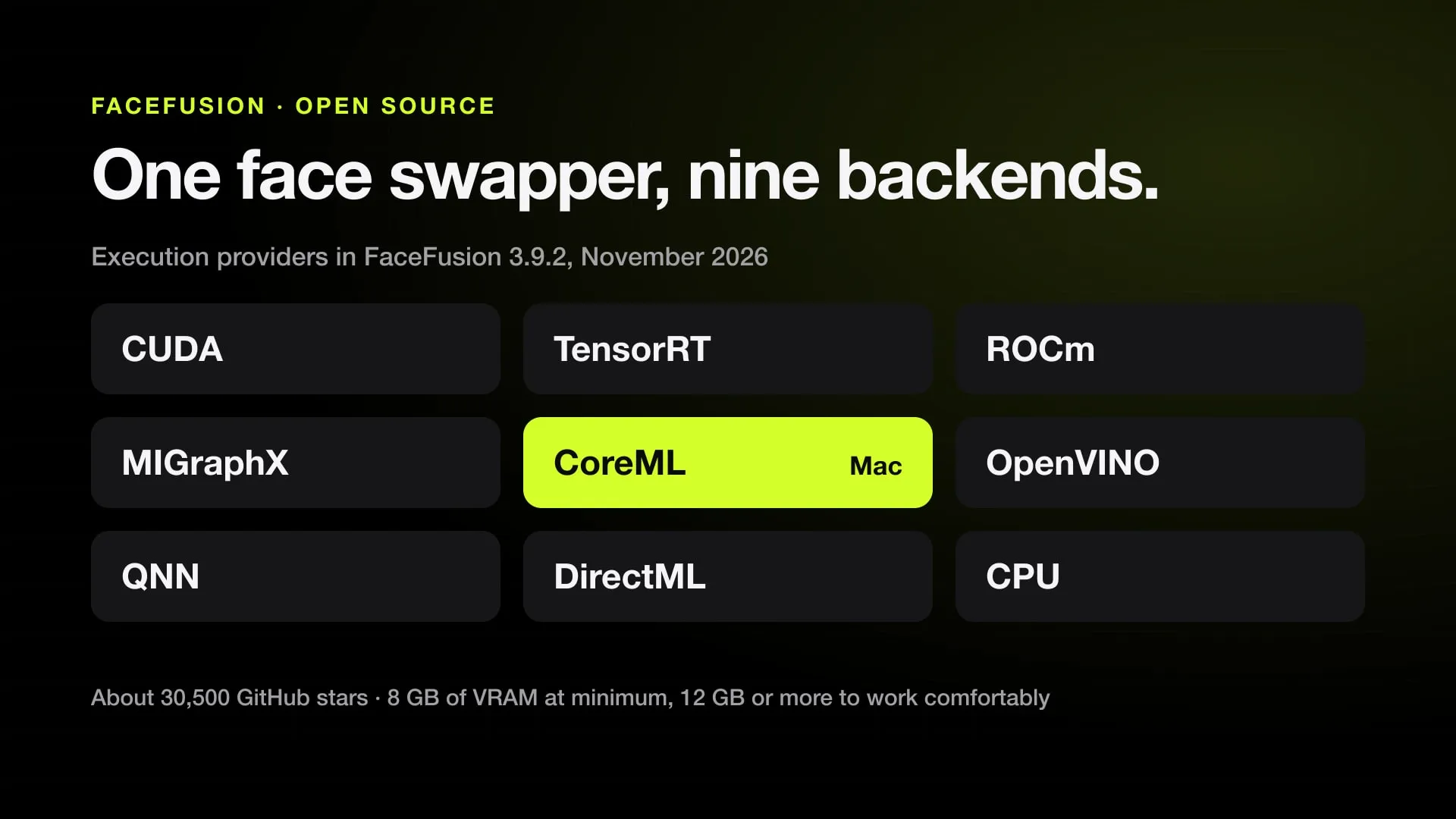
The code knows nine execution providers, the backends that run the models: CUDA and TensorRT (NVIDIA), ROCm and MIGraphX (AMD on Linux), DirectML (Windows), OpenVINO (Intel), QNN (Qualcomm on Windows), CoreML (Mac) and the CPU. By default it uses the first one available.
FaceFusion does not publish speed figures for any GPU. It ships a benchmark instead: python facefusion.py run --ui-layouts benchmark times a run on sample clips from 240p to 2160p on your own machine.
How to face swap a video with FaceFusion
In the browser interface:
- Processors: leave
face_swapperticked. Addface_enhancerif the swapped face looks soft. - Source: drop in a clear, front-facing photo of the new face.
- Target: drop in the video.
- Face selector: the default mode,
reference, swaps one chosen face everywhere it appears; click that face in the preview.oneswaps a single face per frame andmanyswaps every face. - Face swapper model and pixel boost: the default model is hyperswap_1a_256. Pixel boost runs the model at a higher resolution, from the default 128×128 up to 1024×1024, which FaceFusion’s FAQ gives as its workaround for the models’ low native resolution.
- Trim frame: to test, render a few seconds first.
- Output: set the path, encoder and quality, then press START.
Before rendering, FaceFusion checks the video for NSFW content. The same job runs without the interface:
python facefusion.py headless-run -s face.jpg -t clip.mp4 -o swapped.mp4 --processors face_swapper face_enhancerJobs can also be queued and run in batches with the job-* commands.
FaceFusion on a Mac
FaceFusion runs on Apple Silicon Macs through CoreML, Apple’s machine learning framework. The manual setup is the same as above with Homebrew: brew install git, brew install miniconda, brew install ffmpeg@7.0.2, then python install.py default. Pinokio and the $30 installer do the same for you.
What the documentation and code say about Macs:
- Use native Python. The macOS troubleshooting page says an “Illegal hardware instruction” error comes from running Python through Rosetta.
- Memory runs out first. An “Error executing model” on a Mac means RAM and swap are “heavily exhausted”, according to the same page.
- Not every model runs on CoreML. In 3.9.2 the NSFW check and the frame colorizer are sent to the CPU on a Mac, and fp16 face swapper models in a video run on CoreML’s CPU and GPU.
- Intel Macs: no longer supported by the macOS installer.
FaceFusion publishes no Mac speed figures, and neither the docs nor the README compare a Mac with an NVIDIA GPU. The built-in benchmark is the way to find out on your own Mac. For other local AI video tools on Apple Silicon, see ComfyUI on a Mac.
Consent and the law
FaceFusion’s disclaimer acknowledges “the unethical potential” of the software. It says FaceFusion is built not to process nudity, graphic content and sensitive material, that the team works with no site promoting unauthorized use, and that users who misuse it face a ban from the community or a report “to public authorities in case of legal violations”.
The filter is in the code. FaceFusion checks one frame per second of the target video with three NSFW models, counts a frame when at least two of them flag it, and stops if more than 10% of the checked frames are flagged. Its FAQ says this is why a run can halt “after 100% analysing”.
The plain rule: swap only faces you have permission to use, your own or those of people who agreed to it. Laws on deepfakes, likeness and publicity rights differ by country and state, and a filter that blocks nudity doesn’t make other uses legal.
Limits
- It swaps the face, not the person. Body, hair, clothes and build stay those of the original actor.
- Low native resolution. Most swapper models work at 256×256 or 128×128; pixel boost and the enhancer help, but the FAQ notes InsightFace never released higher-resolution inswapper models.
- Model licenses. The default model is research-only, and many others are non-commercial.
- Setup. The manual install expects a terminal, Conda and the right CUDA versions.
- No published speeds. You only learn how fast it is on your hardware by running the benchmark.
Face swap vs character swap
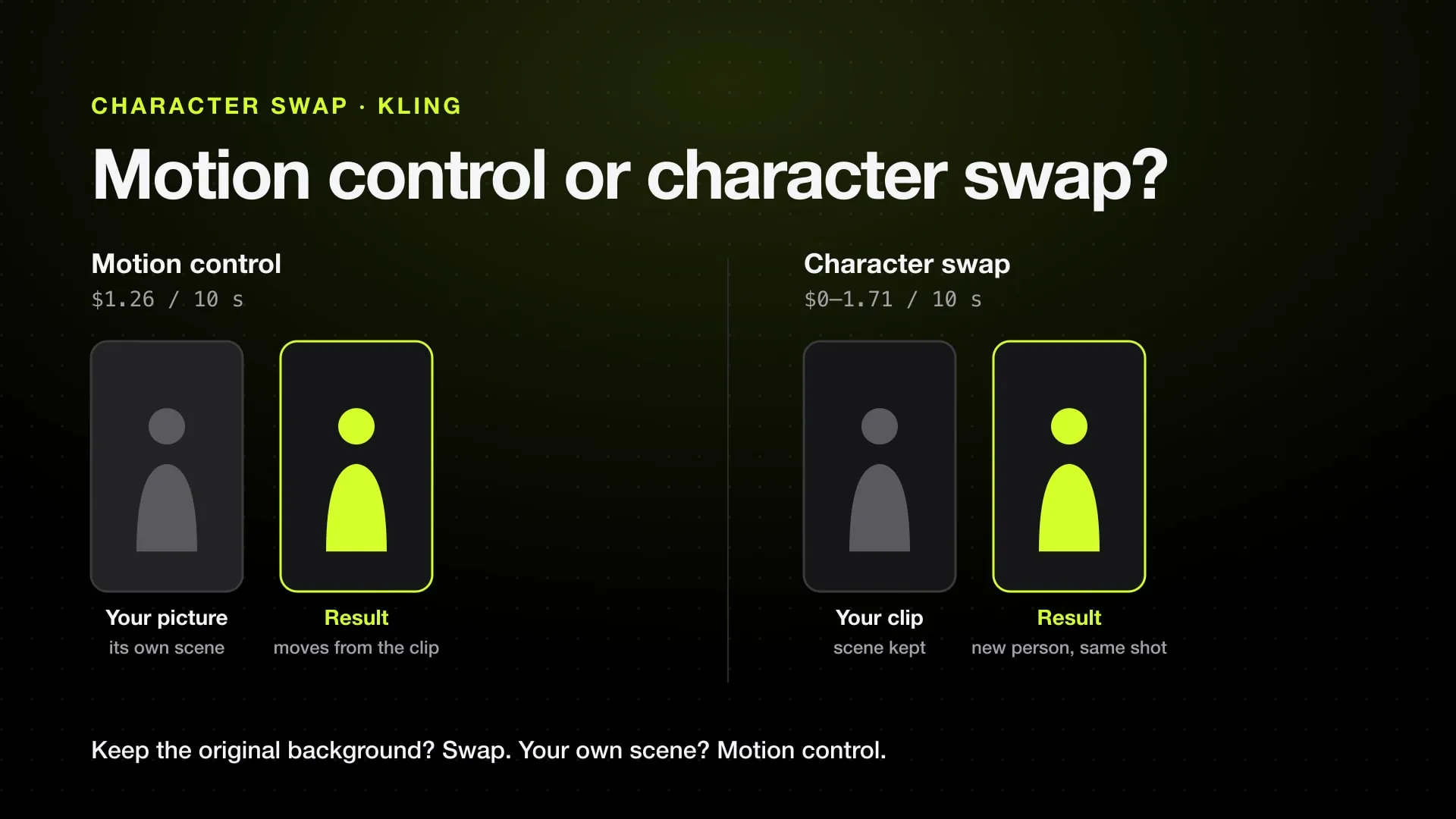
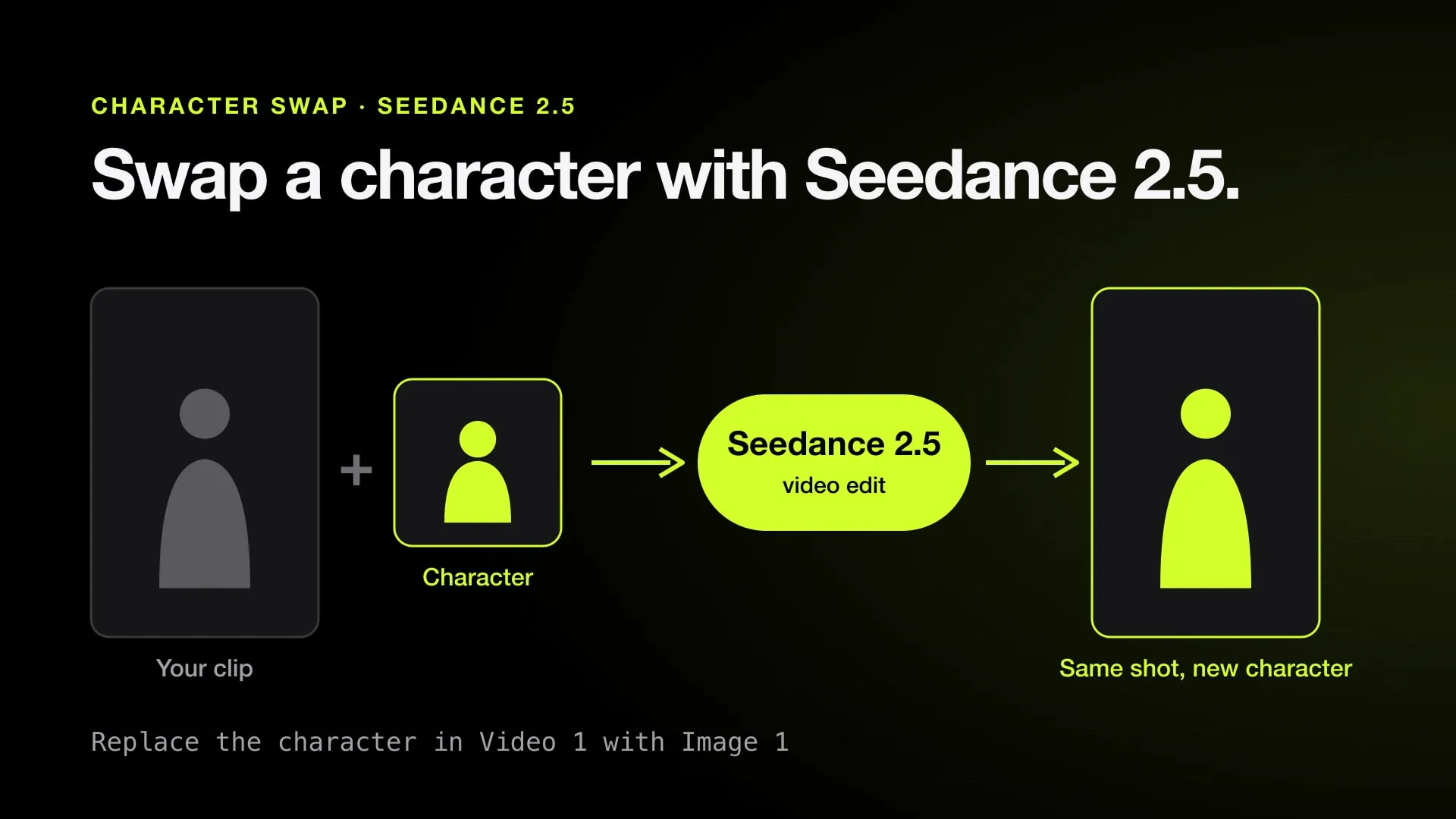
A face swap keeps the original person and changes the face. A character swap replaces the whole person, body, clothes and style included, and keeps only the motion, the camera and the timing. The difference, and when each one is the right tool, is in face swap vs character swap.
If you need the whole character replaced, two of our open-source apps do it:
- Kawarimi: our MIT open-source app that runs Wan 2.2 Animate’s whole-character replacement offline on a Windows or Linux PC with an NVIDIA GPU, with 12 GB of VRAM or more recommended and about 22 GB of disk. No account, no watermark, no per-clip cost.
- Swapjutsu: a native open-source Mac app that prepares a character-swap clip on the Mac and renders it on Comfy or on your own ComfyUI.
Both replace the whole character, not only the face. For every option in one table, see the best AI character swap tools, and for a step-by-step walkthrough, how to swap a character in a video. More free tools of this kind are on our open-source list.
Sources
- FaceFusion on GitHub: README, source code and stars (checked November 1, 2026)
- FaceFusion releases: 3.9.2 (checked November 1, 2026)
- FaceFusion docs: Installation (checked November 1, 2026)
- FaceFusion docs: macOS platform setup (checked November 1, 2026)
- FaceFusion docs: Face Swapper arguments (checked November 1, 2026)
- FaceFusion docs: Licenses (checked November 1, 2026)
- FaceFusion docs: Disclaimer (checked November 1, 2026)
- FaceFusion docs: FAQ (checked November 1, 2026)
- FaceFusion docs: macOS troubleshooting (checked November 1, 2026)
- FaceFusion Windows Installer (checked November 1, 2026)
- FaceFusion macOS Installer (checked November 1, 2026)
- FaceFusion Pinokio script on GitHub (checked November 1, 2026)
Swap characters on your Mac.
Swapjutsu is free and open source. The prep runs on your Mac; only the render is billed, or nothing on your own ComfyUI.