 Jutsu Studio
 Jutsu for iPhoneFree · Open source
Higgsfield in your pocket.
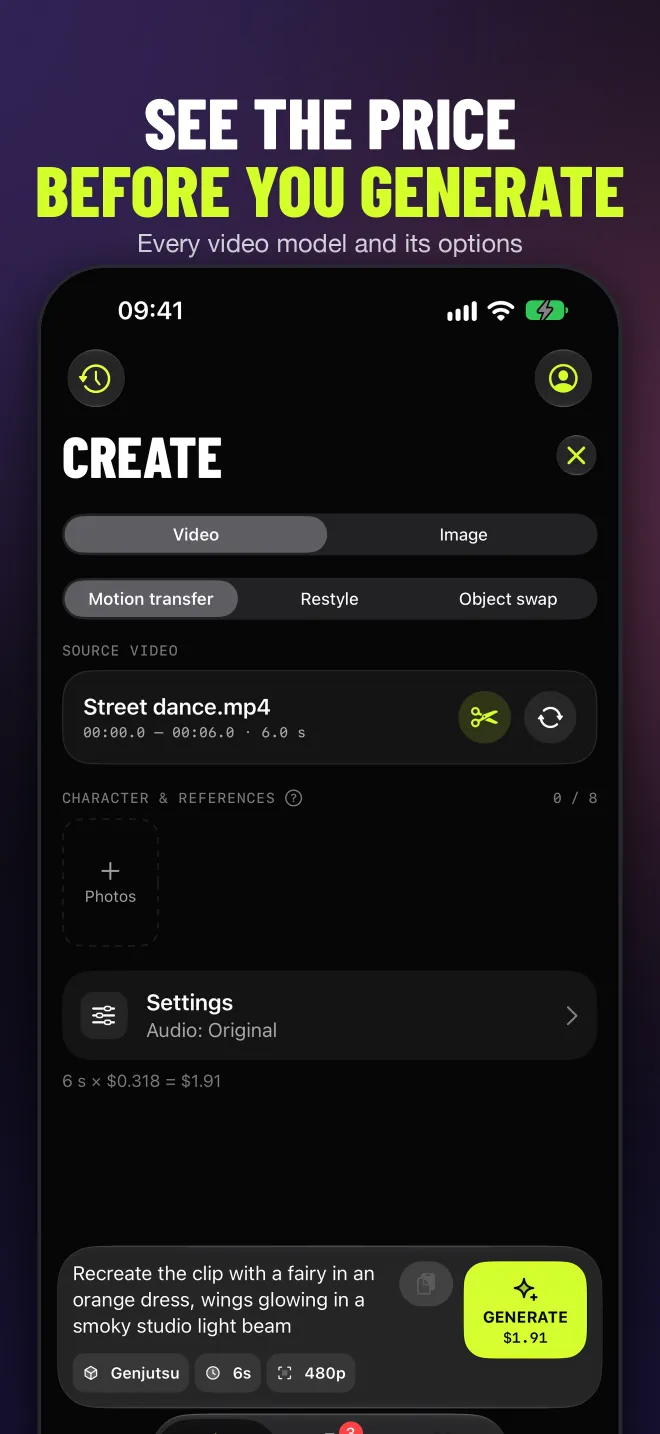
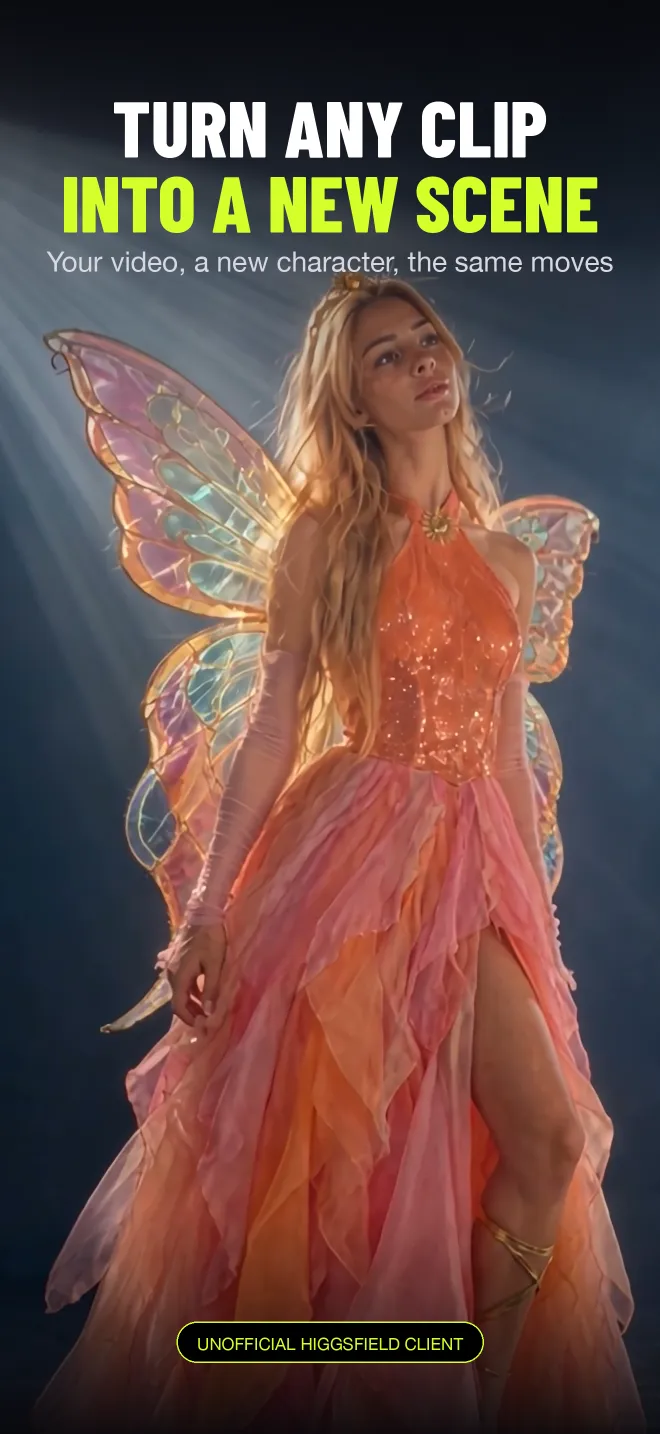
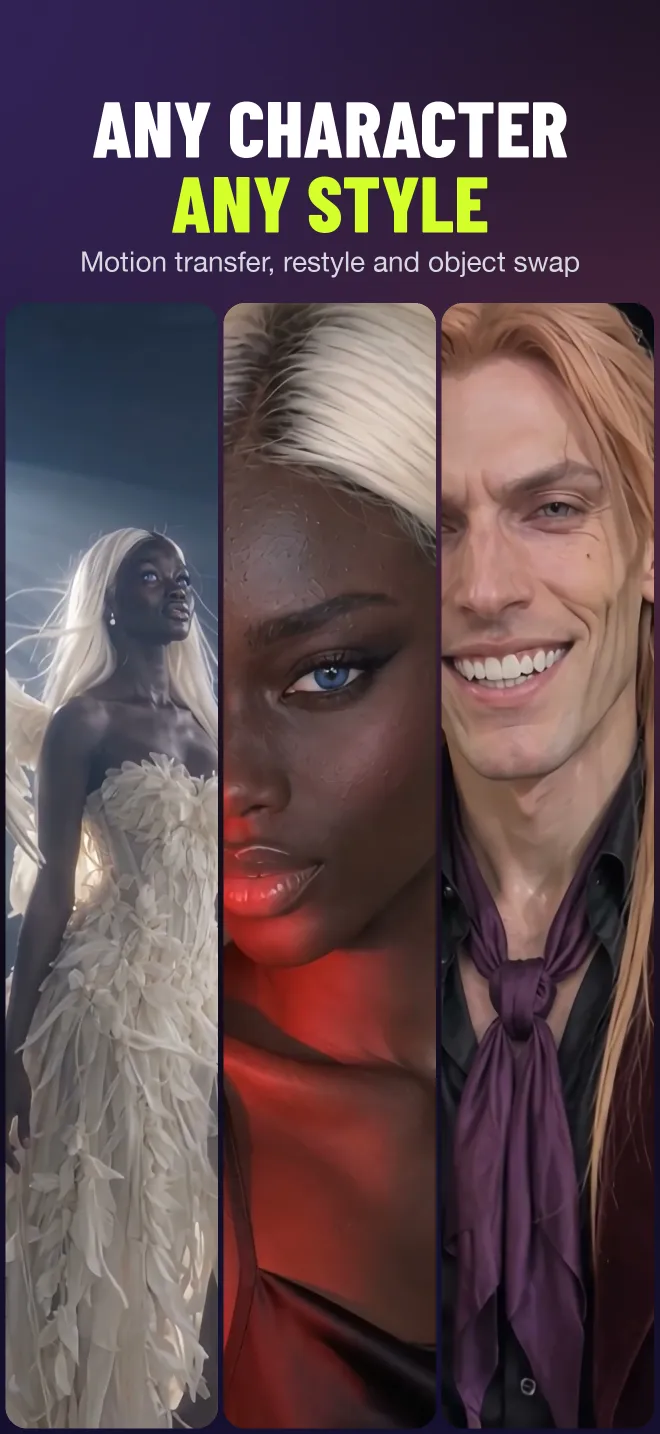
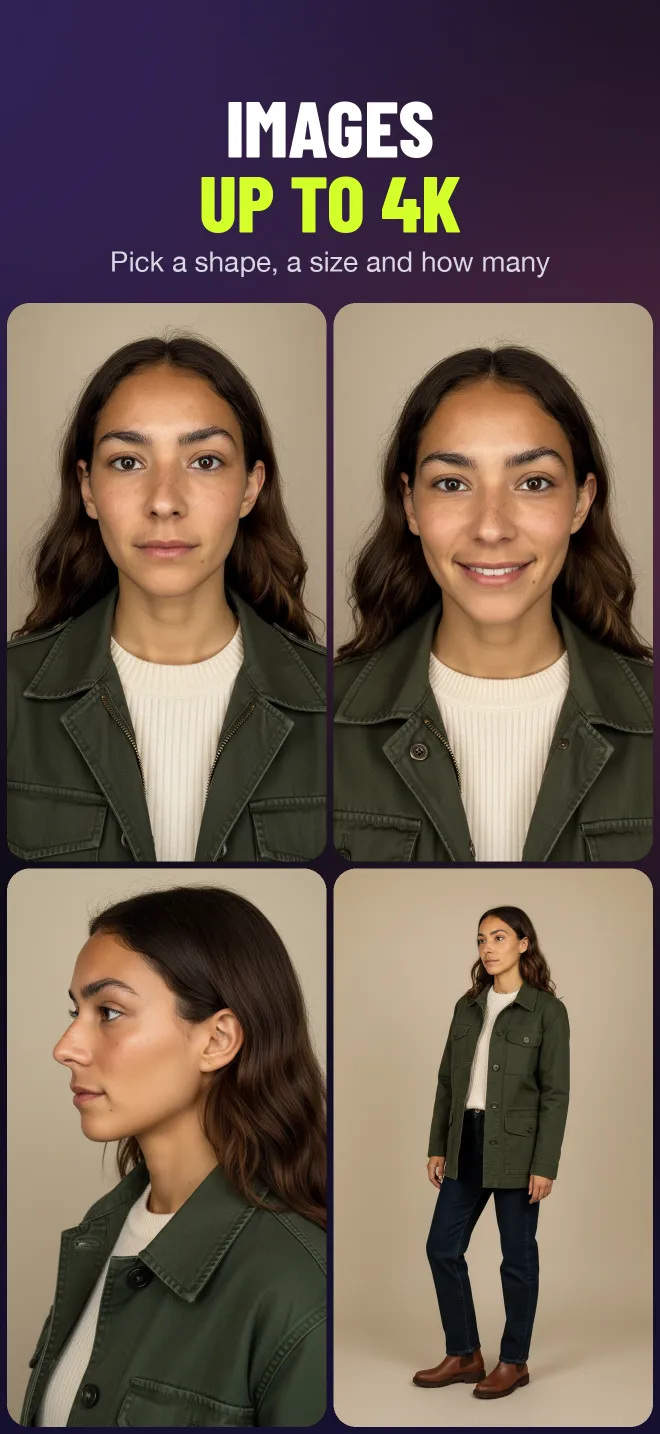
Motion transfer, character swap, restyle and images on your own Higgsfield account, with the price shown before every take.
- iPhone · iPad · iOS 18+
- No Jutsu server
- No markup
- MIT on GitHub
- $0for the app; Higgsfield bills your account
- 0Jutsu servers between you and Higgsfield
- 8languages, English to Japanese
- MITsource on GitHub, built from Swift packages
A Higgsfield app for iPhone and iPad.
Jutsu for iPhone is an unofficial, open-source Higgsfield client. Pick a clip from Photos, Files or the Share sheet, choose a model, see what it costs, and send it. The queue keeps going after you lock the phone.
Create
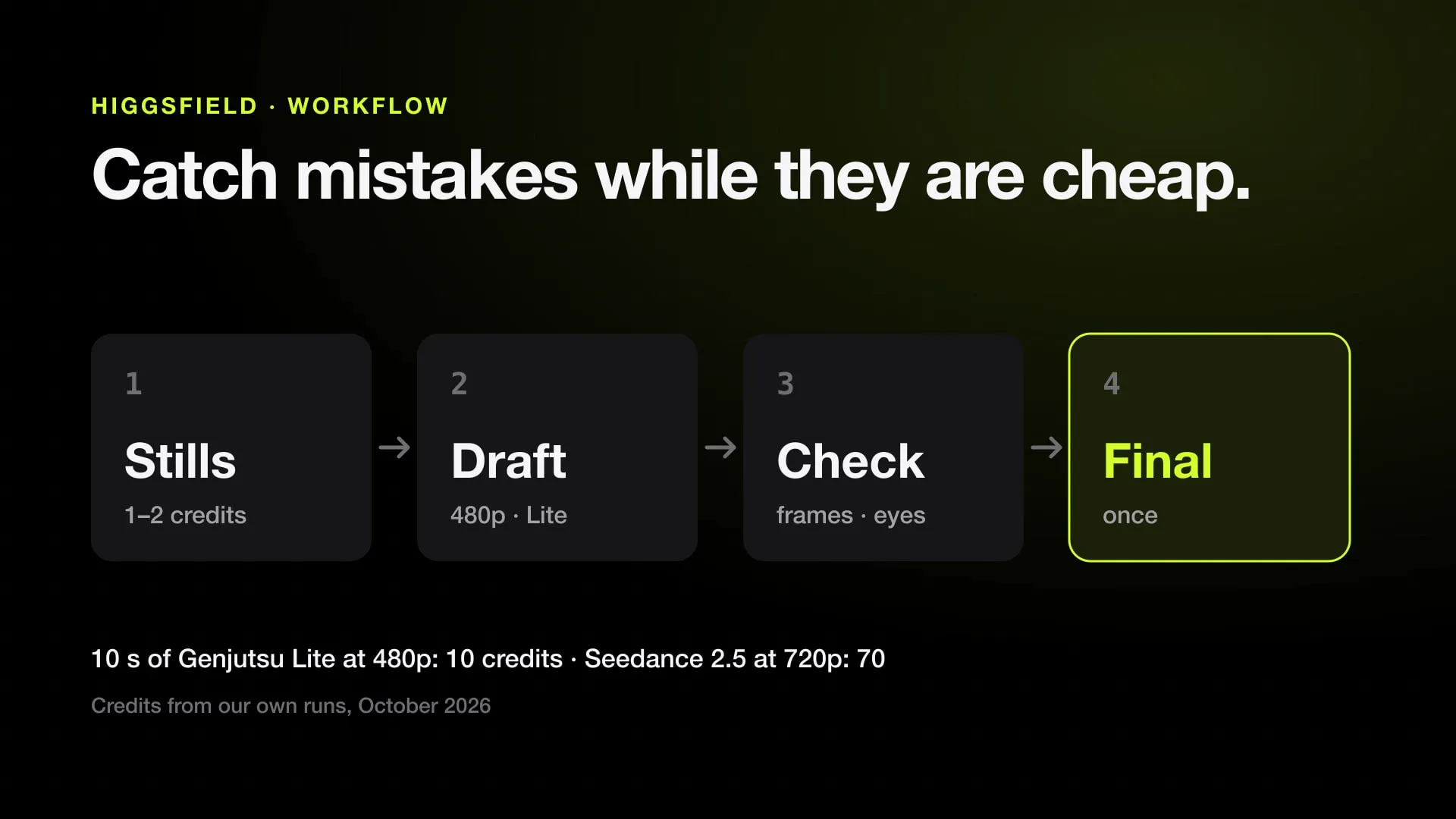
Trim with a filmstrip, add references and start and end frames, set every model’s options. Draft cheap first, render the final later.
The price first
The cost sits on the Generate button, a daily cap stops a runaway night, and a higher price than quoted waits for you to confirm.
Queue
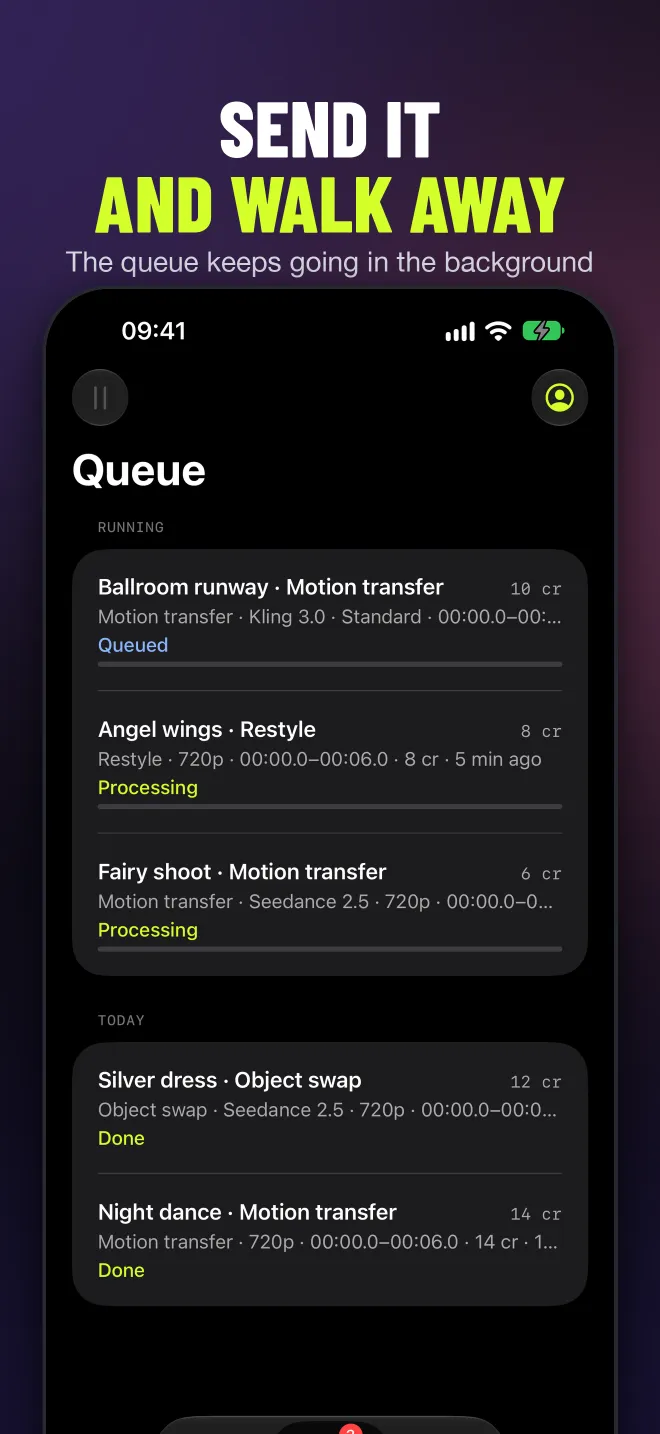
Batches, Pause and Resume All, results downloaded in the background, a notification and a Live Activity in the Dynamic Island.
Library
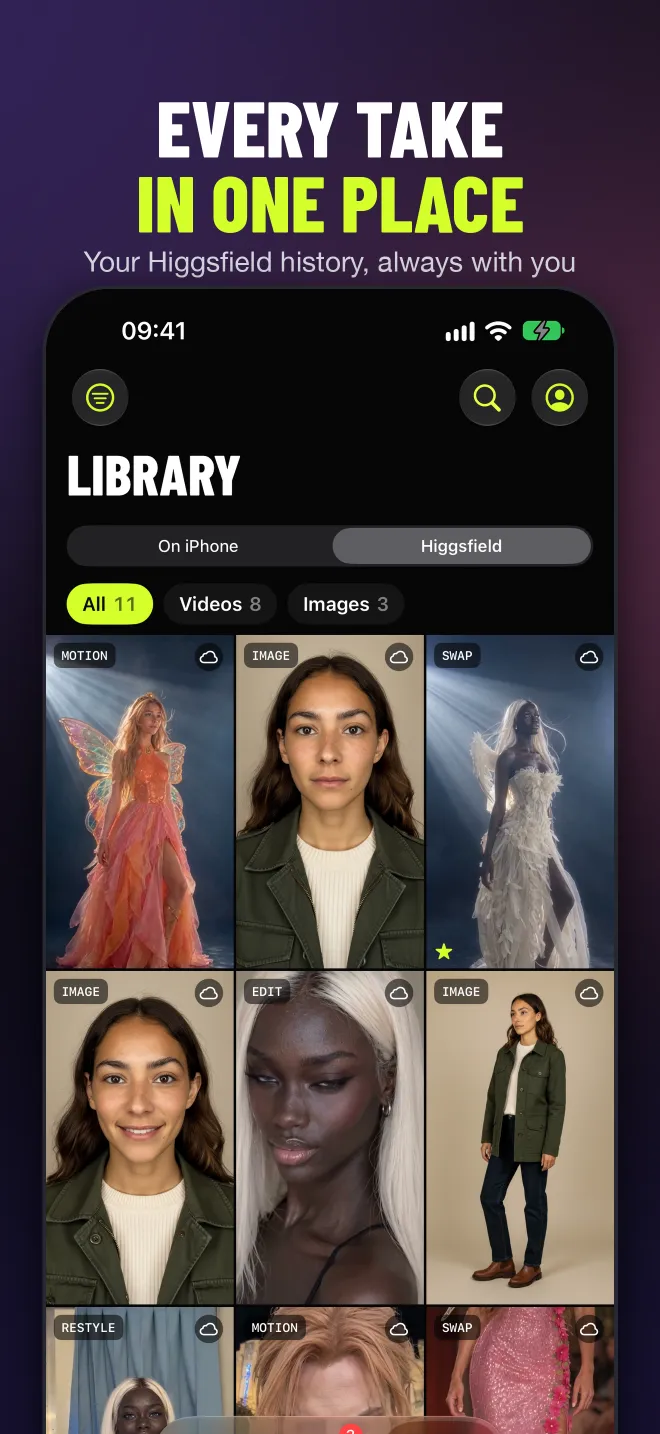
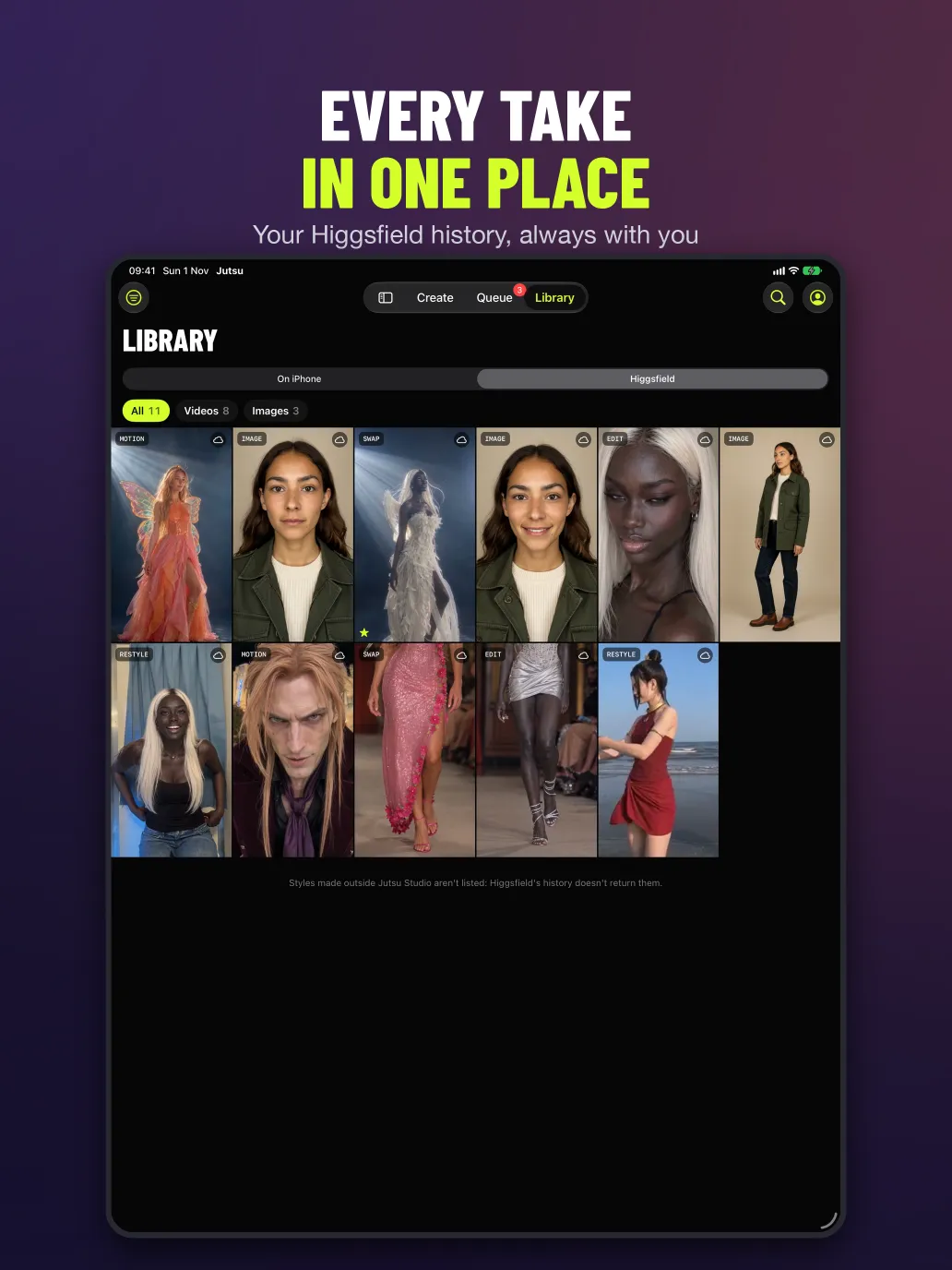
Every take on the phone next to your Higgsfield history. Keep, reject, star, compare two side by side, save to Photos, export ProRes.
Enhance
Upscale, Reframe, Remove Background, Dub and Change Voice on Higgsfield, each priced before it runs. Nothing heavy runs on the phone.
Built for iOS
SwiftUI with Liquid Glass on iOS 26, Home and Lock Screen widgets, Shortcuts and Siri, and Share to Jutsu from any app.
Every screen, as it ships.
Your account, your phone.
There is no Jutsu backend, no account of ours and no telemetry. The app talks straight to Higgsfield with your API key or your account sign-in, which runs in Apple’s web sheet so the app never sees your password. Keys and tokens live only in the iOS Keychain, and logs redact them. Each job uploads its clip, references and prompt to Higgsfield and downloads the result; your library, history and settings stay on the device. Read the privacy policy.
Not on the App Store yet. Build it from source.
You need a Mac with Xcode 26 and XcodeGen. Clone the repo, generate the project, pick your team and run it on your iPhone. An API key works right away; account sign-in needs the auth setup described in the repo.
xcodegen generate && open Jutsu.xcodeprojRequirements
iPhone or iPad on iOS 18 or later, and a Higgsfield account or API key. Generation runs on Higgsfield’s servers, not on the phone.
On a Mac or PC instead?
Jutsu Studio is the desktop app for Mac, Windows and Linux, with the same queue, price and library, plus work done on your own machine.
Make the most of Higgsfield.
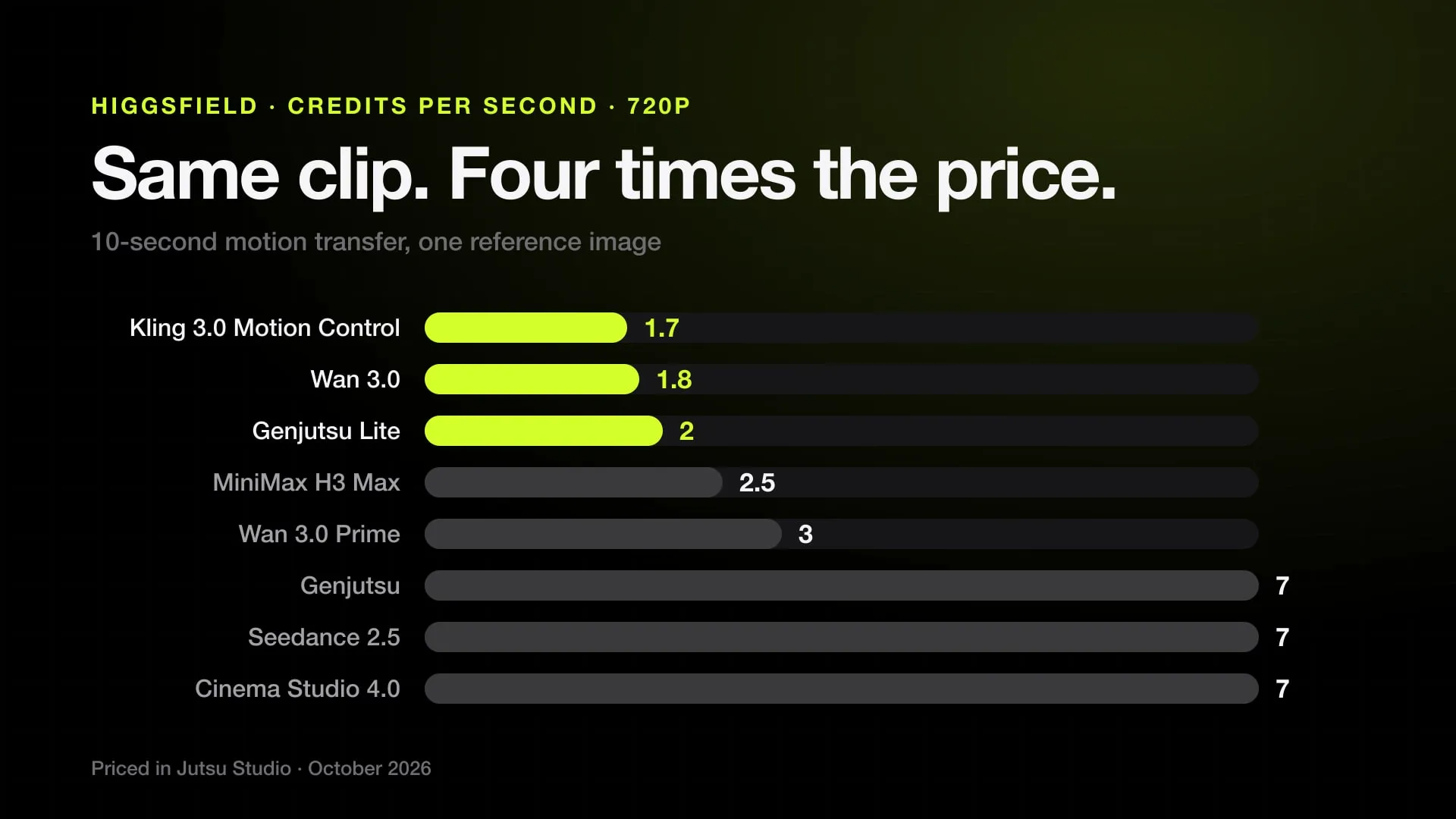
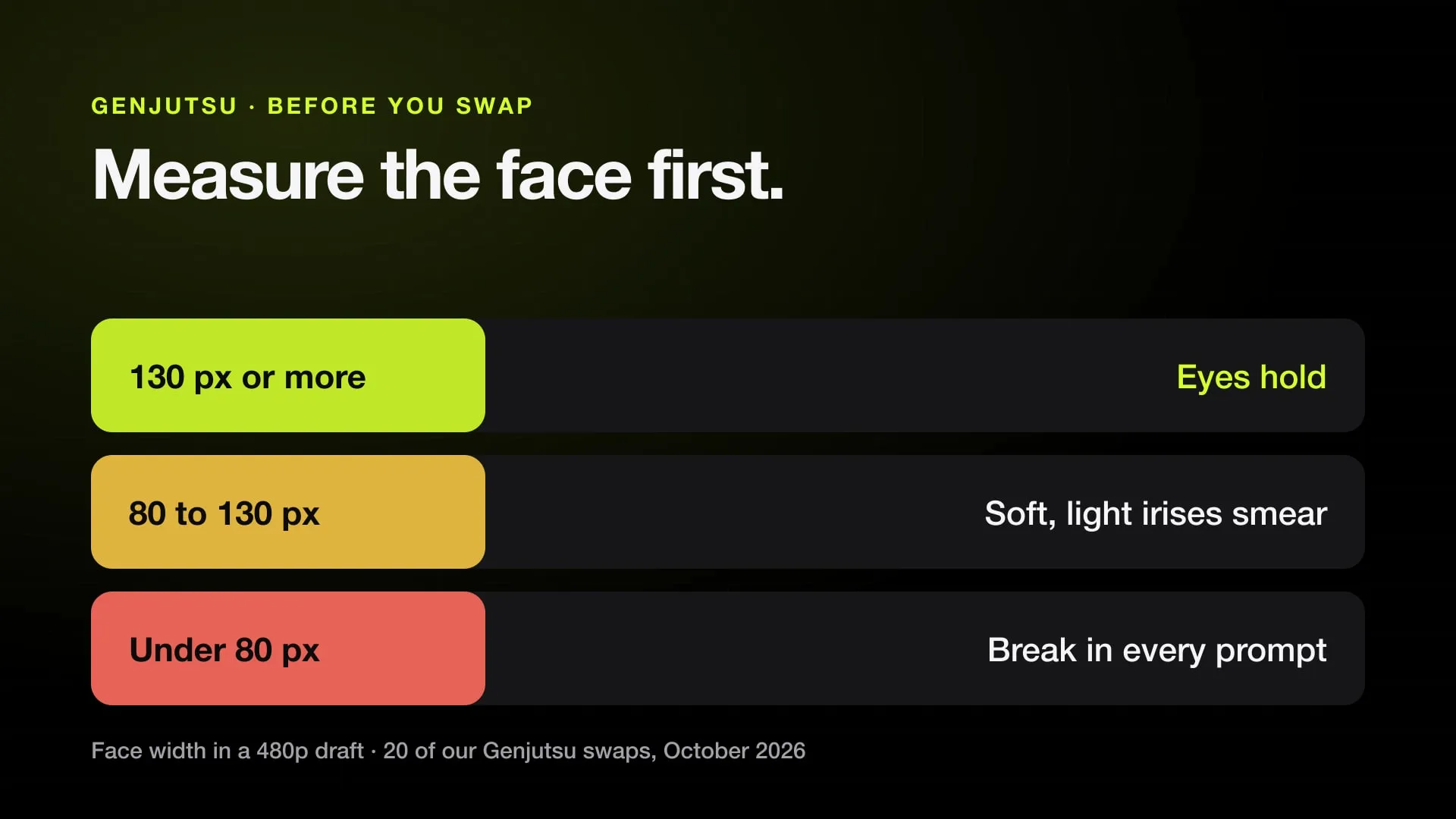
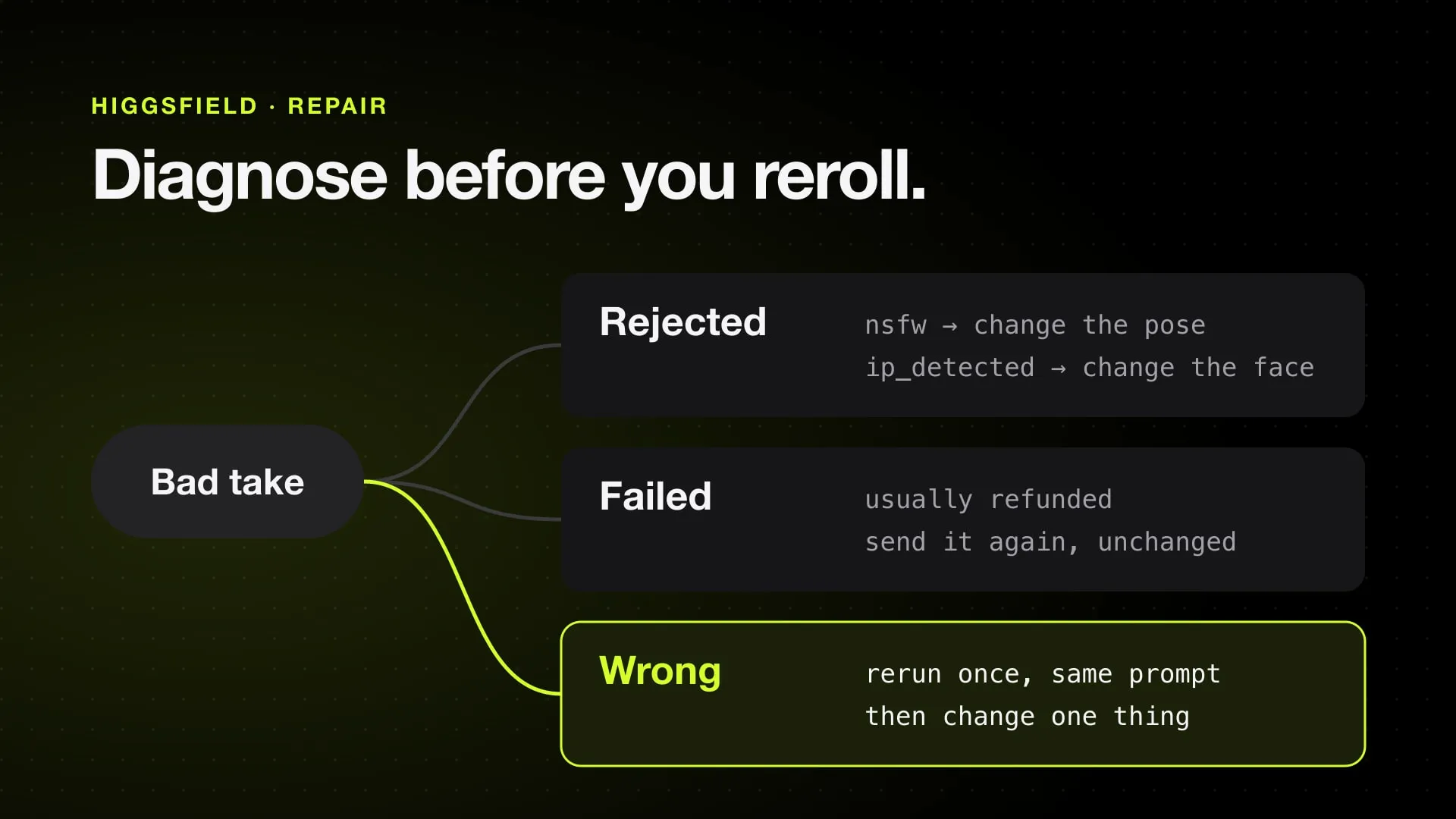
What each generation costs, how credits work, and how to get a good take on the first try.
FAQ.
Is there a Higgsfield app for iPhone?
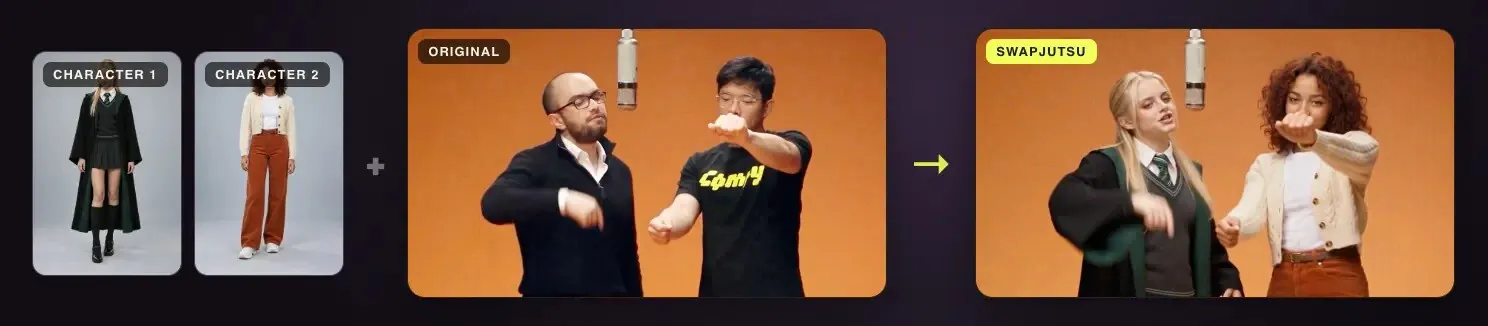
Jutsu for iPhone is a free, open-source (MIT) app for iPhone and iPad that runs Higgsfield’s video and image models on your own Higgsfield account: motion transfer, character swap, restyle, upscale, dub and images, with the price shown before every generation. It is unofficial and not made by Higgsfield.
Is it on the App Store?
Not yet. For now you build it from source on a Mac with Xcode 26 and XcodeGen and install it on your own iPhone or iPad. The source is on GitHub at github.com/jutsuhq/jutsu-studio-ios.
Which iPhones and iPads does it run on?
Any iPhone or iPad on iOS 18 or iPadOS 18 or later, with Liquid Glass on iOS 26. Generation runs on Higgsfield’s servers, so the phone’s chip does not matter.
Is it free?
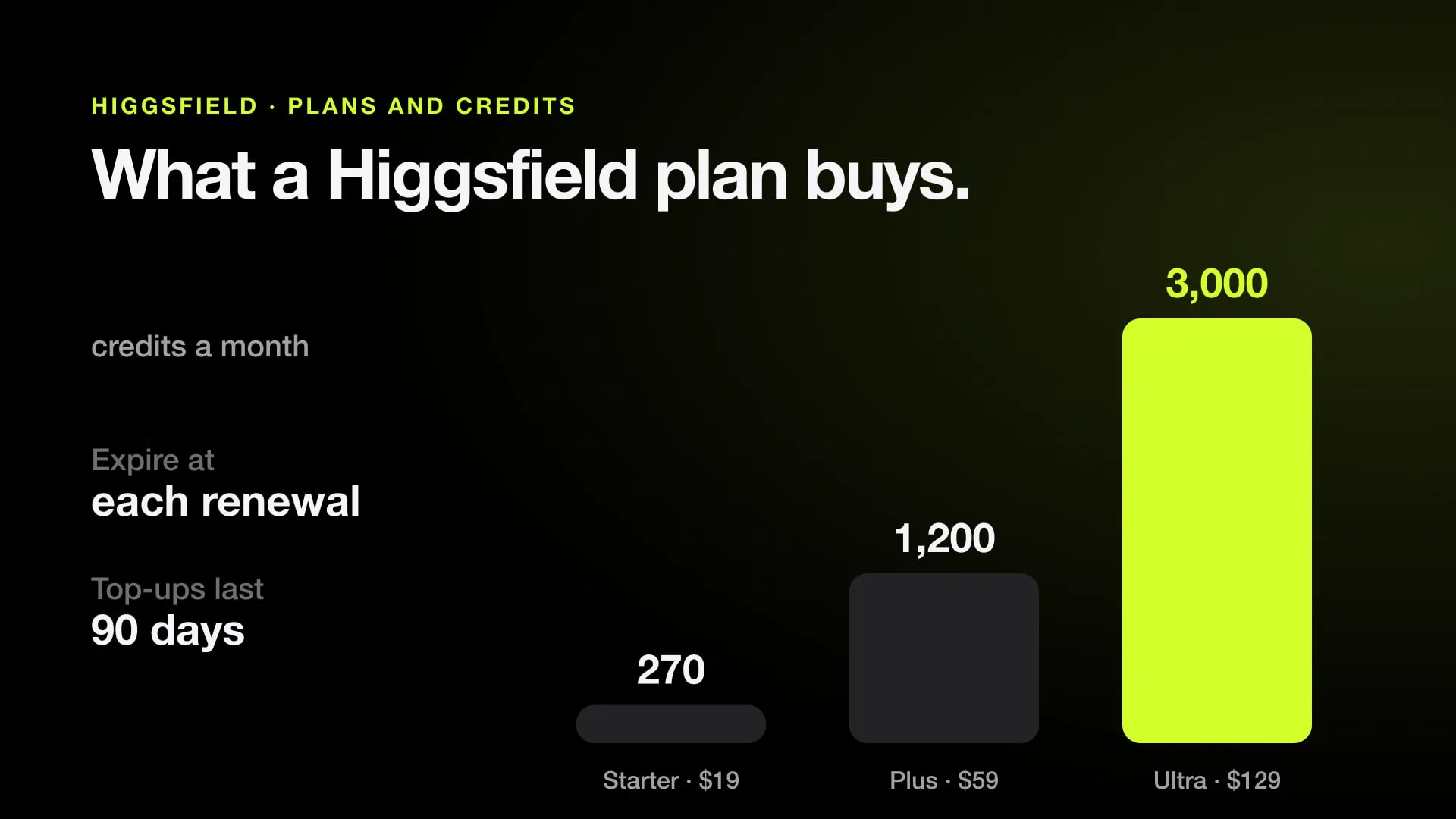
The app is free and adds no markup. Higgsfield bills your own account at its own prices, in plan credits when you sign in or in US dollars with an API key, and the app shows that price on the Generate button before you send anything.
Do I need a Higgsfield account?
Yes: either sign in with your Higgsfield account (plan credits) or paste a Higgsfield API key (pay as you go). Sign-in runs in Apple’s web sheet, so the app never sees your password.
Does my video go through a Jutsu server?
No. There is no Jutsu backend, no account of ours and no telemetry. The app talks straight to Higgsfield; your key and sign-in tokens stay in the iOS Keychain, and your library, history and settings stay on the device.
How is it different from Jutsu Studio for Mac?
It is the same idea on a phone and is built on the Mac app’s Swift packages. The Mac app adds on-device work such as object tracking, upscaling and subtitles; the iPhone app keeps everything heavy on Higgsfield and adds a Live Activity, widgets, Shortcuts and Share to Jutsu.
Higgsfield on the phone you already carry.
Free and open source. Your account, your takes, the price up front.
Jutsu is unofficial and is not affiliated with, endorsed or sponsored by Higgsfield AI. Higgsfield is a trademark of its owner. · Jutsu for iPhone · Privacy ·Support