Jutsu Studio
In short
- Pick the model by what the shot needs. Seedance 2.5 makes new shots with dialogue and sound, Genjutsu and Kling Motion Control put new characters on footage you already have, and an image model makes the stills.
- Approve stills before any video. A swap or image-to-video follows its reference images more than its prompt, and a still costs a fraction of a video.
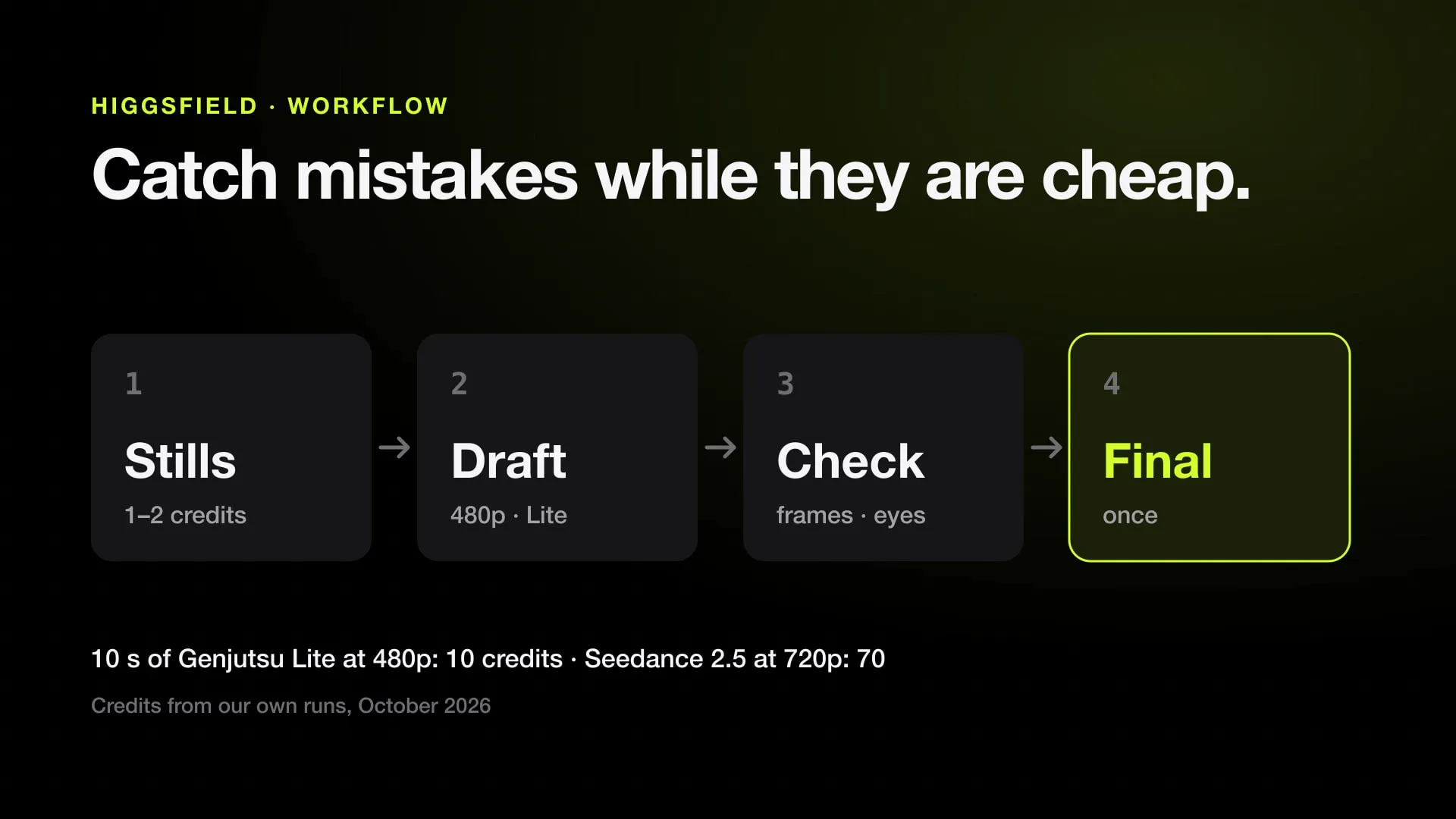
- Draft at the cheapest setting that shows the problem: 10 seconds of Genjutsu Lite at 480p cost 10 credits in our runs in October 2026, against 70 for Seedance 2.5 at 720p.
- Write the prompt in blocks: subject and action, scene, look, camera, audio, then the locks stated a second time at the end.
- Speech in Seedance 2.5 defaults to Chinese. Name the language before every spoken line.
Good Higgsfield results come from the order of work more than from a clever prompt. Pick the model by what the shot needs, approve the still images before any video, run a short draft at the cheapest setting, check it frame by frame, and render the final once. Each step costs less than the next, so most mistakes get caught while they are cheap.
This guide is the workflow we use for our own generations, written up from October 2026. Credit figures are from those runs; Higgsfield changes prices often, and every model’s current rate is on the Higgsfield price table.
1. Pick the model by the job
| You need | Use | Why |
|---|---|---|
| A new shot, with dialogue, sound or several cuts | Seedance 2.5 | Picture, speech, effects and music in one pass, 4 to 30 seconds |
| New characters on footage you already have | Genjutsu or Genjutsu Lite | Keeps the motion, camera and timing of the clip and rebuilds the rest |
| One performance on one character image | Kling Motion Control | Cheaper, but keeps less of the original scene |
| Stills, character sheets, a fix to one detail | An image model such as Nano Banana or Seedream | Seconds and a credit or two, not a video’s price |
The choice decides the price before the prompt does. 10 seconds at 720p cost 70 credits on Seedance 2.5, 20 on Genjutsu Lite and 17 on Kling 3.0 Motion Control in our runs. If a clip you already have carries the motion, a swap is cheaper and more predictable than generating the same motion from words. Kling Motion Control vs Genjutsu covers that choice in detail.
2. Make the stills first
For image-to-video and every kind of swap, the model follows the reference images more than the text. So the images are where the effort goes:
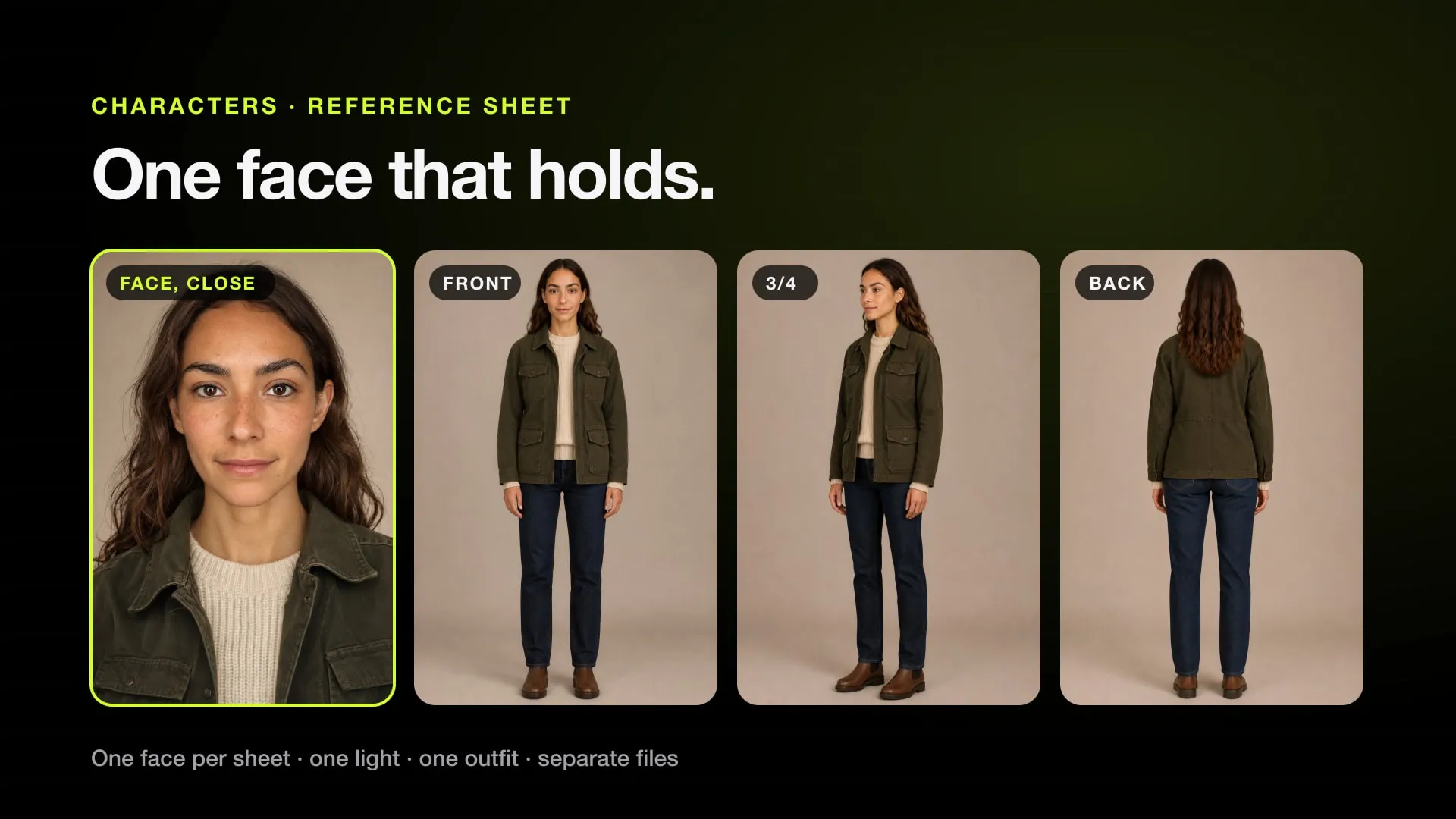
- One image, one job. Each reference is a first frame, a face, an outfit or a prop, never two at once. A face crop that also shows a room leaks that room’s light into the video.
- Say what to take from each image. “Take only the person from @Image2: not its background, framing or light.” Without the exclusion, backgrounds and bystanders from a reference show up in the shot.
- Use as few images as do the job. Every extra image dilutes the others.
- Check every still before you upload it. A defect in a reference, such as a sixth finger or a wrong garment colour, is copied into every frame.
- Fix one detail with an edit, not a new image. When a still is right except a hand or a colour, an image-edit model with the prompt “Change only the left hand: five fingers around the cup. Keep everything else in the image exactly as it is” costs about a credit and keeps everything you liked.
3. Write the prompt in blocks
Higgsfield’s own Seedance 2.5 guide uses a five-part formula: subject and action, scene, visual style, camera, audio. In practice:
- Name an action with a beginning and an end. “Seals the letter and presses the wax stamp” gives a shot; “works at a desk” gives a static one.
- Write the camera as a sequence. “Starts wide, tracks around her, ends on a push-in.” A camera block with no order invites random cuts.
- Give sound at least two concrete sources, or say “No music, no dialogue” if you want silence.
- Declare the speech language. Seedance 2.5 speaks Chinese unless told otherwise. Write “Dialogue language: English” before each line, and keep it to about two lines per 8 seconds.
- State the important locks twice. “One continuous shot, no cuts” or “exactly two people” holds better in the body of the prompt and again in a closing LOCKS line.
- Numbers beat adjectives. “Three candles, all lit, in every frame” holds; “lots of candles” drifts.
Ready-made prompts in this structure are in Seedance 2.5 prompt examples, and the Seedance prompt skill writes them for you in Claude or Codex.
4. Draft cheap, then render once
Run the first take at the lowest resolution and shortest length that still shows whether the idea works:
- Trim the source. Video is billed per second you send. Cut intros, end cards and dead air before uploading.
- Draft at 480p or on a Lite model. 10 seconds of Genjutsu Lite at 480p cost 10 credits in our runs; the same at 1080p on full Genjutsu cost 96.
- Change one thing between takes. If you change the prompt, a reference and the resolution at once, a better take tells you nothing about why.
- Expect variation. The same settings give different results, so budget two or three drafts for anything new.
The 480p draft is not just cheaper: problems that come from the input, such as a face too small in the frame, are already visible at 480p. A higher resolution or an upscaler does not fix them.
5. Check the take before you pay again
Watch it once, then look at frames, not at the playing video:
- A contact sheet of the whole clip at about 2 frames a second.
- Faces at close-ups, turns and blinks: the same person throughout, both eyes the same colour, pupils looking the same way.
- Hands, props and text frozen at the moments they move.
- Nothing from a reference background, and nothing from the source person (tattoos, logos, a hoodie), leaking back.
If one short span is broken, cutting it in editing is cheaper than a reroll at the full price. If it was rejected or failed, read the reason first: Fix a bad Higgsfield take goes through each case.
Moderation: what gets a job rejected
- Real public figures and faces that resemble real actors.
- Names of characters, franchises and brands, logos and crests.
- Graphic violence, sexual content, and words that suggest minors.
Describe every character by their look as “an original fictional character”, replace branded objects with plain ones, and blur readable signs. “IP check not finished” means wait a few minutes and send the same job again unchanged.
Credits, plans and where unlimited applies
Unlimited models run in a slower queue and only on higgsfield.ai; MCP, the CLI and the API always spend credits. If a model you use is unlimited on your plan, draft there and keep credits for the final. What each plan includes is in Higgsfield Unlimited and Higgsfield credits explained.
No account yet? Sign up on Higgsfield (referral link). The free account has no credits; the cheapest way to try the video models is the $3 pack covered in Is Higgsfield free?.
The same workflow on a Mac
Jutsu Studio is a free, open-source Mac app for Higgsfield built around this order of work. It shows the price of each job before it runs, has a draft mode and a queue, trims sources on your Mac so you pay only for the seconds you keep, upscales drafts for free on the Mac, and saves every result with its prompt and cost to your disk. When a finished video won’t download from the website, see Higgsfield download failed. For whole faceless shorts from a script, Content Factory runs the same draft-then-final order on its own.
Sources
Run Higgsfield from your Mac.
Jutsu Studio is a free, open-source Higgsfield desktop app for Mac: a queue, a local library and the price on every button.