Jutsu Studio
brew install --cask jutsuhq/tap/jutsu-studioIn short
- Higgsfield has no official Linux app: its help center says it "has no mobile apps and no desktop app" (checked November 14, 2026).
- Higgsfield's plugin installers are for macOS and Windows only; on Linux its Figma plugin runs in Figma in the browser.
- Jutsu Studio is a free, open-source (MIT) desktop app for Higgsfield with a Linux build: a 197 MB AppImage, or 136 MB .deb and .rpm packages for x86_64 (version 0.1.0, November 14, 2026). It is unofficial and runs on your own Higgsfield account or API key.
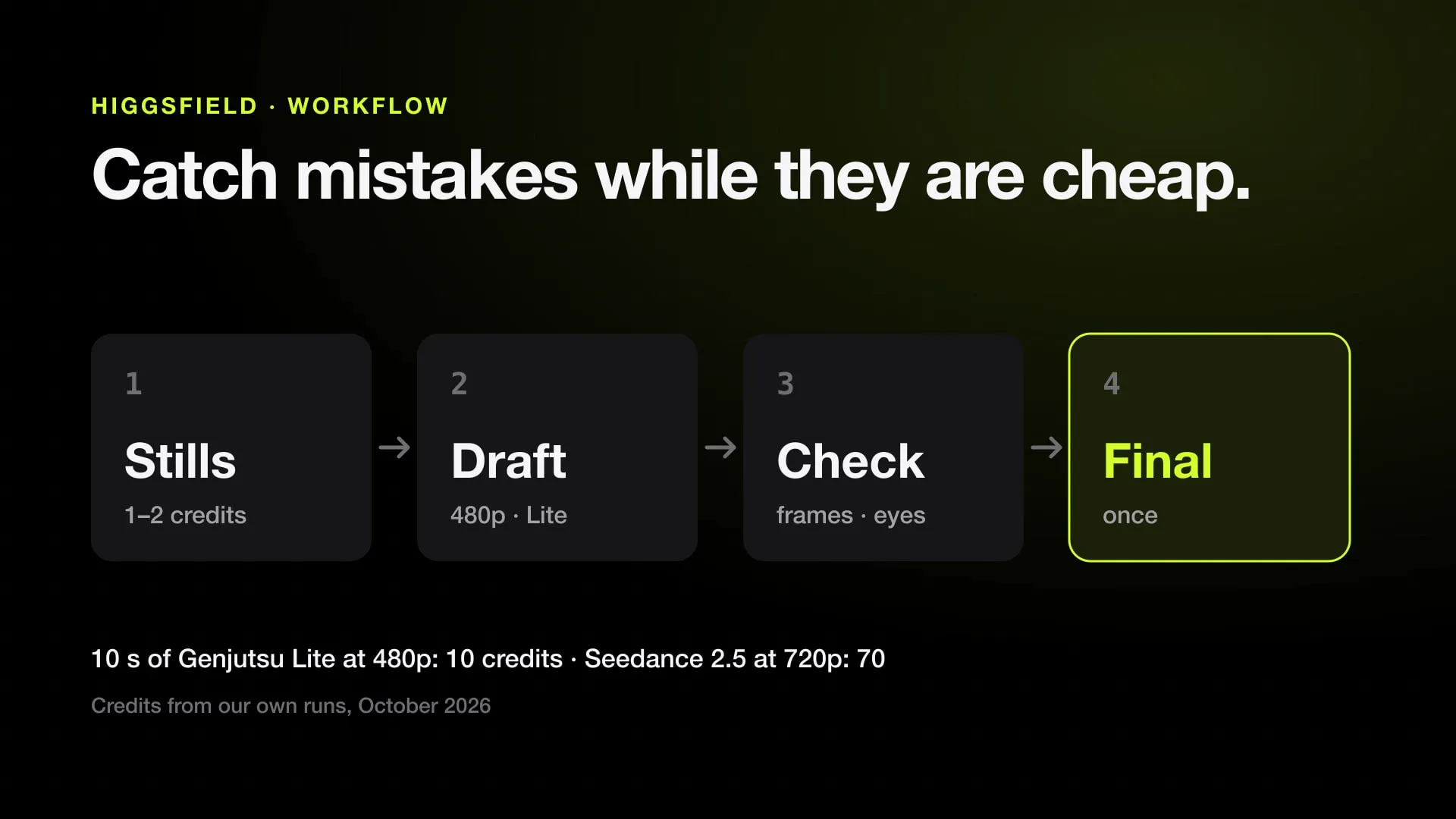
- A 10-second Genjutsu motion transfer at 720p costs $3.45 through the API ($0.3446 a second, checked November 14, 2026) or 70 plan credits, about $3.44 on the Plus plan. Jutsu Studio adds nothing to that price.
- Kawarimi, a free open-source app for Linux and Windows, does character swap on your own NVIDIA GPU with no account and no cost per video.
No, there is no official Higgsfield app for Linux. Higgsfield’s help center says it “has no mobile apps and no desktop app” (checked November 14, 2026), and its plugin installers are for macOS and Windows only, so on Linux you use higgsfield.ai in a browser. For a real desktop app, Jutsu Studio is free and open source: an AppImage, .deb or .rpm for x86_64 that runs Higgsfield’s models such as Genjutsu, Seedance 2.5 and Kling 4.0 on your own Higgsfield account or API key. It is made by an independent developer (us); Higgsfield does not make or endorse it.
- Want the website in its own window: install higgsfield.ai from Chrome, Chromium or Edge.
- Want a desktop app with a queue and files on your disk: install Jutsu Studio for Linux.
- Have an NVIDIA GPU and want character swap with no bill: Kawarimi.
The same app on other systems: Higgsfield Mac app and Higgsfield Windows app.
Every way to use Higgsfield on Linux
| Option | Made by | What you install | Results kept | Best for |
|---|---|---|---|---|
| higgsfield.ai in a browser | Higgsfield | Nothing | In Assets on higgsfield.ai | One generation at a time |
| higgsfield.ai installed as an app | Higgsfield’s site, your browser’s wrapper | Nothing (Install page as app) | In Assets on higgsfield.ai | The website in its own window |
| Figma plugin | Higgsfield | Nothing (runs in Figma in the browser) | In the Figma file | Design work |
| MCP or CLI in an agent | Higgsfield | An MCP client such as Claude Code or Cursor, or npm i -g @higgsfield/cli |
In Assets on higgsfield.ai | Generating from a chat or a coding agent |
| Jutsu Studio | Independent, open source | AppImage, .deb or .rpm |
Downloaded to ~/Videos/Jutsu Studio |
Many clips, many takes, a local library |
| Kawarimi | Independent, open source | A local app with ComfyUI | On your disk | Character swap on your own NVIDIA GPU |
The Premiere Pro, After Effects and DaVinci Resolve plugins have no Linux installer, so DaVinci Resolve on Linux gets no Higgsfield panel. The website is also the only place where your plan’s unlimited models and free generations apply; Higgsfield’s help pages say they do not carry over to MCP or the CLI.
Install the website as an app
Higgsfield’s site ships a web app manifest, so Chromium-based browsers on Linux can install it:
- Open higgsfield.ai in Chrome, Chromium, Edge or Brave and sign in.
- Choose ⋮ › Cast, save and share › Install page as app (in Edge, Apps › Install this site as an app).
- Higgsfield now opens from your app menu in a window without browser tabs.
It is still the website: the same one-at-a-time flow, results in Assets on higgsfield.ai, nothing on your disk unless you download it.
What a desktop app adds
Jutsu Studio for Linux is the same app as the Mac version, rebuilt with Tauri, Rust and React:
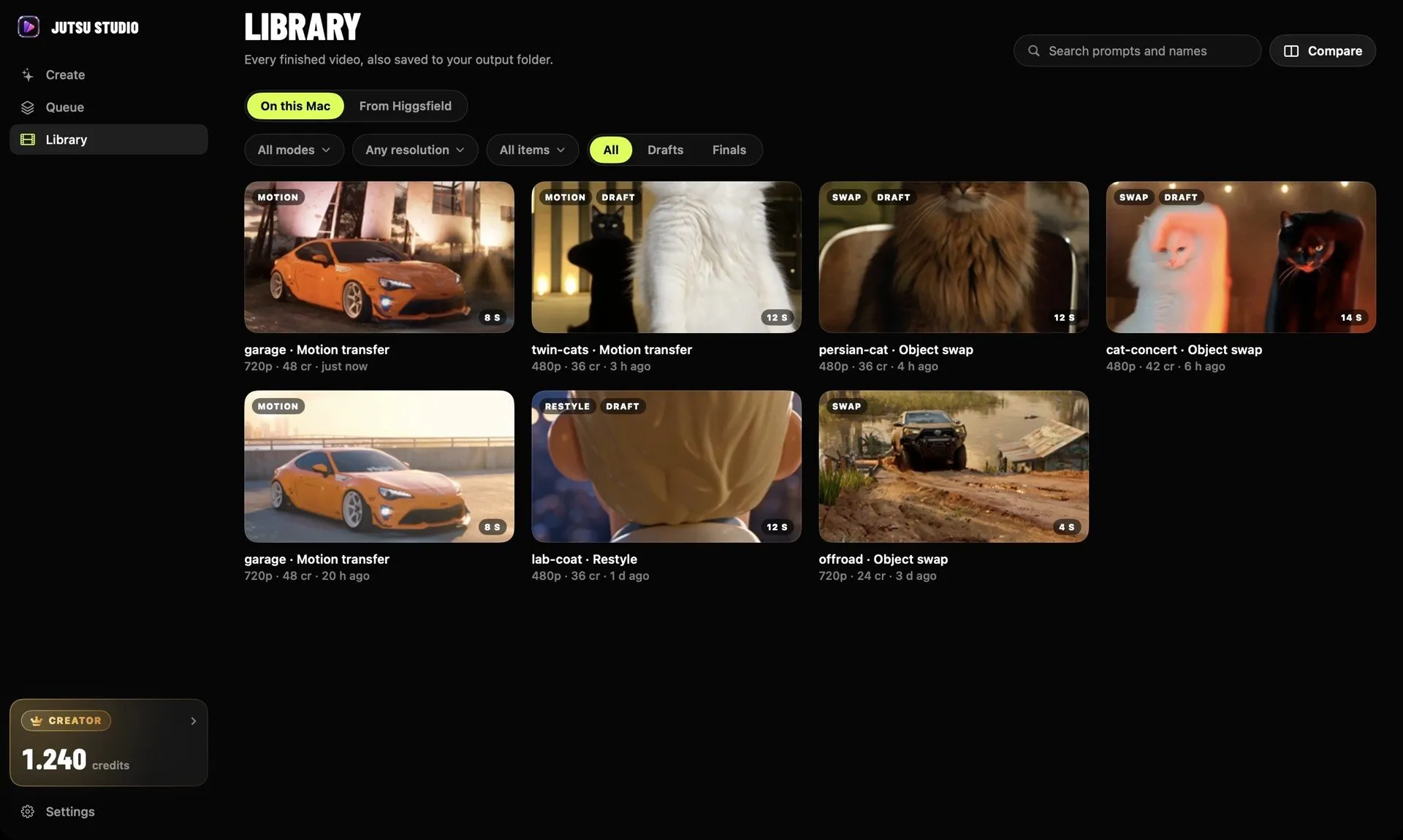
- Files on your disk. Every result downloads to
~/Videos/Jutsu Studioas soon as it is ready, with its prompt, inputs and cost, so Higgsfield’s expiring links don’t matter. - A queue that keeps running. Jobs run in the background from the system tray, survive a restart or a dropped connection, and never pay twice.
- The price before the click. Each Generate button shows what the job costs, and an optional daily cap stops spending past a limit.
- Editors. Export for DaVinci Resolve or Premiere Pro, with take names that sort in order.
- Free work on your machine. Upscaling with Real-ESRGAN, smoothing with FFmpeg and subtitles with whisper.cpp run locally and cost nothing.
- Your login stays yours. You sign in through Higgsfield’s own page in the browser, and credentials sit in the Secret Service (GNOME Keyring or KWallet). There is no Jutsu server and no telemetry.
The video itself is still generated on Higgsfield’s servers, so a laptop without a GPU does the same job as a workstation.
What it costs
The app is free and adds no markup: Higgsfield bills your own account. The same 10-second clip at 720p, at prices checked November 14, 2026:
| Model | With an API key | On a plan (Plus, $59 for 1,200 credits) |
|---|---|---|
| Genjutsu motion transfer | $3.45 ($0.3446 a second) | 70 credits, about $3.44 |
| Genjutsu Lite motion transfer | $1.47 ($0.1471 a second) | 20 credits, about $0.98 |
| Seedance 2.5 with a video reference | $3.26 ($0.3264 a second) | 70 credits, about $3.44 |
Every model and resolution is on the Higgsfield price table, and the credits calculator shows how many clips each plan buys.
Install Jutsu Studio on Linux
Version 0.1.0 is built for x86_64; there is no ARM build. Download one file from the GitHub releases page:
| Package | Size | For |
|---|---|---|
Jutsu.Studio_0.1.0_amd64.AppImage |
197 MB | Any distribution |
Jutsu.Studio_0.1.0_amd64.deb |
136 MB | Debian, Ubuntu, Linux Mint, Pop!_OS |
Jutsu.Studio-0.1.0-1.x86_64.rpm |
136 MB | Fedora, openSUSE |
Then install it:
# Debian, Ubuntu
sudo apt install ./Jutsu.Studio_0.1.0_amd64.deb

# Fedora
sudo dnf install ./Jutsu.Studio-0.1.0-1.x86_64.rpm

# Any distribution
chmod +x Jutsu.Studio_0.1.0_amd64.AppImage && ./Jutsu.Studio_0.1.0_amd64.AppImage
Open Jutsu Studio from your app menu and connect your Higgsfield account or paste an API key. The tray icon needs an AppIndicator host: built into KDE and most desktops, and on GNOME it needs the AppIndicator extension.
What it does not do
- It does not generate video on your machine; Higgsfield’s servers do, and they bill your account. For generation on your own GPU, see Kawarimi or the open-source Higgsfield alternatives.
- It is not made by Higgsfield. Higgsfield warns that any downloadable app presenting itself as Higgsfield is a copy; Jutsu Studio says plainly it is unofficial, and its source is on GitHub.
- It does not run every Higgsfield tool. Canvas, Supercomputer and other web-only tools stay on the website.
Character swap on your own GPU
If your Linux machine has an NVIDIA graphics card, Kawarimi does what people use Higgsfield’s character swap for, offline and free. It replaces a person in a video with a character from one image, keeping the camera, the moves and the timing, with Wan 2.2 Animate through a local ComfyUI. It needs 12 GB of video memory or more, NVIDIA driver 580 or later, and about 22 GB of disk. There is no account and no cost per video.
Sources
- Higgsfield Help Center: What are the official Higgsfield platforms? (checked November 14, 2026)
- Higgsfield API: Genjutsu motion transfer pricing (checked November 14, 2026)
- Higgsfield: DaVinci Resolve plugin, macOS and Windows installers (checked November 19, 2026)
- Higgsfield: Premiere Pro and After Effects plugin
- Higgsfield: Figma plugin
- Jutsu Studio for Windows and Linux on GitHub (release 0.1.0)
- Kawarimi on GitHub
Run Higgsfield from your desktop.
Jutsu Studio is a free, open-source Higgsfield desktop app for Mac, Windows and Linux: a queue, a local library and the price on every button.