Jutsu Studio
In short
- Open video models run on Apple Silicon through ComfyUI (PyTorch MPS), MLX ports and Mac apps such as LTX Desktop, Draw Things and ltx-video-mac. None of the official HunyuanVideo, FramePack or SkyReels repos supports Macs.
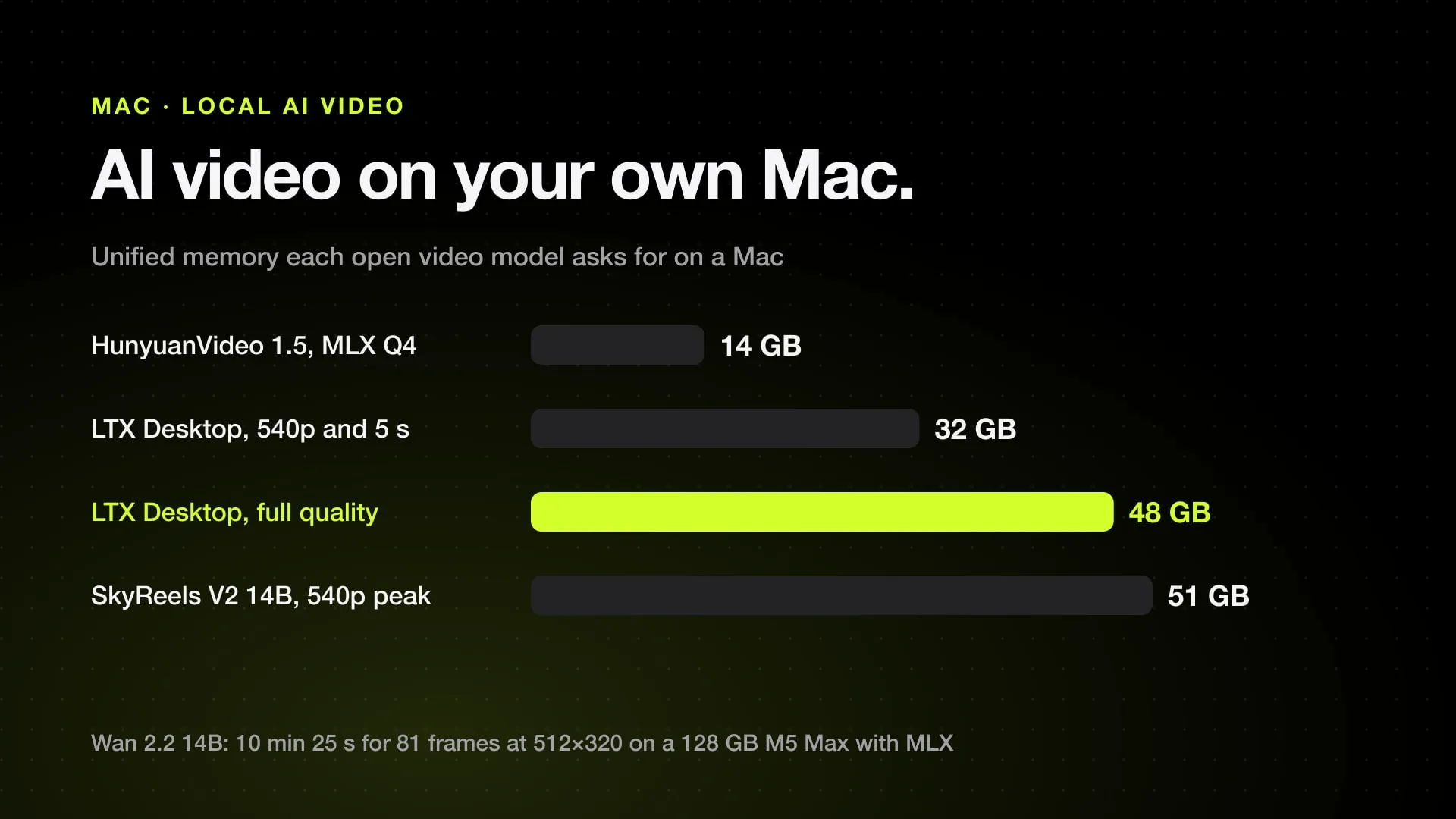
- LTX Desktop needs macOS 26 and 48 GB of unified memory for full local generation; 32 GB is limited to 540p and 5 seconds, and below 24 GB it uses LTX's cloud API.
- Published Mac timings are few: Wan 2.2 14B took 1 h 22 min for about 2 seconds of 480p on a 64 GB M1 Max, and 10 min 25 s for 81 frames at 512×320 on a 128 GB M5 Max with MLX.
- HunyuanVideo 1.5 is 8.3B parameters; an unofficial MLX port is 14.31 GB at Q4 and rendered 9 frames at 832×480 in 62.9 seconds on its developer's Mac.
- MMAudio adds sound to a silent clip and picks the Mac GPU (MPS) on its own, but its checkpoints are CC-BY-NC 4.0, so not for commercial use.
You can generate AI video locally on an Apple Silicon Mac, with open models and no per-clip cost, but memory decides what loads and every published timing is slow. LTX’s own Mac app needs 48 GB for full local generation. Wan 2.2 14B took 1 hour 22 minutes for 2 seconds of 480p on a 64 GB M1 Max. Below 32 GB, expect small models, short clips and low resolution.
This post is the overview: which open video models run on a Mac, through which app, with how much memory, and the few speeds someone has measured and published. Everything was checked on November 1, 2026. The deeper guides are linked from each section.
The short answer, by memory
- 16 GB: small models only. ltx-video-mac picks a 12 GB LTX-2.3 pack by default on Macs with 16 GB or less, and Wan 2.2 TI2V-5B (10 GB in FP16) fits at small sizes. LTX Desktop sends jobs to its cloud API below 24 GB.
- 24 to 32 GB: LTX Desktop runs locally but is limited to 540p and 5 seconds at 32 GB. The HunyuanVideo 1.5 MLX port (14.31 GB at Q4) and Wan 2.2 14B at Q4 load.
- 48 to 64 GB: LTX Desktop runs fully local from 48 GB. Wan 2.2 14B at Q4 works in ComfyUI but took over 80 minutes for 2 seconds on a 64 GB M1 Max.
- 96 to 128 GB and up: BF16 files fit. With MLX, Wan 2.2 14B made 81 frames at 512×320 in 10 minutes 25 seconds on a 128 GB M5 Max.
On a Mac the GPU shares one pool of unified memory with macOS and your apps, so what counts is what is left after those.
Models at a glance
| Model | Size | License | Memory published | Runs on a Mac through | Published Mac speed |
|---|---|---|---|---|---|
| LTX-2 / 2.3 / 2.5 (Lightricks) | 19B; 22B for 2.3 and 2.5 | LTX-2.x Community License; paid license at $10M+ revenue | 48 GB for full local in LTX Desktop | LTX Desktop, ltx-video-mac (MLX), Draw Things | LTX-2 19B GGUF ran 3 to 14 min on an M1 Max, output static or broken |
| LTX-Video 0.9 (Lightricks) | 2B and 13B | OpenRail-M (2B 0.9.5) | Not published | MPS since February 2025 | None found |
| HunyuanVideo (Tencent) | 13B | Tencent Hunyuan Community License | 45 to 60 GB GPU minimum | Draw Things | None found |
| HunyuanVideo 1.5 (Tencent) | 8.3B | Tencent Hunyuan Community License | 14 GB GPU with offloading; 24 GB+ for the MLX port | Unofficial MLX port | 62.9 s for 9 frames at 832×480 |
| Wan 2.2 (Alibaba) | 5B and 14B | Apache 2.0 | 10 to 35 GB for the diffusion model | ComfyUI (BF16, GGUF), MLX, Draw Things | 1 h 22 min (M1 Max); 10 min 25 s (M5 Max, MLX) |
| FramePack (lllyasviel) | 13B | Apache 2.0 (code) | 6 GB on NVIDIA | Community macOS fork | None found |
| SkyReels V2 (Skywork) | 1.3B and 14B | Skywork Community License | 14.7 to 51.2 GB peak on GPU | Draw Things (V2 I2V) | None found |
| SkyReels V3 (Skywork) | 14B and 19B | Skywork Community License | Under 24 GB with an FP8 flag | No Mac path found | None found |
“Memory published” is what the model makers state for NVIDIA GPUs unless the row says otherwise. A Mac needs at least that much free unified memory, and usually more.
The models
LTX-Video and LTX-2 (Lightricks)
Much of the search interest in “LTX video” is about LTX Studio, Lightricks’ hosted web app with paid plans. It runs in the cloud and is not the same thing as the open weights. The open line has two generations:
- LTX-Video 0.9, the earlier models at 2B and 13B. The repo added MPS support on macOS with PyTorch 2.3.0 on February 20, 2025. The 2B 0.9.5 checkpoint moved to an OpenRail-M license for commercial use.
- LTX-2, which makes video and audio together: LTX-2 at 19B, then LTX-2.3 and LTX-2.5 at 22B. LTX-2.5 uses a 12B Gemma 4 text encoder. The LTX-2.x Community License, dated August 11, 2026, is free to use, but companies with annual revenue of at least $10,000,000 need a paid commercial license.
LTX is the only family here with an official Mac path. LTX Desktop 1.3.1 runs on Apple Silicon with macOS 26: full local generation needs 48 GB or more, 32 GB is limited to 540p and 5 seconds, and Macs under 24 GB use the cloud API only. On macOS 14 and 15 the app opens but local generation shows “Coming soon to your device”. It needs 100 GB of free disk, up to 160 GB with LoRAs.
ltx-video-mac, a community SwiftUI app under MIT, runs LTX-2, 2.3 and 2.5 with MLX. Its README asks for 32 GB at minimum and 64 GB for higher resolutions, yet it ships a 12 GB RAM-optimized LTX-2.3 pack (about 19 GB on disk) as the default for 16 GB Macs. The default pack elsewhere is LTX-2.3 distilled Q4 at about 22 GB; LTX-2.5 bf16 is about 110 GB.
The one published Mac test is not encouraging: on a 64 GB M1 Max in ComfyUI, the LTX-2 19B FP8 file failed and the GGUF pipelines ran in 3 to 14 minutes but gave static or broken video. LTX Desktop and the MLX apps are separate code paths and weren’t part of that test.
HunyuanVideo (Tencent)
The original HunyuanVideo, released December 3, 2024, is a 13B model. Tencent’s README asks for at least 60 GB of GPU memory for 720p at 129 frames and 45 GB for 544p, and recommends 80 GB. There is no Mac support in the repo. On a Mac, Draw Things lists Hunyuan Video T2V 720p, including a 5-bit SVDQuant version.
Both HunyuanVideo licenses exclude the European Union, the United Kingdom and South Korea, and services with more than 100 million monthly active users must ask Tencent for a license.
HunyuanVideo 1.5 (Tencent)
HunyuanVideo 1.5, released November 21, 2025, cuts the model to 8.3B parameters and, per Tencent, runs on 14 GB of GPU memory with offloading. It adds step-distilled 480p image-to-video models for 8 or 12 steps. The official repo targets CUDA and doesn’t mention Macs.
The Mac route is an MLX port by PocketAI, which says plainly it is not an official Tencent release. It covers the 480p text-to-video distilled model at 14.31 GB in Q4, 21.08 GB in Q8 and 31.62 GB in BF16, and recommends 24 GB of unified memory or more. Its card reports an 832×480, 9-frame, 10-step render in 62.9 seconds on “the development Apple Silicon Mac”, without naming the chip. Nine frames is well under a second of video, so treat it as a smoke test, not a clip time.
Wan 2.2 (Alibaba)
Wan 2.2 is the best-documented open model on Apple Silicon. In short:
- ComfyUI loads it from BF16 or GGUF files; the FP8 files most workflows ship fail on MPS.
- Wan 2.2 Animate 14B is 34.55 GB in BF16 and 11.5 GB at GGUF Q4_K_M, before an 11.37 GB text encoder; TI2V-5B is 10 GB in FP16.
- The M1 Max 64 GB test took 1 hour 22 minutes 45 seconds for 33 frames at 832×480 at Q4_K_S. On a 128 GB M5 Max with MLX, 81 frames at 512×320 took 10 minutes 25 seconds at Q4, peaking at 16.37 GiB, and 41.48 GiB in BF16.
- Draw Things lists Wan 2.1 and 2.2, from TI2V 5B to the 14B experts in 6-bit and 8-bit.
Every file size and both tests in detail are in Wan 2.2 on a Mac. For character replacement, see Wan 2.2 Animate on Mac.
FramePack
FramePack generates video section by section, so memory stays flat as the clip gets longer. Its README says a 13B model makes a 60-second, 30 fps video on 6 GB of GPU memory, at 2.5 seconds per frame on an RTX 4090, or 1.5 with TeaCache. The download is over 30 GB. The code is Apache 2.0.
The official version is NVIDIA-only: RTX 30, 40 or 50, on Linux or Windows. For a Mac there is a community fork, brandon929/FramePack, which adds macOS install steps with a PyTorch nightly and defaults the resolution setting to 416, with 480 as a possible step up. Its last commit was on December 20, 2025. We found no published Mac timing. At 2.5 seconds per frame on a 4090, a 30 fps minute is 1,800 frames, so expect a Mac to take hours.
SkyReels V2 and V3 (Skywork)
SkyReels V2 makes videos of any length with diffusion forcing, at 540p or 720p. Released checkpoints are 1.3B and 14B; the 5B models are still unchecked on the roadmap. The README puts peak memory for a 540p video at about 14.7 GB for the 1.3B model and 51.2 GB for the 14B model, or 43.4 GB without diffusion forcing.
SkyReels V3, released January 29, 2026, has three 720p models: reference to video (14B, 1 to 4 images), video extension (14B) and a talking avatar from a portrait and up to 200 seconds of audio (19B). Its low-memory option for GPUs under 24 GB uses FP8, the format MPS can’t load.
Neither repo mentions Macs. Draw Things lists SkyReels v1 (built on Hunyuan) and SkyReels v2 I2V at 1.3B and 14B, 540p. We found no Mac path for V3. Both use the Skywork Community License, which allows commercial use under its terms.
Apps that run these models
- ComfyUI. The most flexible: any open model as a node graph, on PyTorch’s MPS backend. FP8 files fail, so pick BF16, FP16 or GGUF. Setup and limits are in ComfyUI on a Mac.
- Draw Things. Free on the Mac App Store, open source under GPL-3.0. Its model list includes LTX-2 19B and LTX-2.3 22B, Wan 2.1 and 2.2, Hunyuan Video and SkyReels v1 and v2, many in 5 to 8-bit versions that cut memory.
- LTX Desktop. Lightricks’ own app, Apache 2.0, for LTX models only, with an editor. The easiest start if you have 48 GB and macOS 26.
- ltx-video-mac. MLX-based, MIT, for LTX-2.x and MiniMax H3; the H3 side is covered in MiniMax H3 on Mac.
- Pinokio. A one-click launcher for open-source AI projects; it installs community scripts, many of them for video. See Pinokio for AI video.
Every Mac video app, local and cloud, is compared in the best AI video apps for Mac.
Mac mini or MacBook: how much memory
The chip name matters less than the memory. Every M-series Mac runs the same code; a bigger chip finishes sooner, but only memory decides whether a model loads at all.
Apple’s current Mac mini starts at 16 GB with the M6 chip, configurable to 24 or 32 GB, and goes to 48 or 64 GB with the M5 Pro. That makes 64 GB the ceiling for a Mac mini, which covers LTX Desktop’s full local mode and Wan 2.2 14B at Q4. Past 64 GB, for BF16 files and longer clips, you need a Mac Studio or another Mac with more memory.
A practical rule when buying for local video:
| Memory | What it buys you |
|---|---|
| 16 GB | Tests with the 12 GB LTX-2.3 pack or Wan 2.2 TI2V-5B, at small sizes |
| 32 GB | LTX Desktop at 540p and 5 seconds; quantized 8B to 14B models |
| 48 to 64 GB | LTX Desktop fully local; 14B models at Q4 or Q5, slowly |
| 96 GB and up | BF16 files and the fastest published MLX times |
Leave room for disk too: LTX Desktop alone wants 100 GB free.
Adding sound with MMAudio
Most open video models, Wan 2.2, HunyuanVideo and FramePack included, make silent clips; LTX-2 is the exception. MMAudio generates sound for a silent video from its frames and an optional text prompt.
- Length: 8 seconds by default, its training duration. Much longer or shorter can lower quality.
- Memory: about 6 GB of GPU memory in 16-bit mode for the default
large_44k_v2model, whose checkpoint is 4.12 GB. - Mac: the authors tested only Ubuntu and don’t own a Mac, but since a community pull request merged on December 22, 2024,
demo.pyselects MPS on Apple Silicon. We found no published Mac timing. - License: code under MIT, checkpoints under CC-BY-NC 4.0, so no commercial use.
Its README notes that it sometimes produces unintelligible speech-like sounds and that high-resolution input takes longer without improving the audio, so feed it a small copy of the clip. For speech that matches lip movement, see open-source lip sync.
When local isn’t worth it
Local generation costs nothing per clip and keeps footage on the Mac. It makes sense for experiments, for private material, and for learning how these models behave. It stops making sense when:
- You need finished quality. None of the open models here matches the newest hosted models, and Mac runs push you to low resolutions. A local open-source upscaler helps, but it can’t add motion detail the model didn’t make.
- Time matters. Over an hour for 2 seconds of Wan 2.2 14B on a 64 GB Mac is a test, not a workflow.
- Your Mac has 16 GB. You are limited to the smallest models at small sizes.
- The license doesn’t fit. HunyuanVideo excludes the EU, UK and South Korea; MMAudio’s weights are non-commercial; LTX-2.x needs a paid license above $10 million in revenue.
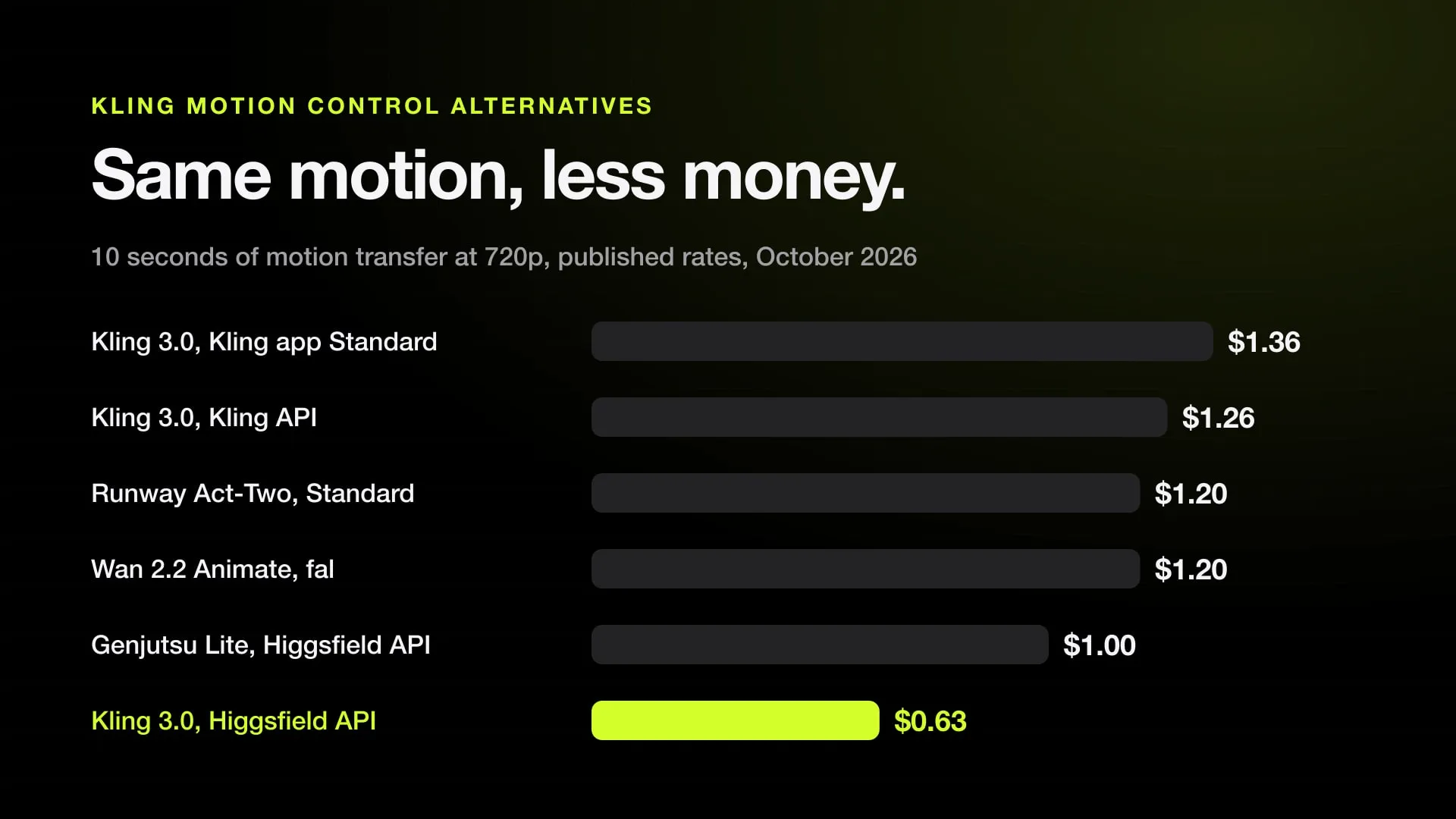
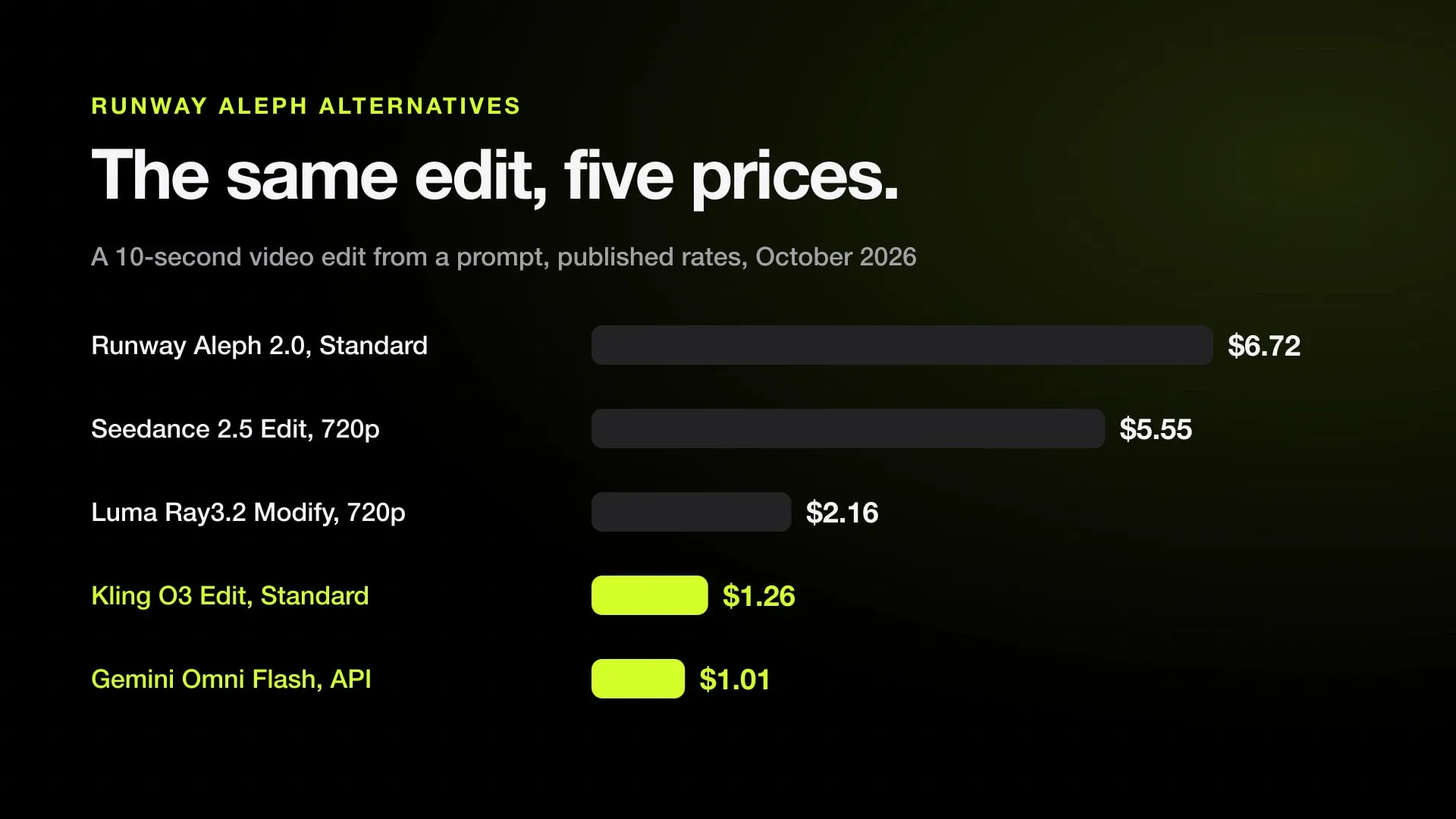
Hosted video is billed per second, and what each model costs across providers is in the video API price comparison. To mix both from an AI agent, AI Media Router treats your own ComfyUI server as one provider next to 42 hosted APIs and saves every result on your disk.
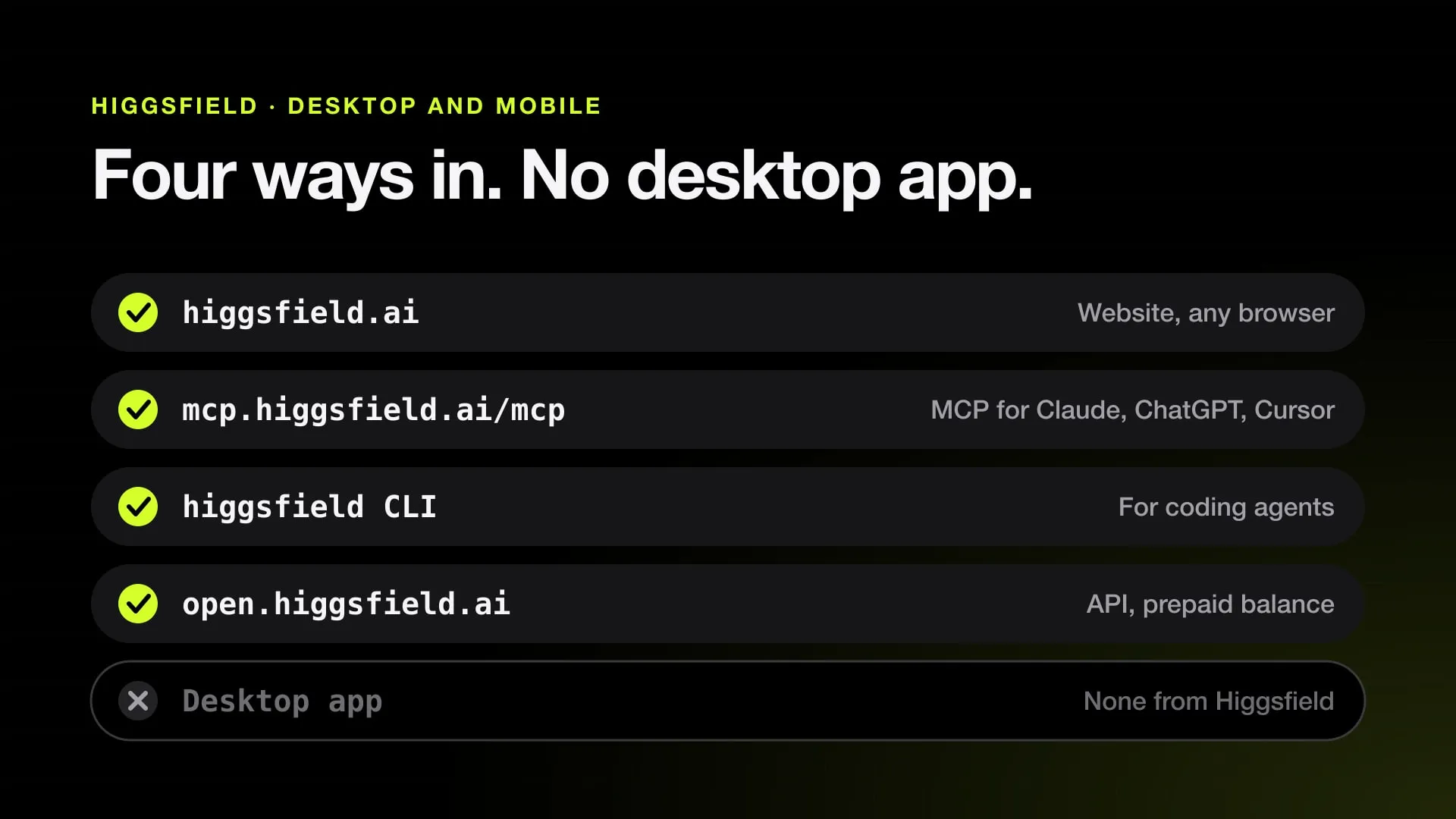
Jutsu Studio is a free, open-source native Mac app that runs Higgsfield’s hosted models (Seedance, Kling, Genjutsu and more) through your account or API key. It shows the price before each job, has a draft mode and a queue, and upscales drafts for free on the Mac. Generation runs on Higgsfield’s servers, not locally. To get the most out of the strongest of those models, start with the Seedance 2.5 guide.
Sources
- Lightricks/LTX-2 on GitHub: README and LTX-2.x Community License, August 11, 2026 (checked November 1, 2026)
- Lightricks/LTX-Video on GitHub: README (checked November 1, 2026)
- Lightricks/LTX-Desktop on GitHub: README, release 1.3.1 (checked November 1, 2026)
- james-see/ltx-video-mac on GitHub: README (checked November 1, 2026)
- Tencent-Hunyuan/HunyuanVideo on GitHub: README and license (checked November 1, 2026)
- Tencent-Hunyuan/HunyuanVideo-1.5 on GitHub: README and license (checked November 1, 2026)
- Hugging Face: PocketAiHub/HunyuanVideo-1.5-Distilled-MLX (checked November 1, 2026)
- lllyasviel/FramePack on GitHub: README (checked November 1, 2026)
- brandon929/FramePack: FramePack for macOS and Apple Silicon (checked November 1, 2026)
- SkyworkAI/SkyReels-V2 on GitHub: README and license (checked November 1, 2026)
- SkyworkAI/SkyReels-V3 on GitHub: README (checked November 1, 2026)
- drawthingsai/draw-things-community on GitHub: model list (checked November 1, 2026)
- lilting.ch: LTX-2 vs Wan 2.2 on M1 Max 64GB, March 1, 2026, updated May 20, 2026 (checked November 1, 2026)
- Hugging Face: PocketAiHub/Wan2.2-T2V-A14B-MLX, M5 Max benchmark (checked November 1, 2026)
- hkchengrex/MMAudio on GitHub: README, demo.py and issue 17, Mac support (checked November 1, 2026)
- Apple: Mac mini technical specifications (checked November 1, 2026)
Run Higgsfield from your Mac.
Jutsu Studio is a free, open-source Higgsfield desktop app for Mac: a queue, a local library and the price on every button.